


Volleyball Legends is a fast-paced 2D volleyball game where players compete in matches, unlock characters, customize skins, and use boosts and power-ups. Codes allow players to progress faster without long grinding sessions. Looking for the latest Volleyball Legends codes to claim free rewards, boosts, and exclusive in-game items? This guide is updated regularly with new active codes, expired codes, how to redeem them, and tips to get more rewards quickly.
Active Volleyball Legends Codes (Working Today)
Below is the updated and verified list of all working Volleyball Legends redeem codes. This list is refreshed regularly.
| Code | Reward | Status |
|---|---|---|
| UPDATE_45 | 5 Lucky Style Spins | Active |
| CLONE | 5 Lucky Ability Spins | Active |
| ULTRA | 5 Lucky Style Spins | Active |
Note: Codes may be case-sensitive. Enter them exactly as shown.
Expired Volleyball Legends Codes
These codes no longer work but are kept for reference.
| Code | Reward | Status |
|---|---|---|
| LEGENDS2024 | 100 Coins | Expired |
| VOLLEYXMAS | Holiday Skin | Expired |
| POWERUP15 | Power Boost | Expired |
| SLAMBOOST | Jump Boost | Expired |
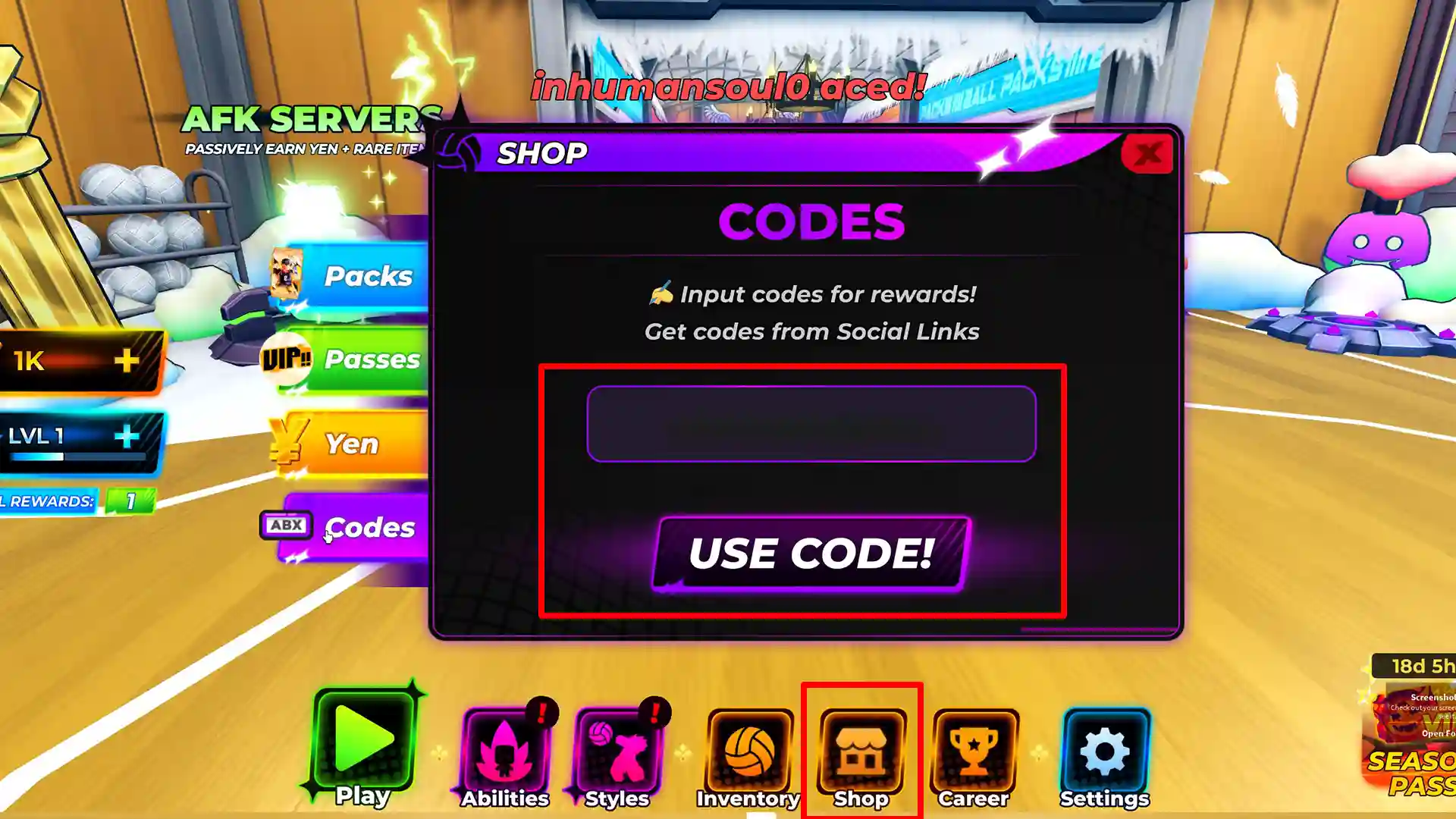
How to Redeem Volleyball Legends Codes
Redeeming codes in Volleyball Legends is simple:
- Open Volleyball Legends on your device.
- Go to Settings or look for a Redeem Code or Gift Code option in the main menu.
- Tap the Enter Code or Redeem Code box.
- Type any active code from the list and press Redeem.
- Rewards will appear in your account instantly if the code is valid.
These steps work across PC, mobile browser, and desktop where the game supports code redemption.
Why Are My Volleyball Legends Codes Not Working?
If a code does not work, common reasons include:
- The code has expired.
- Incorrect spelling or wrong case (codes can be case-sensitive).
- The code was already redeemed on your account.
- Temporary server issues; try again later.
- The code is unofficial or fake.
Tip: Copy and paste codes directly from this page to avoid typing errors.
How to Get More Volleyball Legends Codes
Developers typically release new codes during events, updates, and promotions. Check these sources to stay updated:
Official Sources
- Official Twitter/X account of the game
- Official Discord server
- In-game announcements
- Developer live streams and posts
Additional Tips
- Enable notifications for official channels.
- Participate in limited-time events and tournaments.
- Bookmark this page and check regularly for updates.
Can I Use Cheats or Hacks?
Beware of sites and tools that promise cheats, modded APKs, unlimited coins, or bots. These are unsafe and can lead to account bans, malware infections, or data loss. Use only official redeem codes from trusted sources.
Frequently Asked Questions (FAQs)
What are the latest Volleyball Legends codes?
The newest codes are listed at the top of this article. We update the list when new codes are released.
How often do new codes release?
New codes typically appear during events, holidays, or major updates. Follow official channels for the fastest announcements.
Are Volleyball Legends codes free?
Yes. Official codes are provided free by the developers.
Can I use old or expired codes?
No. Expired codes will not redeem rewards.
Where should I enter Volleyball Legends codes?
Enter codes via the game’s Redeem Code or Gift Code section, usually found in Settings or the main menu.
Do these codes work on all devices?
Codes generally work across supported platforms where the game allows redemption (PC, mobile browser, desktop client).
Are Volleyball Legends codes safe?
Yes, when sourced from official channels or trusted pages. Avoid third-party hacks or modded apps.
