
Network Errors, Lags, Game Crash, Match Drop, etc are common online multiplayer errors in games like Valorant. Due to high server load players who are trying to connect from distant regions get kicked off automatically. It might happen during the match or when you are trying to connect online. So what is a solution for this?
To fix Valorant Network Problem you will have to start with basic troubleshooting. Like fixing your internet connection, placing your router near to your PC or Laptop if you are playing on Wifi, disconnecting unnecessary devices from the router, etc. Network Problem appears when your system is unable to communicate with the Valorant server. The more optimized your game is + Good internet connectivity the fewer problems you will face. If everything is good and still the same problem persists Valorant Network lag then try these four solutions.
1. Optimizing Router for Valorant
Switch to a cable mode, from Wifi for a while. Just to test the ping rate, launch the command console by typing cmd in Run box (Start + R). Type ping.google.com -t. This is a small yet very useful technique to give you details about your current internet connection. If you see messages like Request Time Out or high point response then contact your ISP. Here are common fixes that apply to a router if the internet connection is unstable.
- Replace the R45 port on WAN cable.
- Use a new LAN cable to connect your PC or Laptop to Router.
- Reset your router to disconnect every device.
- Connect only your system and run the ping test.
- Replace router if nothing works.
At all costs, it is necessary to have a stable internet connection with the lowest possible ping rage. Update your Lan Drivers and disable security software like Antivirus, real-time cloud storage like Google Drive, exit torrent clients, download, etc from the system. Reduce to minimum process and then play Valorant. You will notice a massive change in game connectivity and performance.
2. How to get Low Ping Rate
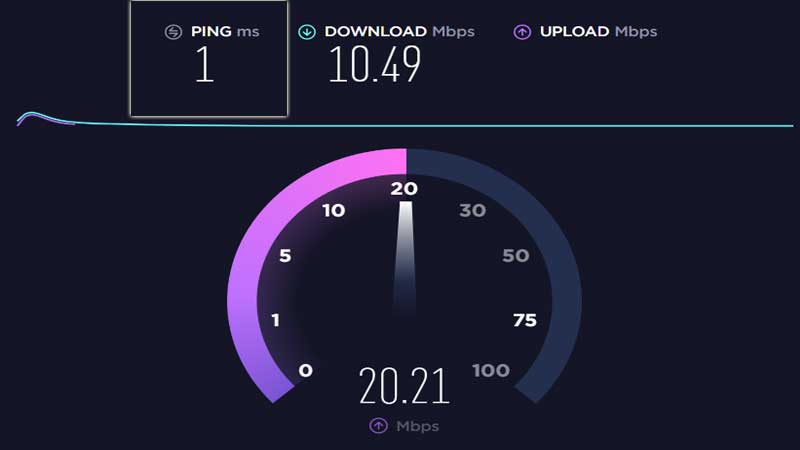
Ping rate relies on two factors, the connection with your ISP gateway that contribute to the latency and second the router. Just run a speed test and you will get an idea. If the latency is high you can never get a low ping on Valorant. This has to be resolved from the internet providers’ end, it can be done by setting up a new cable connection or plugging you in a stronger gateway router.
Second the router, the hardware itself. Routers like Netgear Nighthawk are designed to manage a large chunk of data transfer. They have inbuilt features to optimize gaming and deliver a lot of smoother experience. With multiple antennas and proprietary tech, these routers are the best upgrades. It is not necessary to buy the costly one, go with a medium-range model. Netgear Nighthawk internally manages ping, offering to prioritize service to games and auto-allocate bandwidth to devices.
3. Valorant PC Optimization Settings
If the above two factors are not responsible for the Valorant Network problem then some PC tweaks can resolve the issue. You can optimize Valorant performance on a Windows PC by turning off options not required. This will reduce CPU load, however, it will not impact much of the connectivity issues. But you will be able to play without lags. I had seen in Valorant Custom Matches the game lags and there is nothing you can do. You have to forcibly terminate the process from Task Manager. This happens if the internet connection in between breaks. Refer the link to know more about the best Valorant PC Settings.
4. Should You Limit Valorant FPS for fixing Network Error?
The answer to this question is no unless the problem is too high. Valorant has FPS lock settings in the Graphics section. You can enable this option if the Valorant Network lag is constant. It is best to keep this option last once you have checked everything. If the problem is from developers end you can check updates through Twitter. Most of the time they report server problems, but if not then the issue is on your end. So try to keep the limiting fps as the last option.
A lot of things rely on developers’ end to provide a smooth gaming experience to its player. Sometime Valorant Network errors are common due to different regions. Servers are placed in other countries takes time to establish a connection. Always update your game with the latest patches, keep your driver updated and keep checking the ping rate.











