PowerWash Simulator, as the name mentions is a simulation game where players assume the role of a small power washing business company and take jobs from various clients. While each clientele can be deemed as a level, once crossed they provide money that can be used to upgrade the tools. While washing off the dirt of some clients might be done with only water. Some tough levels will need you to use soap. If you are stuck in one such level, this guide will show you how you can get and use soap in PowerWash Simulator.
How to Get & Use Soap in PowerWash Simulator
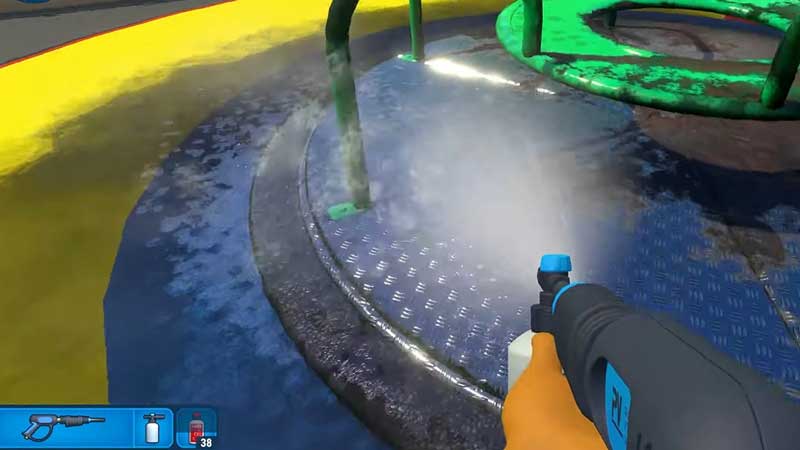
You can get the Soap in the PowerWash Simulator by heading to the shop menu from the player’s in-game tablet. You can purchase different types of soap from there. The list of soaps will be dedicated to the particular kind of surface and you can decode that by their names:
- Glass Cleaner – Purchase for $10.00
- Metal Cleaner – Purchase for $10.00
- Plastic Cleaner – Purchase for $10.00
- Stone Cleaner – Purchase for $10.00
- Wood Cleaner – Purchase for $10.00
- Universal Cleaner – Purchase for $15.00
While all Cleaners are important, Universal Cleaner is, without doubt, the best one to purchase. It can clean any surface almost as efficiently as dedicated cleaners.
Additionally, you will also need the Soap Nozzle if you want to use Soap in the game. You can purchase it from the shop menu and equip it by pressing 2.
Next, to use Soap, you will have to equip one of the purchased Cleaners. Press the E key to open the inventory and then rotate to the Cleaner that you need at the moment.
How to Refill Soap
Additionally, you can refill your Soap without opening your Inventory. While you simply press the R key, your soap will be refilled. Although, for that to happen, you need to have more quantity of the Cleaner you have equipped. If you do not have any extra Cleaners, you will have to go to the shop and purchase more of it.
That’s all you need on how to get and use Soap in PowerWasher Simulator. While you are here, make sure you check out Gamer Tweak for more guides, tips, and tricks that you will be interested in.