Several Call of Duty Modern Warfare 2 players are finding it difficult to unlock attachments. The process of unlocking guns has changed with the new Gunsmith 2.0 mechanism of this game. And with it, how attachments work has also changed. Luckily, unlocking them isn’t quite hard. So in this guide check out how you can unlock new weapon attachments in CoD MW2 and use them.
How to Unlock Attachments in CoD MW2
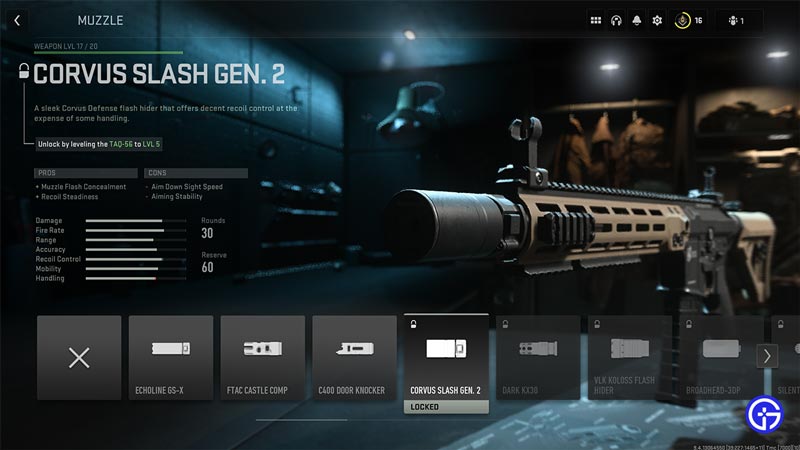
You can unlock Attachments by leveling up your weapons across the different Weapon platforms. Based on the attachment, you will either be able to share it across every other weapon in the game. Or only with the weapons from that Platform. This has both its perks and cons. The perk is that once you get the attachment you will be able to share it with other weapons. But the con that comes with it is the grinding process. Depending on a certain attachment it can take you very long to unlock it.
For example, if you want to unlock the Corvus Slash Gen.2 muzzle. You need to reach level 5 of Taq-56. Now that might sound easy, but you first need to unlock the gun. As it isn’t available from the beginning. And in order to unlock it you need to level up your M4 to level 19. This was just a basic example with the help of some starting weapons. Basically, you will need to level up all your weapons in order to unlock everything in the game.
Now, this in itself has its own advantages and disadvantages. The advantage is that if you want to unlock the attachment or some other gun in its tree. You will need to play with it and level it up. And this makes you more familiar with that gun, which can help you plat better with it. Or at least give you some general idea how the guns in that weapon platform should work. But that is also where its disadvantage comes in. If you don’t like the weapon you will still have to keep playing with it until you unlock the attachment that you originally wanted.
How to Use Weapon Attachments
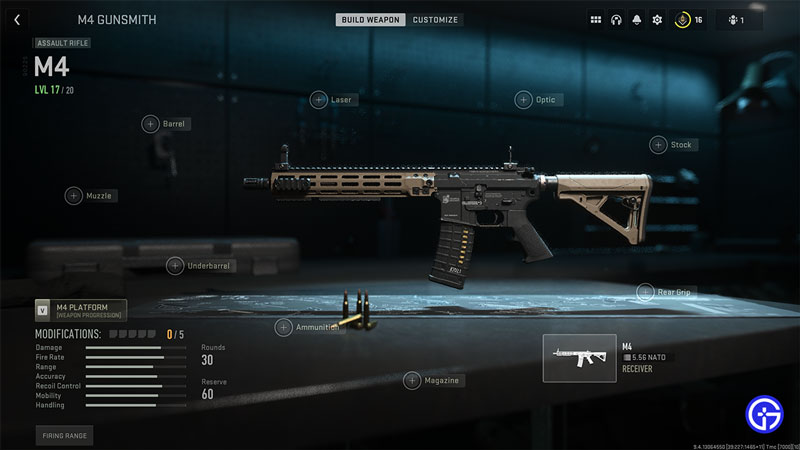
After you unlock an attachment, here is how you can use it in Modern Warfare 2:
- Go to the main menu of the game.
- Select the Weapons tab.
- Here, click on Multiplayer loadout.
- Now, select the weapon and click on Gunsmith.
- Here you can change the following attachments for your weapon:
- Platform specific attachments: Can be used only in the same weapon platform.
- Stock
- Barrel
- Muzzle
- Rear Grip
- Receiver
- Universal attachments: Can be used irrespective of the weapon platform.
- Optic
- Laser
- Underbarrel
- Ammunition
- Magazine
- Platform specific attachments: Can be used only in the same weapon platform.
- Choose and equip the attachments you have to upgrade your weapon.
That covers this guide on how to unlock and use weapon attachments in Call of Duty Modern Warfare 2. I suggest you also check our guide on how to unlock weapon sights in this game. And don’t miss out on our CoD MW2 Wiki to learn about other things about this game.