Players want to find out how to attach a Suppressor in Gray Zone Warfare. The additional weapon attachments you use will affect your aim, making it increasingly important to equip the best and most powerful attachments to improve your precision while shooting enemies.
Moreover, the weapons you use and their modifiers will help you push through battles and win every fight. However, if you need help understanding how to use this customization option and equip some useful modifiers and attachments, here’s everything you need to know.
How to Unlock and Attach Suppressor in Gray Zone Warfare
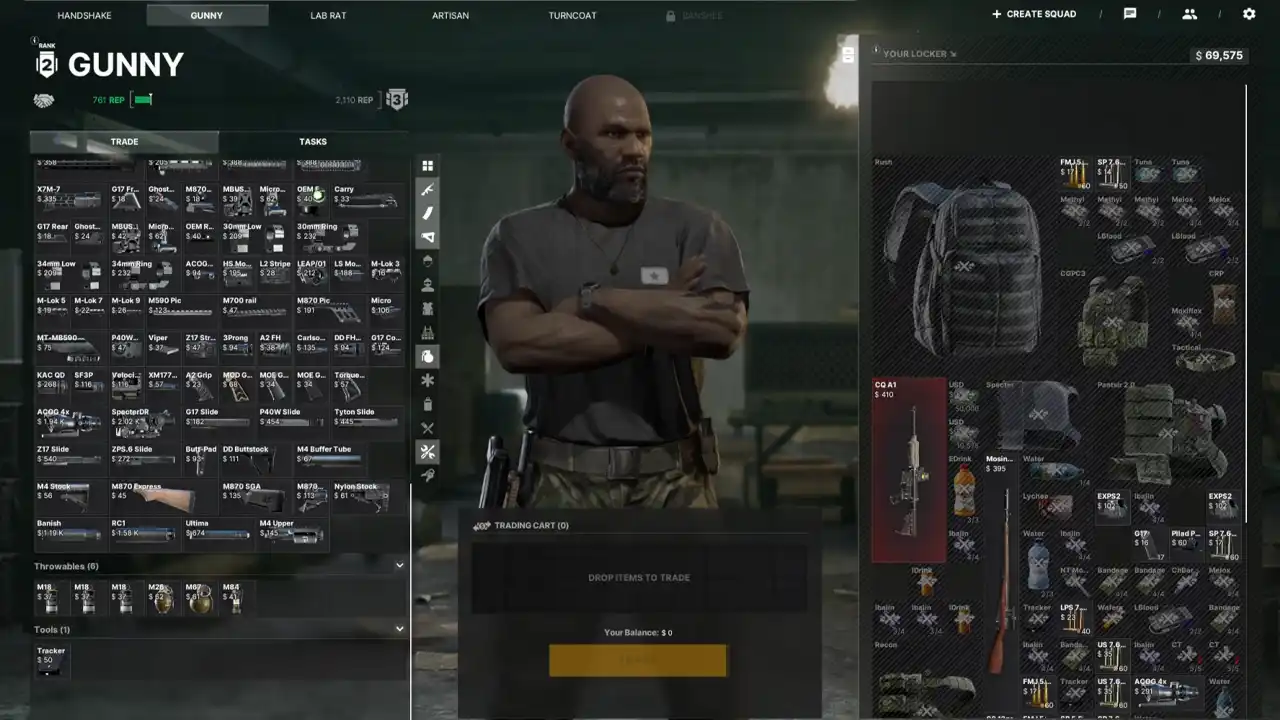
If you want to use attachments or modifiers, you must get them from the vendor, Gunny. He sells a plethora of powerful guns and various modifiers that you can attach to your gear.
The process of adding an attachment is quite simple. You must select the ‘Character’ tab and go to the ‘Gear’ page. When right-click on the weapon you want, choose the ‘Inspect‘ option.
A menu will open, showcasing all the attachment slots and the modifiers you have currently equipped on that particular weapon. You must drag and drop the modifiers into the correct attachment spot to equip a different attachment.
To unlock Suppressors, you will need Gunny Level 2. However, simply achieving this won’t be enough. You will also have to use a Barrel or Muzzle device to attach a Suppressor.
For example, if I’m using the Glock 17 Handgun, I must first unlock the Optimized Glock 17 Match Grade Threaded Barrel. After this, I will have to get the Banish Suppressor. Once I have these attachments, I will drag the Suppressor, drop it into the Barrel, and then add this attachment to the correct spot. By doing this, I can use the Glock 17 with a Suppressor.
Another example is using an M4A1 Firearm. First, unlock and add the Socom 3 Prong Flash Hider Muzzle device. After adding this attachment, get the RC1 Suppressor and attach it to the Firearm. Once this is done, you will be able to use a Suppressor for an M4A1 Firearm.
That’s all you need to know to attach a Suppressor in Gray Zone Warfare. You can also learn how to revive friends from a coma and how to repair your armor.