GTA 5 Online is a playground for a multitude of activities. From planning a heist with friends to participating in custom races, you and your friends can spend real-life days discovering all that the streets of Los Santos have to offer. But trading cars with your friends is one of the few features Rockstar has refused to add to the game, And that’s where we come in. Let’s take a look at how you can trade cars in GTA 5 online using glitches.
How to Trade Cars in GTA 5 Online
Note – Using glitches can mean a temporary or permanent ban on your Rockstar account, use this method at your own risk.
To use this glitch your friend and you will require your own MOC (Mobile Operations Center) which you can purchase from the Warstock Cache & Carry website and a free car in that MOC.
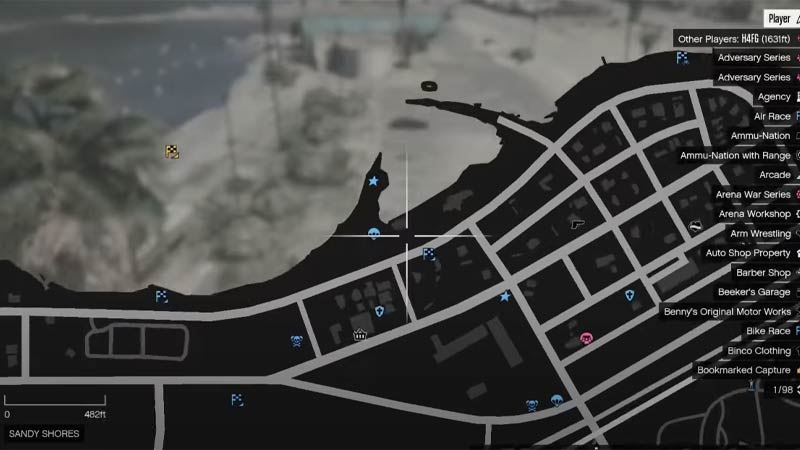
- Make your way with your MOC to the parking lot in Sandy Shores where you should see an old rusty car. A free car should be parked in your MOC during this process.
- Use your MOC to push this car along the path of the parking lot while you park the MOC in such a way that the back tires align with the white line on the fourth parking spot.
- Call in your friend you want to trade with and park his MOC in the opposite parking spot while the car you want to trade should be parked behind that MOC.
- Enter your MOC and get in the parked car, ask your friend to do the same, and spawn out.
- Your friend should exit the car while you perform the glitch-Slowly crash into the rusty car while spamming Right on the D-pad and open the interaction menu. Exit and enter the car and attempt to drive it, if the car isn’t moving it means the glitch worked.
- With the interaction menu open, walk towards the car you want to trade and enter it. Ask your friend to enter his MOC, this should glitch you into your MOC with the car.
- Now ask your friend to send you an invite to his MOC, accept this, and leave his MOC immediately.
- Now open your interaction menu and select the “Return Personal Vehicle To Storage” option and the car is yours.
And that’s one way you can trade cars in GTA 5 Online. Check out this article on how to activate God Mode and other GTA 5 Online guides here on Gamer Tweak.