If you’re a fan of Technoblade and you wish to use his online avatar image as a skin in Minecraft, here’s how to do it. His famous Youtube icon has a cute little pig in Minecraft’s blocky art style and he also wears a king’s robe and a bejeweled crown. If you haven’t used a third party custom skin before, we will walk you through the steps to searching for the right skin as well as uploading it into Minecraft on PC.
How to Download and Use Technoblade Minecraft Skins
Follow these steps to download and use the iconic Technoblade skin in Minecraft.
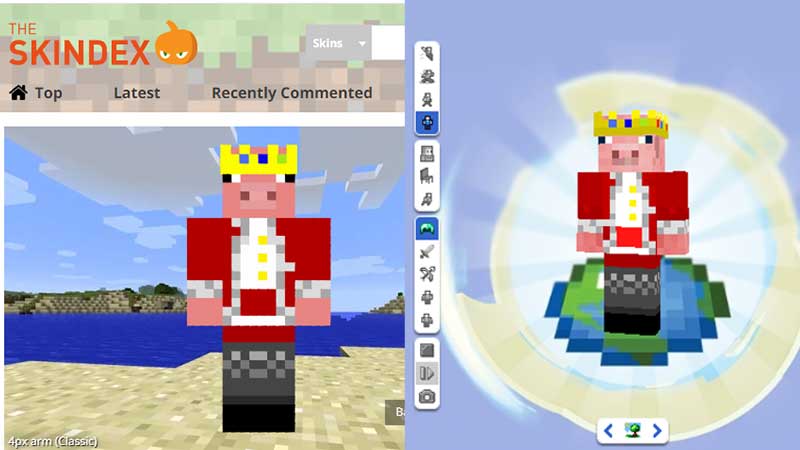
- First, choose your skin. There are a few skin creator & editor sites that are pretty popular among players who like to use different skins in the game. They are Namemc.com, minecraftskins.com and planetminecraft.com. Here, you will find various versions of the avatar – pick your favorite.
- Before downloading it, you can also edit the skin if you want to customize it further.
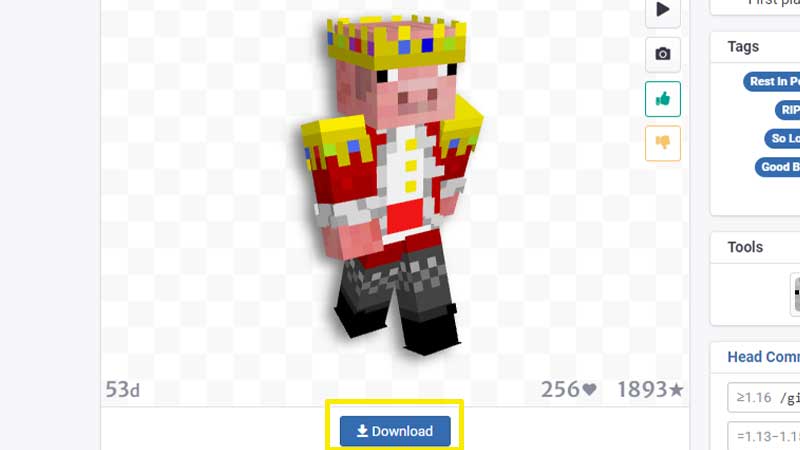
- Once you have chosen the skin, click on the Download button.
- This will download the image to your computer. Note the folder where it is saved.
How to Upload a Custom Skin to Minecraft?
After you have downloaded and saved your preferred skin to your device, check if the file has a .png extension which it should have. Then, follow the steps given below:
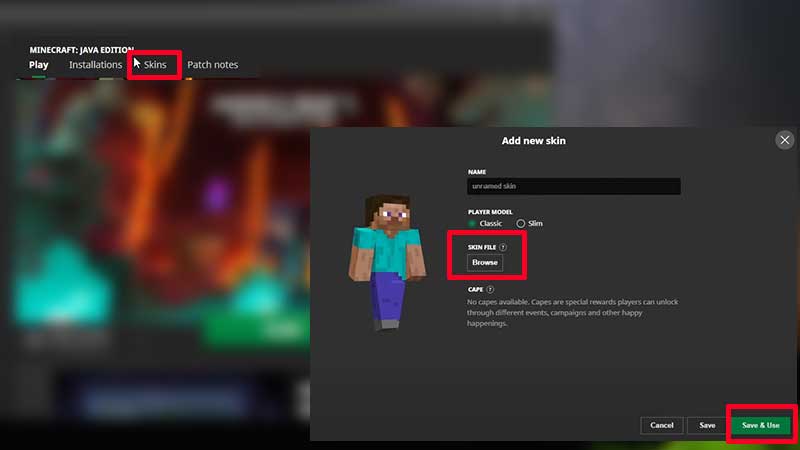
- Launch Minecraft.
- Choose Skins from the Main Menu itself.
- You will see your Current Skin on the left. Click on the + sign where it says New Skin.
- Give a name for it, choose the player model.
- Now under Skin File, click on Browse.
- Head to the folder where you saved the .png file.
- Select the new skin you want to use.
- And now you should see the new skin being animated on the left side of the window.
- Click on Save & Use to apply the changes.
Also Read | How to Make your Own Custom Skin in Minecraft
About Technoblade
Alex, better known worldwide as Technoblade was a Minecraft youtuber and streamer. Unfortunately, he was diagnosed with cancer in 2021. On June 30, 2022 his father announced via a video that Technoblade has passed away. His main Youtube channel boasts of 15.2M subscribers, while his other channel Technothepig also has 1.29M subs. RIP, Technoblade, you will be missed.