Home > Mobile > Fix Diablo Immortal Screen Freeze Error

Diablo Immortal Stuck On Starting Game Screen Fix

Published Date :

Diablo Immortal is the latest installment of the Diablo series and the first free-to-play in this series. This has attracted a lot of new players to the Diablo fandom. However there have been reports of players facing the stuck on Start Game Screen in Diablo Immortal and are looking for ways to fix it. If you are one of those players then check out this guide.

Diablo Immortal Stuck on Starting Game Screen – How to Fix?
Diablo Immortal Screen Freeze PC

If your Diablo Immortal is stuck on the starting Game Screen then check out this list of potential fix and troubleshoot tips which might help you solve this error.

The more common solution that players have found for this problem is uninstalling and reinstalling. But try out the others before you go through that hassle –

  • Go to Settings and then Update & Security to check for any pending Windows updates.
  • Make sure the drivers for your Graphic Card are updated.
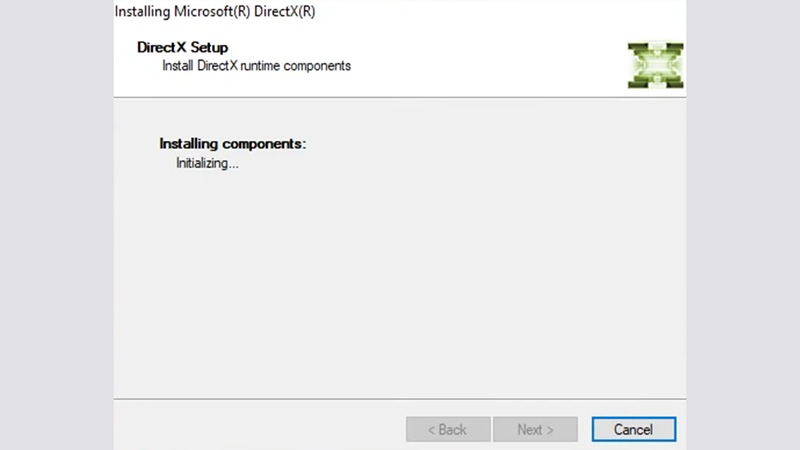
  • You need to update your Microsoft DirectX. Start installing the new version to check. If its updated you won’t have to do anything.
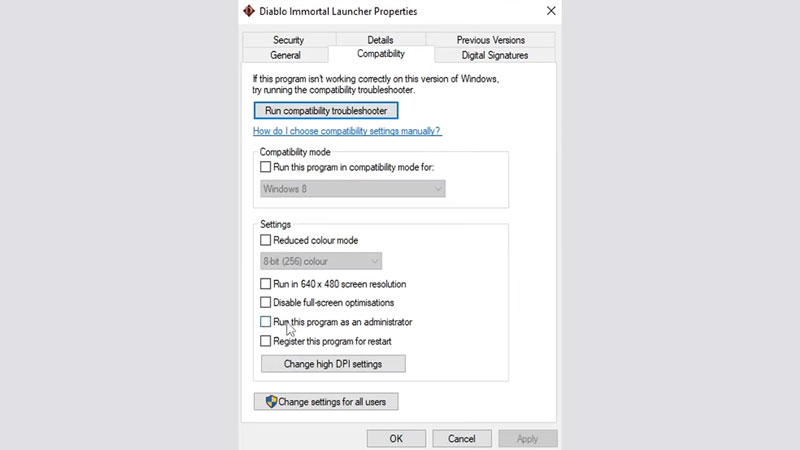
  • Go to Compatibility by Right-clicking on your game application. Tick the box that says run the game as administrator.
  • Clear CPU optimizing applications from your Task Manager before starting the game as the game will need as much RAM as you can clear for it.
  • Find out whether your Antivirus is blocking any game files or not. If it is then you will have to disable the Antivirus or add the game to Exception.
  • Verify your game files from Battle.net launcher. Select Diablo Immortal in the launcher and click on the settings tab near Play. Go to Scan & Repair and make sure that all game files are intact.
Fix Diablo Immortal Screen Freeze Error

If none of these work then you can head to uninstalling the game and re-installing it. But if these work it will save you a little waste of time and internet.

That’s all there is on the Fix to Diablo Immortal Stuck on Starting Game Screen. While you are here, check out other guides, tips and tricks with Gamer Tweak.
  • +1 Speed Evolve Codes (July 2026)

    +1 Speed Evolve Codes (July 2026)

    Published Date :

    Speed-based games on Roblox will always stay popular, and this particular experience is quite addictive! Here, you play as an animal and your goal is to evolve into stronger animals, unlock new worlds, and be the fastest player on the server! +1 Speed Evolve codes offer free Speed and Win Boosts that can make your… Read More

  • Yeet a Brainrot Codes (July 2026)

    Yeet a Brainrot Codes (July 2026)

    Published Date :

    If you’re annoyed at the Brainrot trend, this is your opportunity to “yeet” them into the distance! To launch Brainrots farther, you need better pets, potions, and more rewards, and thankfully, these Yeet a Brainrot codes will come to the rescue. You can easily unlock various Divine Relic Chests, Primeval Relic Chests, Coin/Luck/Power potions, exclusive… Read More

  • Build A Soccer Squad Codes (July 2026)

    Build A Soccer Squad Codes (July 2026)

    Published Date :

    To build your dream team, you’ll need plenty of rerolls and shop refreshes, which is how you can get better cards and complete your collection. Build A Soccer Squad codes can help with exactly that, giving you various freebies so you get more chances to improve your lineup without waiting. Here’s the complete list of… Read More

  • Aura Monster Simulator Codes (July 2026)

    Aura Monster Simulator Codes (July 2026)

    Published Date :

    Climbing an endless staircase might sound simple at first, but the higher you go, the more Aura you’ll need to keep progressing and unlock stronger upgrades. Thankfully, Aura Monster Simulator codes provide free Gems and Aura Boosts, helping you strengthen your character and reach new heights. More specifically, you can use these Gems to unlock… Read More