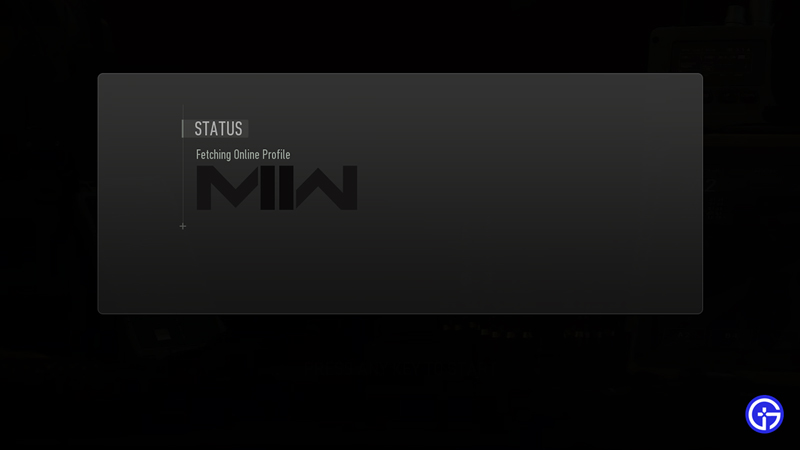
While playing Battle Royale or other modes of Call of Duty Warzone 2 many players get Stuck on Fetching Online Profile and need a fix. This is a problem because you get stuck on the loading screen. And it happens because the game is unable to connect to its servers. Thankfully there are a few things you can do to solve this bug. So in this guide check out how to fix CoD Warzone 2 stuck on fetching online profile error.
How to Fix Stuck on Fetching Online Profile in CoD Warzone 2
As mentioned earlier, the game differs from the traditional battle royales. It allows up to 150 players in one match-up compared to the 100 in the other games. While this feature is exciting and also fun, it gets frustrating when an error pops up. Thus we have this guide to help you fix the Stuck On Fetching Online Profile error in COD Warzone 2.
Check Server Status
While it is not uncommon, several errors can be a spawn of server problems at Activision. Before we can actively try to resolve the error, it is important that you check the Warzone 2 Server Status. Since it is a server issue, there is no solution that will work for you apart from patience. While that is not the case, explore the other possible solutions that we mentioned.
Restart Modem/ Router
This will additionally also make sure that your Internet Connection is working properly. Along with that, restarting your modem and router will clear cache data. This might help you fix the Warzone 2 Stuck on Fetching Online Profile error in Call of Duty. Additionally, we recommend you avoid any large downloads while playing the game. Even on other devices, a large download might take all your bandwidth and will affect the game performance.
Change DNS Settings
Although this method has managed to fix this error, it might alter your settings. It requires a basic technical know-how and should only be tried if you know how to go back to previous settings. Additionally, it might fix the error but it will change the network settings of your PC. If you feel confident and want to go ahead with this, here’s what you need to do:
- Open Settings from Start Menu and Click on Network and Internet.
- While in the new window, under Advanced Network Settings click on Change Adapter Options.
- Double Click on your internet connection type (Usually Ethernet for PCs) and select Properties.
- As soon as the new window pops up, double click on Internet Protocol Version 4 (TCP/IPv4).
- Select Use the following DNS server addresses option.
- In the preferred DNS field, use 8.8.8.8, and in the alternate DNS field use 8.8.4.4.
- Tick the Validate Settings upon exit option and save changes before you exit.
Add Warzone 2 to Windows Defender Firewall
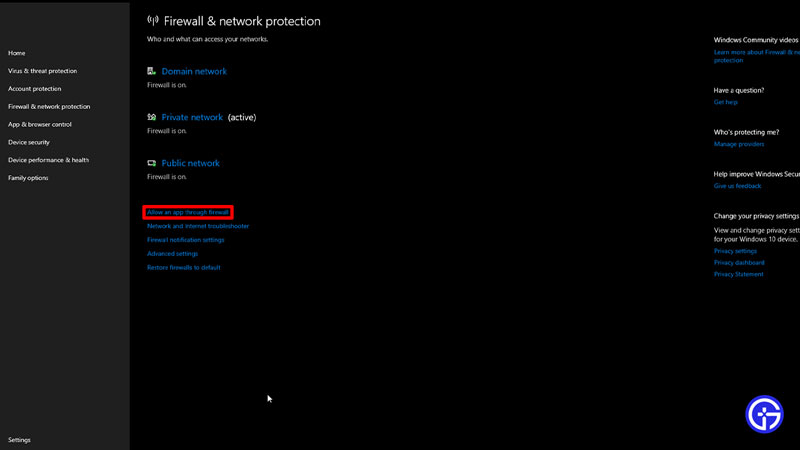
Your firewall defender might be blocking access to the game for security reasons. Along with this, it might be causing the error. You need to add COD Warzone 2 to the Windows Defender Firewall to fix this error. Here’s how you can do it:
- Go to Settings from Start Menu and click on Update & Security.
- In the new window look for Windows Security from the options on the left.
- Once you click on it, navigate and click on the Open Window Settings tab.
- As soon as the new window opens, click on Firewall and Network Protection.
- Toggle to the Allow an app through firewall option and click on it to open the new window.
- Click on Change Settings at the top and then click on Allow Another App.
- Search for the COD Warzone 2 game from the browse option and add it to the Firewall.
Update Battle.net
An old version of Battle.net on your PC might even cause this error. So, we recommend you update your Battle.net application. Here’s what you need to do:
- From the Taskbar, search for Add or Remove Programs.
- While in the new window, navigate to Battle.net and uninstall it.
- Next, you need to download and install the updated version of Battle.net.
- Follow the link to the official site and install the new version.
- Once you Log in to your account, check if the error is fixed now.
Delete Warzone 2 Folder from Documents
Although this is not a common fix, many players have gotten rid of this error using this method. All you have to do is head to Documents from your File Explorer. Next, delete any Call of Duty Modern Warfare, Modern Warfare 2, Warzone, or Warzone 2 Folder there.
While this has not really fixed the error for many, you can try reinstalling the game. But if nothing is working, contacting the Activision Support team is a better idea. They might help you get a hang of the error better and resolve it.
That’s all you need on how to fix Call of Duty (COD) Warzone 2 Stuck on Fetching Online Profile error. While you are here, make sure you check out our Warzone 2 guides and more at Gamer Tweak.