
Home > Overwatch 2 > How To Get & Equip Silhouette Icons In OW2

How To Get & Equip Silhouette Icons In Overwatch 2

Published Date :

After season 3 of Overwatch 2 rolled out, fans of the original competitive game got one of the most anticipated updates in-game. Fans are now able to get their hands on various items to customize their profiles. Amongst these updates, players can equip Silhouette icons of their favorite heroes. With 30+ Overwatch 2 heroes available, players can get their hands on the icons of each of the characters in-game. Here is our guide on how you can get Silhouette Icons in Overwatch 2.

How to Get Silhouette Icons in Overwatch 2
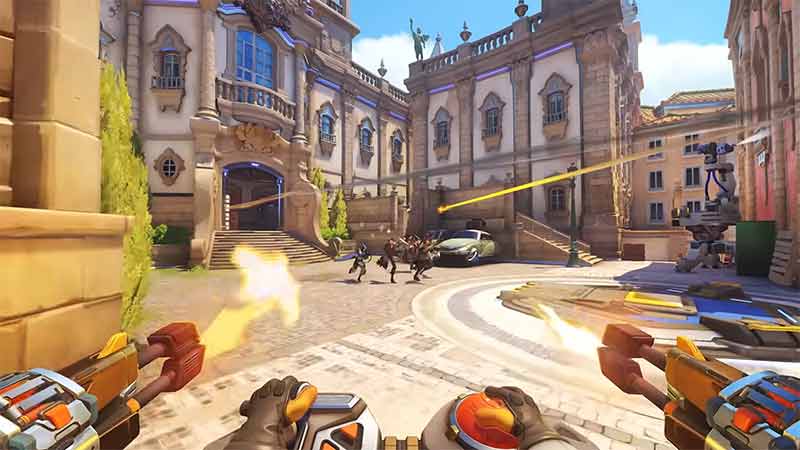
silhouette icons in overwatch 2

To get the Silhouette Icons of your favorite character in the game you will have to win 15 games with the dedicated character. So if you want to unlock the Silhouette Icon for Lifeweaver, you will have to win 15 matches playing Lifeweaver itself. After winning 15 games you will be awarded the icon of that character, in this case, Lifeweaver. Overwatch 2 has different modes for you to play and have fun. We recommend you stick with modes that are shorter and more easily winnable in the game.

Having said that winning in custom games won’t count as a win and you won’t be able to unlock the icons. Collecting them all will require some time and effort to do so as there are 35+ characters and each has its own icons.

How to Equip Silhouette Icons in Overwatch 2
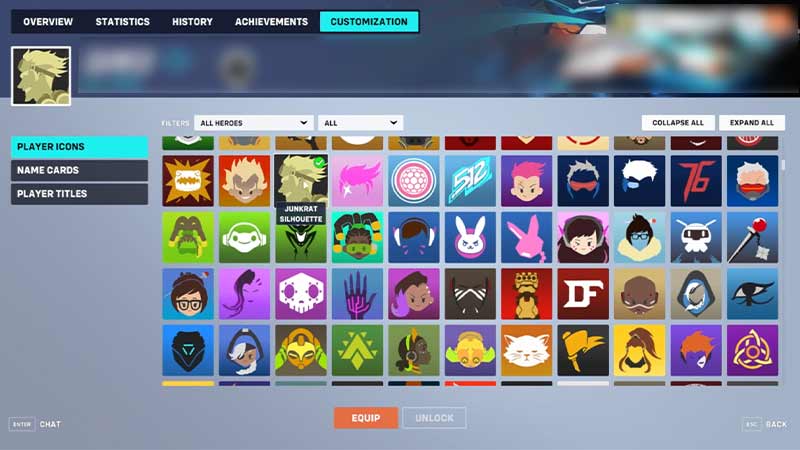
equip silhouette icon

Equipping Silhouette Icons is rather easy. Here is how you can equip the icon of your favorite in-game character:

  1. Open Overwatch 2 and in the main menu click on Career Profile.
  2. Head over to the Customization option on the top.
  3. Once done, you will be in the Player Icons tab.
  4. Here, you can see all the unlocked Silhouette Icons.
  5. Click on the icon you want and hit equip.

That is everything on how you can get & equip Silhouette Icons in Overwatch 2. If you want to know how you can play Ana efficiently here is our guide and for more Overwatch 2 guides do check out Gamer Tweak.


  • GTA 6 Sprint Control Change: Rockstar Ditches Button Mashing?

    GTA 6 Sprint Control Change: Rockstar Ditches Button Mashing?

    Published Date :

    Rockstar is making a small but important change to how players sprint in GTA 6. The new instalment appears to be moving away from the button-mashing controls used in earlier GTA titles and switching sprinting to the left stick. This means running around Vice City should require fewer repeated button presses when playing as Jason… Read More

  • Dungeon Lootr Codes (September 2026)

    Dungeon Lootr Codes (September 2026)

    Published Date :

    Dungeon Lootr is a Roblox hack-and-slash game built around challenging dungeons, different classes, builds and plenty of loot. You can fight enemies, collect better gear, upgrade your weapons, and use different abilities as you progress and codes can give you useful items such as Luck Potions, Forge Stones, Aspect Gems, and Coins. If you don’t… Read More

  • U7BUY Steal a Brainrot Items Review: Pricing, Delivery Speed, and Service Quality

    U7BUY Steal a Brainrot Items Review: Pricing, Delivery Speed, and Service Quality

    Published Date :

    When playing Roblox Steal a Brainrot, you will be aware of the frustration it causes. You need a unit that actually earns $/sec, but those units have such low probability of appearance that you can only find one of them in 0.1% of cases. Many hours of farming sometimes lead to days, and still, you… Read More

  • MM2 of The Locust Codes (September 2026)

    MM2 of The Locust Codes (September 2026)

    Published Date :

    MM2 of The Locust is a Roblox horror game where you are trapped inside a dangerous nest with a giant creature hunting you. Your goal is to survive, find your way around the map, and escape before the Locust catches you. You can also collect Keys during your runs and use them to get different… Read More







