
League of Legends is a very popular MOBA that almost everyone knows of. This game is fun and can be enjoyed with friends or strangers. And this fun increases if you are playing on Public Beta Environment(PBE) where you get to try new updates before most players. But like most online games League of legends PBE, is no stranger to server issues. Servers can go down for any reason be it outage or for maintenance. So in this guide let us take a look at how to check server status in League of Legends PBE.
How to Check League of Legends PBE Server Status
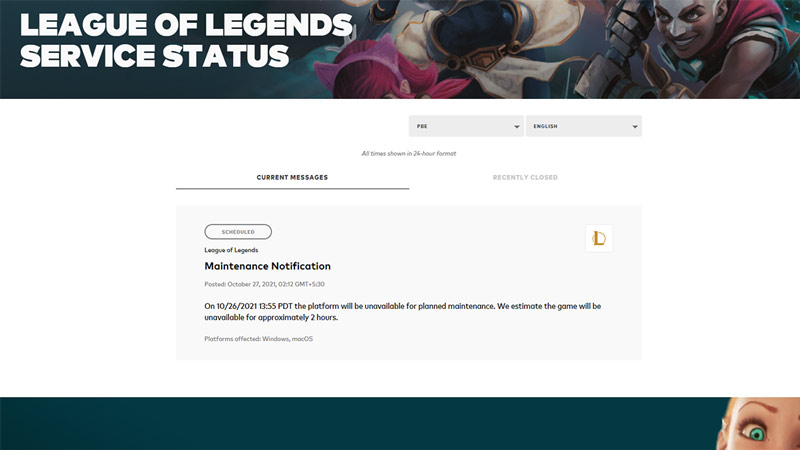
These are the ways to check if League of Legends PBE servers are down.
- Check Riot Games Site: You can check out the Riot games page for any messages about upcoming maintenance notifications or recently closed game issues.
- Follow the official Twitter page: You can check @RiotSupport. As this is the official account, it is the best place to check if there are any outages or if servers are under maintenance.
- Visit Downdetector: Downdetector lets you know about all the outages reported by the players in the last 24 hours.
League of Legends PBE servers down?
In the case that the servers are down, then you will have to wait till it gets back online. But, if the servers are working then you can try some of these fixes:
- Test your internet connection: You can test your internet connection by doing a speed test or by playing other online games.
- Restart your PC: Restarting your PC is an old trick but most of the time works in such situations.
- Refresh your connection: Sometimes you need to refresh your connection in order to make it work properly. If you play with a wired connection then simply plug out and plug in the Ethernet cable. And if you play wirelessly you can do refresh by rebooting your router.
That sums up this guide on how to check LoL PBE Server Status. If you like playing this game be sure to check out our other guide on how to fix match history not working in League of Legends.











