Rocket League is a team versus team game developed by Psyonix where you play as rocket-powered cars in a football game. The game has online as well as offline modes. Although offline mode exists, it’s primarily an online game. Like all online games, the proper functioning of the servers is necessary. But sometimes they go down for many reasons. In this guide, I will explain why Rocket League Servers go down and how to fix them. I will show you how to check the Server Status as well.
Why are Rocket League Servers Down?
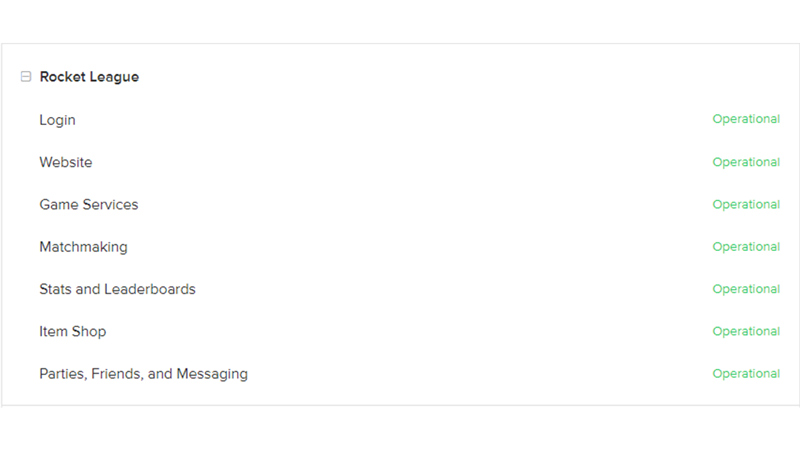
Like I have mentioned before, Rocket League Servers can go down for multiple reasons. Some of these reasons could be due to an error that occurred which rendered them to a halt. In such cases, the developers usually notify you about the situation. Another reason why servers go down is the influx of players after a recent update in Rocket League. The servers get so loaded that they go down. The pressure of handling so many players is always a temporary problem so don’t worry. And finally, a major reason why servers go down is for maintenance. Server Maintenance is important as it checks on how well they are doing and if any fixes are needed to be applied.
You can also check the Server Status by going on their official website. If they are working then the issue lies in your client system. Then you will have to fix the issue by performing these steps:
- Restart Your Game
- Clear temp files
- Run Rocket League as administrator
- Reinstalling Rocket League
If none of these steps work then contact Psyonix through their Custom Care Service and Forums.
How to check the Server Status?
Now, you check Rocket League’s Server Status by visiting the Epic Games website. You can check out downdetector, outage.report, etc. By following their Twitter handle, you will be notified as and when the servers are down or not.
This was all about Rocket League servers going down. Hopefully, this guide was helpful for you. You can also check our other guides like BakkesMod and Rank & MMR in Rocket League.