Home > Gaming Guides > How To Remove Wall, Tiles & Floor in Dwarf Fortress (Controls)

How To Remove Wall & Floor: Dwarf Fortress

Published Date :

When it comes to Roguelike construction & management game, Dwarf Fortress is many players’ first choice to go with. In this simulation, your main aim is to build a Fortress and guard it against various monsters. The key to winning this game is always trying to reconstruct the Fortress, for making it stronger than before. That can be done by making the walls & floor using several materials like steel, soil, and more. On the other hand, there are times when you might need to destroy the things that you made by yourself. However many players are struggling to do so because of the game’s simple yet complex controls. If you are running into the same issues, then we are here to help. Below we have mentioned the controls to remove walls & floors in Dwarf Fortress easily.

Controls to Remove Wall & Floor in Dwarf Fortress
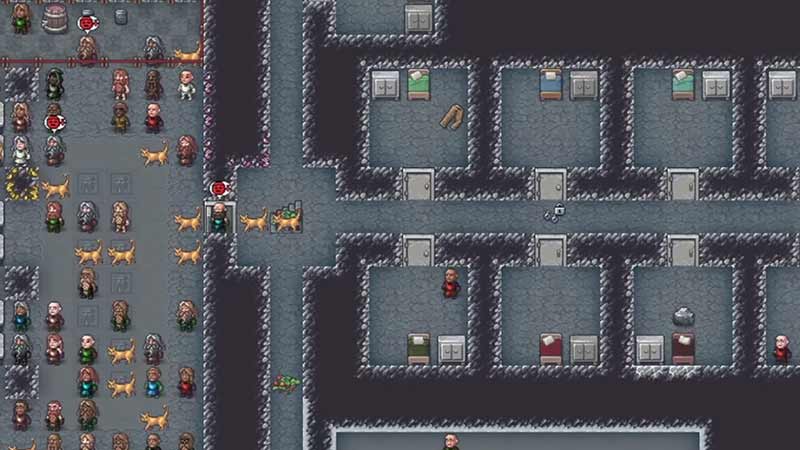
How To Destroy/ Remove Wall & Floor in Dwarf Fortress

Check out the following steps to remove the Wall & Floor in Dwarf Fortress. Before moving ahead make sure you don’t pause the game while doing the excavation process, or else it won’t work.

  • First, click on the Pickaxe (Excavation) option located at the bottom bar of your screen. Or press the M hotkey on your keyboard to initiate the same option.
  • Next, select the Stairs with the red strike option or simply press the X hotkey to do the same.
  • After that, select the walls, floor, & tiles you want to remove.
  • Once done, hold back relax and let the dwarfs do the work for you.

And that’s it, this is how you can remove the wall & floor in Dwarf Fortress easily. Now you can rebuild or decorate the colony again to make its defense stronger. Also note, players cannot remove doors & other decorative items using the same steps. For doing that you’ll need to use other controls, which we will discuss some other time. That covers everything about the controls you were looking for. If you play such games more often then check out other Video game guides for more tips & tricks.
  • Roll to Defend Codes (July 2026)

    Roll to Defend Codes (July 2026)

    Published Date :

    Roll to Defend codes can reward you with free Units, cash, and luck boosts to summon better Units to fight against zombies. Since upgrading your Backpack and unlocking new zones can take time, codes provide much-needed boosts, which is why we have a list of all the currently available rewards. Redeem them before they expire!… Read More

  • Anime Overseer Codes (July 2026)

    Anime Overseer Codes (July 2026)

    Published Date :

    Anime Overseer codes can give you free Gems, Gold, and Trait Rerolls to help you from the start. Since you’ll be summoning units, evolving them, and taking on challenging enemy waves, every free reward can make progression much easier. So, to help your journey, here’s the complete list of all the currently available codes. Last… Read More

  • Stay For Fortune Codes (July 2026)

    Stay For Fortune Codes (July 2026)

    Published Date :

    Stay For Fortune codes can give you free Cromerium, helping you unlock upgrades and progress without having to wait as long. Since the game revolves around staying in the server to earn rewards over time, every bit of free currency can help you get ahead faster. So, here’s the complete list of all the currently… Read More

  • +1 Speed Evolve Codes (July 2026)

    +1 Speed Evolve Codes (July 2026)

    Published Date :

    Speed-based games on Roblox will always stay popular, and this particular experience is quite addictive! Here, you play as an animal and your goal is to evolve into stronger animals, unlock new worlds, and be the fastest player on the server! +1 Speed Evolve codes offer free Speed and Win Boosts that can make your… Read More