Imagine you are about to play your favorite game on PS4 and when you launch it, an error pops up. Like most of the errors, the WS-37505-0 error code also does not allow you to launch the game. It prompts with an error has occurred message but that doesn’t clarify much. As this error code does not prompt any information below it, PS4 players are curious about the reason for this error code and if it can be fixed. So, here’s our guide on what does it mean and how to fix the error code WS-37505-0 on PS4
What does the Error Code WS-37505-0 Means?
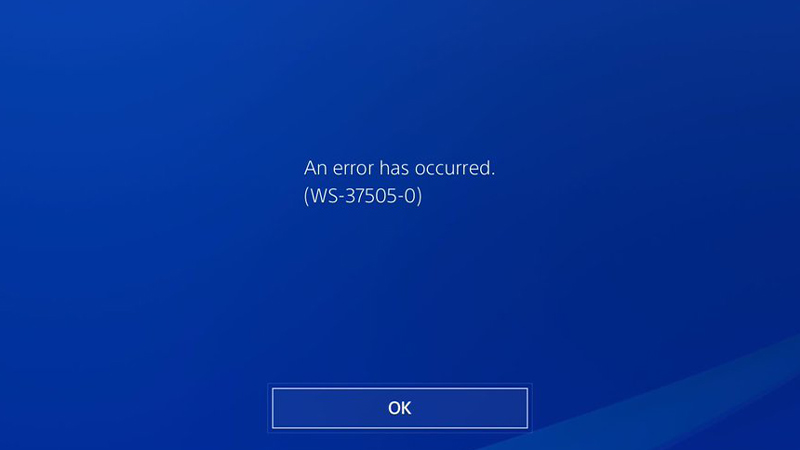
It usually occurs when the servers for the game you have launched cannot connect with the PS4. This error can prompt mainly because of two reasons. The first reason is if the game servers are down. It can be a bugged patch or the servers can also be terminated for a while due to maintenance. The second reason is when servers for PlayStation are down.
While for both reasons we cannot do much to resolve the issue other than wait, you can check the status of the servers.
How to Fix Error Code WS-37505-0 on PS4?
Mentioned below are some of the potential fixes for this error code on PS4.
Check the status of game servers
- You need to head over to the website of the game’s publisher or developer.
- Check for the status of the game’s server.
- If they are down, there’s not much you can do rather wait for a while.
- You can also check their social media for updates regarding the game servers.
If the game servers are not down, you can try out the next method.
Check PSN Servers
- Head over to the PlayStation Network website. Check whether the servers of PSN are active or not.
- If they are active, you can go to their Fix and connect diagnostic tool webpage for assistance.
- It’s a diagnostic tool that can help you with a solution to fix the problem.
Check Internet Connection
- Check your Wi-Fi router or the Ethernet you are using.
- You need a consistent internet speed for the game servers to connect with your console.
- To check your internet connection on your PS4, head over to the Settings in your menu.
- Click on the Network option.
- Then, select Test Internet Connection to run a connection test on your PS4.
That’s all on what does WS-37505-0 error means and how to fix it on PS4. If you liked this guide, make sure to check our other Video Gaming Guides right here on Gamer Tweak.