Let’s take a look at how to use the CS2 Grenade Camera to practice your smokes & nades. One of the most important parts when it comes to competitive gameplay is to get your grenades and smokes right at the start. Additionally, if you like flashbangs as much as I do, you might want to perfect your angle or else you might end up with the white screen. Thankfully, the Grenade Camera in Counter Strike 2 works pretty well in Practice matches and with this guide, you can easily practice your throws.
How to Turn On CS2 Grenade Camera
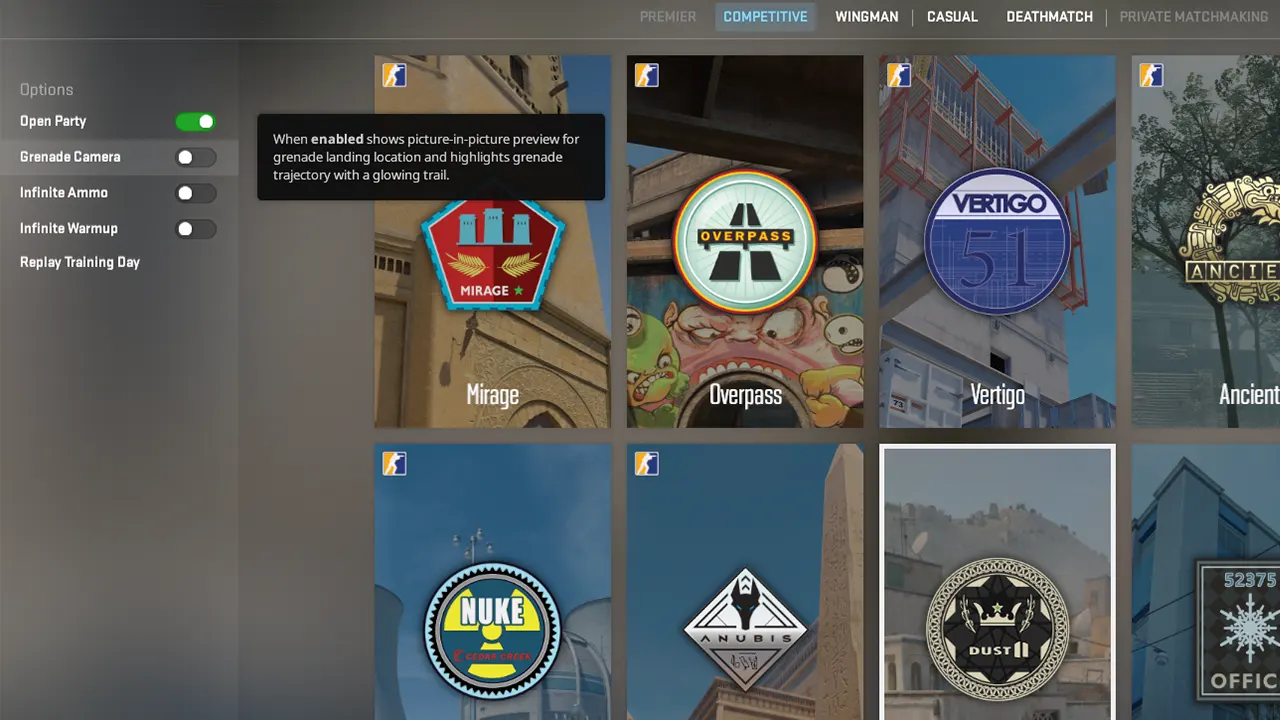
Before you start the practice match, you can find the CS2 Grenade Camera and Infinite Ammo in the left side menu. Make sure you enable them to have a good practice session with your Smokes and Nades. If you hover your mouse near the left side menu while matchmaking, you will find the Nade Camera and Infinite Ammo setting in Counter Strike 2 and all you have to do is click the button next to them.
How to Practice Smokes & Nades in Counter Strike 2
- Open the Developers Console & then enter ‘sv_cheats true’ to enable the cheats option.
- Once the cheats are activated, enter ‘bind n noclip’ to be able to move through walls and textures.
- Now, you can practice any grenades and monitor their accuracy and effects easily.
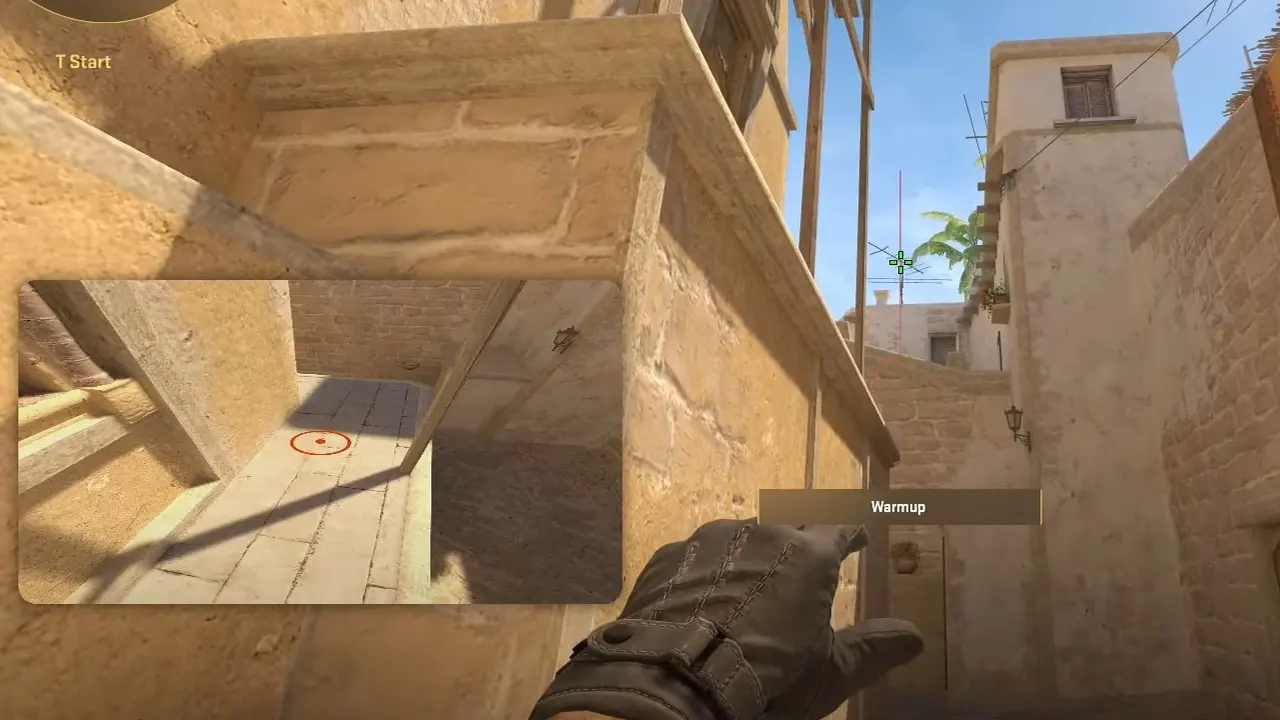
- Once you pull the pin and hold your smoke or nade, the CS2 Grenade Camera will show you exactly where it is landing along with the trajectory.
- You can now aim and throw your grenade and then move through the walls to check your accuracy and memorize the angles.
- Going forward, your accuracy with Smokes and Nades will increase as you play competitive matches to rank up.
While the process is simple, this video below by NartOutHere should help you through any problems that you face if you missed out anything above.
That’s all we have on how to use CS2 Grenade Camera to Practice Smokes & Nades. If you found this guide useful, do check out our other CS2 Guides while you are here at Gamer Tweak.
For more CS2 FAQs, check out these guides:
- What Is Wingman Mode In CS2?
- How To Get Ranked In CS2
- Best CS2 Guns Ranked
- How To Setup CS2 Autoexec
- CS2 Prime Status Explained