
Maps are a prominent feature of Pokemon games as they tell you the sequence of routes to follow. However, there is a huge change in the new installments. In Pokemon Scarlet and Violet, if you open the map, you will not see the standard linear routes. Like Legends: Arceus, you will see a dynamic open-world map. This might get a bit overwhelming with the amount of content in this game. But, you get the chance of following your path instead of a preset path. Read this article to know some basics of the map.
How to Open Map in Pokemon Scarlet and Violet
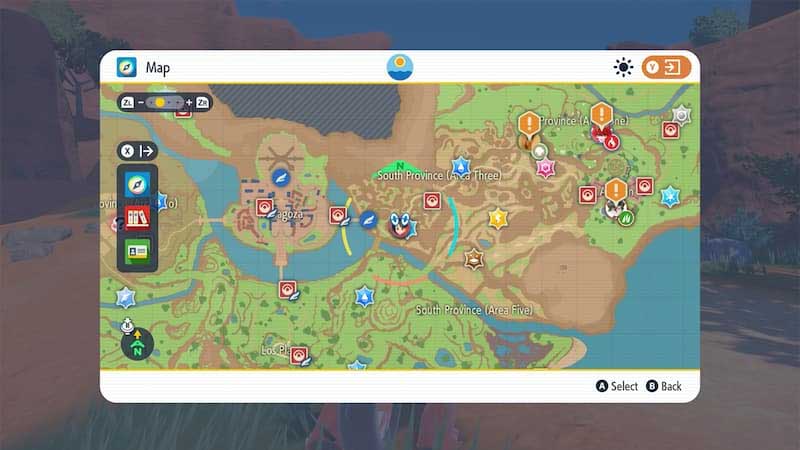
To open the map in this game, you have to simply press the Y Button. You don’t have to worry about unlocking the map. You will receive the Rotom Phone, which contains the map, in the opening cutscenes. When you open the map for the first time, you will get a small tutorial on how it works. You can change the orientation of the map by moving the cursor on your icon and moving the Right Stick from side to side. The directions will be indicated by the following colors:
- North: Green
- South: Red
- East: Blue
- West: Yellow
If you do not like the rotating map, you can lock the orientation by pressing the Right Stick. You can also set a destination on your map. To do so, open the map in Scarlet and Violet and use the Left Stick to move the Magnifying Glass. Press the A Button on the location you want to travel to and you will mark the location. You can follow this marker on the Mini-map located in the bottom-right corner of the screen.
There are tons of icons on the map for places like Pokemon Centers, Food Shops, Cloth Shops, Gyms, and much more. While exploring big cities like Mesagoza, you can zoom in on the map by pressing the ZR button. This will give you a detailed view of the map with the names of the shops.
That’s all from us on how to open the map in Pokemon Scarlet and Violet. We have more helpful guides like Sinistea Location and How to Breed Pokemon in our Pokemon SV section.











