Recently, many players encountered an error message saying ‘One or more of The Sims online services is currently Offline‘ while launching the Sims 4. Such kind of issues can occur from either developer’s end or yours. There are chances that the online services are offline due to the recent Sims 4 maintenance on 30th May 2023. Regardless of the situation, you can try and fix this error with some workaround solutions. Here’s everything you should know.
Online Services are Offline in The Sims 4 (Fix)
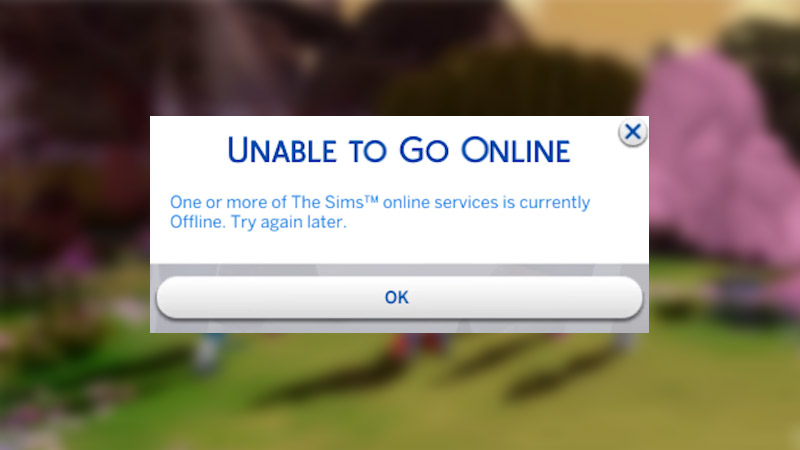
Here are a few workarounds that can help you access Sims 4’s Online services.
Disable Firewall & Antivirus
Any Antivirus or Windows Firewall often deletes & quarantines some necessary game files. This restricts the system from accessing necessary information from the servers. So, disable the Firewall or Antivirus and relaunch the Sims 4 again. This should mostly solve this issue.
Check your Internet Connection
Having an unstable internet connection may have caused the Sims 4’s online services to go offline on your device. Try to restart your router and if possible, restart your device as well. This will give the system a much-needed reboot. You can then relaunch the game again and check if this issue is fixed.
Check Server Status
Each time there is ongoing maintenance or an issue with the Sims 4’s online functionality, you should check its server status. To do so, you can check their Twitter account or either use 3rd websites. There are websites like Down Detector, etc, that will let you know if the game is running properly or not.
If the Sims 4 online services still don’t work, then you can contact the EA Support team. Access their website and write them about this or any issues you are facing in-game. The developers’ team is pretty active, so they shall reply to you shortly.
That’s pretty much everything you can do to solve the issue where the Sims 4’s Online Services are Offline. Besides this, if you get stuck anywhere in The Sims 4, then we have plenty of helpful content for you. Make sure to check them out, right here on Gamer Tweak.