
Magic the Gathering Arena (MTGA) is a popular online strategy card game. The digital adaptation of the original card game might be better at a lot of things but one thing which ruins the seamless play experience is the server issues. While the game in itself might be fun, but what isn’t fun is the connection issues of this game. Let’s see how to check MTG Arena server status and possible methods to avoid connection issues.
How to Check MTG Arena Server Status?
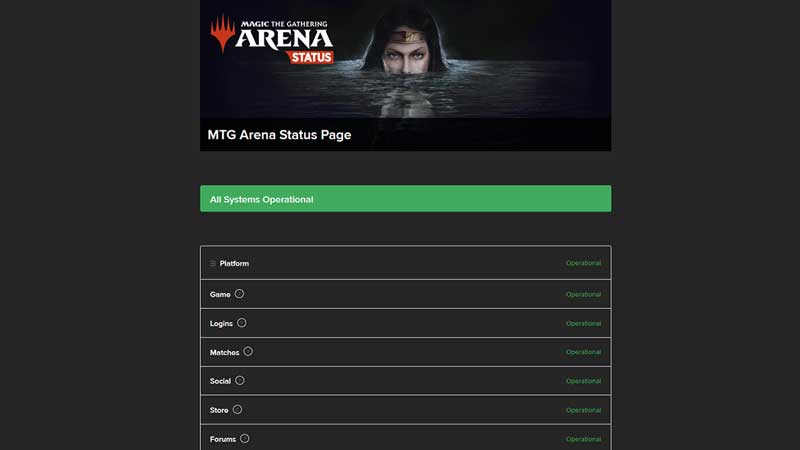
As of now the only way to check MTG Arena server status is to check out its official page. You can check out that page here: MTGA Server Status. This page shows you a lot of information. Here you can find the status of the game for all of the different platforms. Besides platforms, you can also find out the status of Game, Logins, Matches, Social, Store, and Forums. If any of these are not operational you could start having issues in your game.
MTGA Connection fixes
If you have checked the above status page and are still having connection issues, but the page shows that the status of the game is operational chances are the problem is with your connection. You could try these methods to fix your connection issues.
- Restart your System: Be it PC, macOS or Android, or iOS a simple restart to your system could help with any connection issues. You could also try turning on the Airplane mode wait for around 10 seconds and turn it off again on your system.
- Plug in and plug out Ethernet cable: For desktop and laptop users you could also try to remove the cable wait for a few seconds and plug it back in to see if it helps.
- Reboot your router: Restarting your router could help refresh the connection.
- Forget and reconnect to the network: You can forget the wifi you are connected to and reconnect to it, to check if the connection refreshes.
That covers everything you can do to check the MTGA server status and possibly fix any connection issues. While you are here check out our guide on Amonkhet remastered draft for Magic The Gathering Arena.











