
Communication is key in FPS games and a fast-paced game like Halo Infinite, it is crucial. To aid in this department, Halo Infinite has an integrated system called the Mark System. The Mark System allows players to communicate with each other quickly, effectively, and effortlessly. In today’s guide, I will show you how to use the Mark System in Halo System.
How to Use the Mark System in Halo Infinite
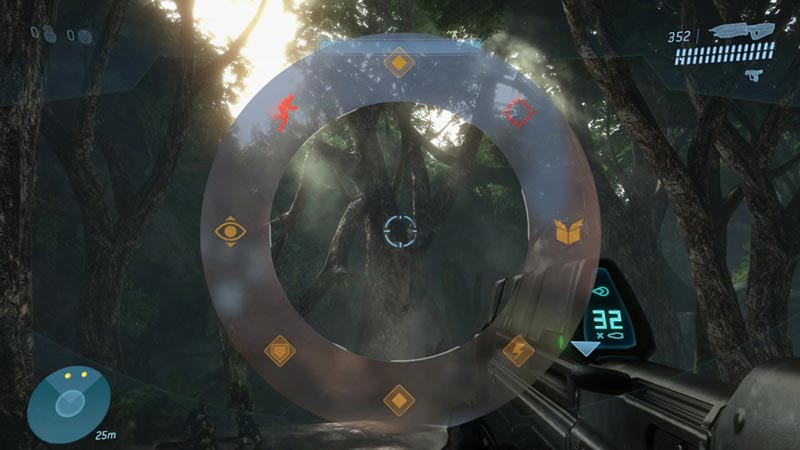
The Mark System in Halo Infinite is the pinging system that you see in other games. To use it, you have to press the button or key that is bound to it. So, depending on what device you are using to play Halo Infinite, the button you will have to press will differ. The buttons to use the Mark System are:
- Press the X Key on PC
- Press the Up button on the Directional Pad (D-Pad) on Xbox
Types of Pings with the Mark System
Marking a location, vehicle, enemy, weapon, etc. will create a symbol on the map where you and your allies will be able to see. Depending on what you have pinged with the Mark System in Halo Infinite, the spot where pinged will display different types of pings. Those pings being:
- Location:
Marking a location will create a ping at the ground and will also call out the location on the map in Halo Infinite. - Utility & Weapons:
Marking a Utility like Equipment and Vehicles as well as Weapons will mark their location on the map as well as call out their names and the location they are at. - Enemies:
Marking enemies will create a different type of ping. This one will be in the form of a red exclamation and it will call out their location.
Like I have mentioned before, marking the above entities will create a ping mark on the map where you and your allies will be able to see. The reverse of this is true as well. There is a level of customization you can apply on the ping wheel. To edit it to fit the best callouts you want. You can use the Mark System to communicate effectively and alert allies of any imminent danger in Halo Infinite. This was all about the Mark System in Halo Infinite. Hopefully, this guide helped you in communicating with your teammates easily. You can also check our guides on Battle Pass Rewards List and Change Loadouts in Halo Infinite.











