If you have upgraded to the iOS 17 update, you would be still adjusting to the significant changes and new features added recently. The iPhone is too close setting is one of the newest features in the recent update. This screen distance alert is introduced to reduce eye strain and lower the risk of Myopia in children under the age of 13. But for adults, this alert can be a bit annoying when you don’t know how to enable or disable this setting. Don’t worry, here’s where you can find out how to turn off this screen distance alert in iOS 17.
How to Enable or Disable iPhone is Too Close Setting
Here’s how you can turn off or turn on the iPhone is too close screen setting in iOS 17:
- Head to the Settings and select the Screen Time tile.
- Scroll down and tap on the Screen Distance setting.
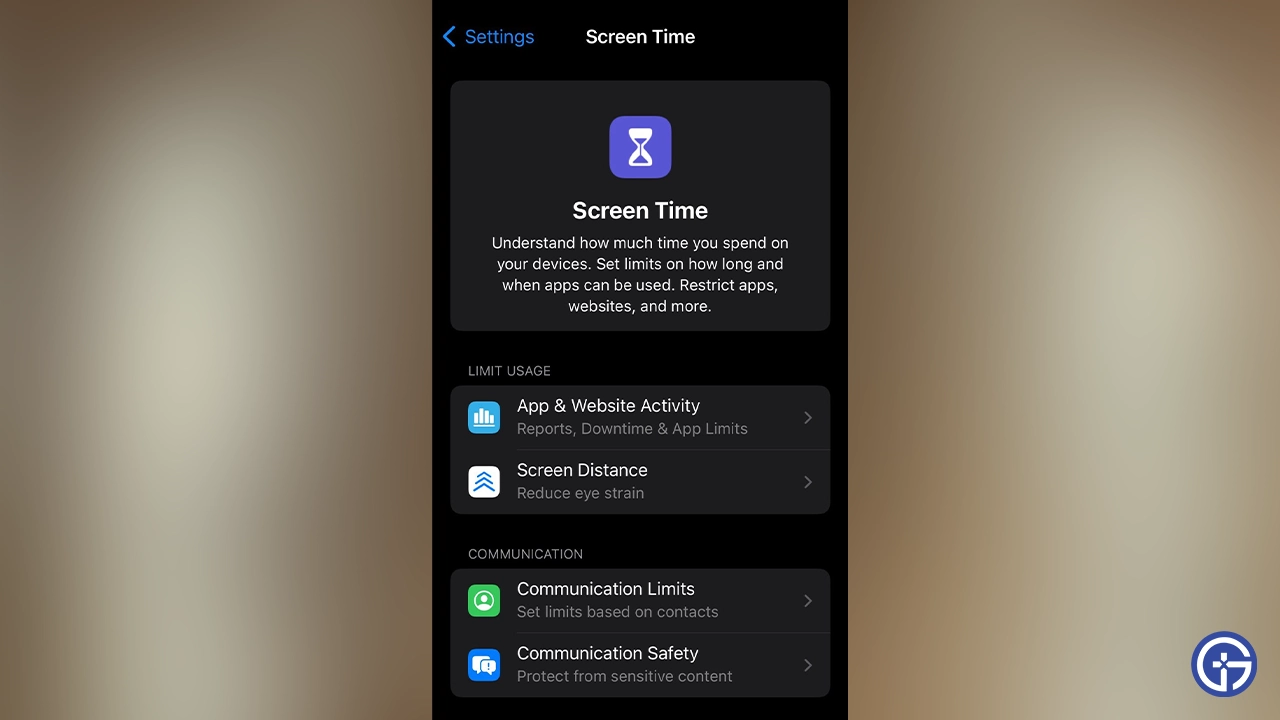
- Tap the Continue button to understand how the Screen distance works. If you are using it for the first time, you will receive information about it.
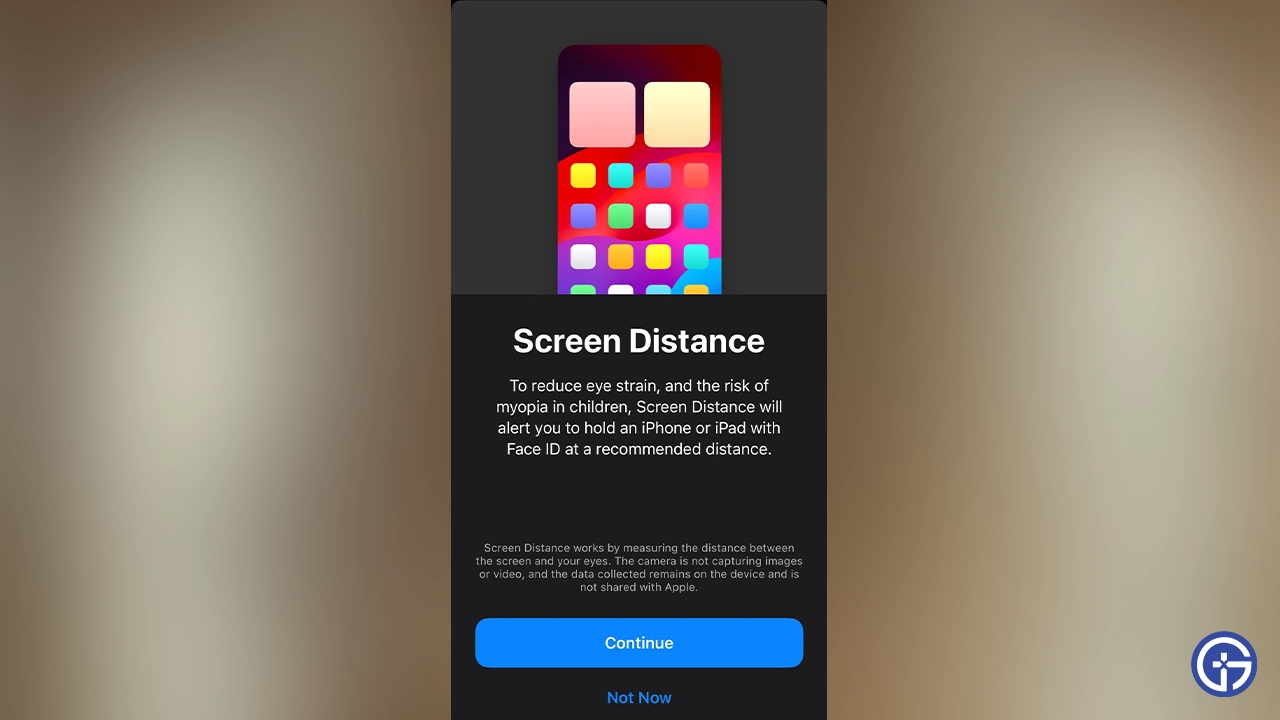
- Then, tap the “Turn on Screen Distance” option if you want to enable this setting.
- But if you have tried out this setting earlier, simply toggle the option to disable or enable it.
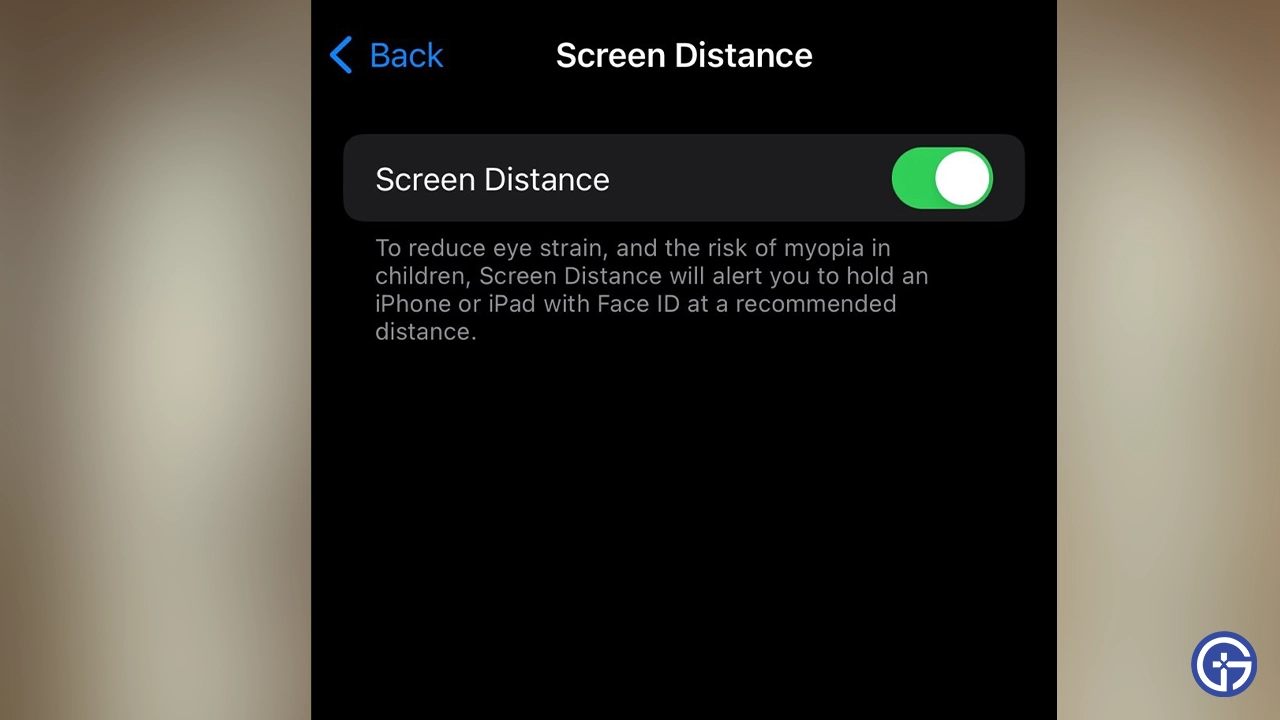
Note that this setting is only available on devices with a TrueDepth camera function. Although it is used for FaceID, it also detects if you are being too close to your Apple device now, thanks to the iOS 17 update.
How to Stop Screen Distance Alert in iOS 17?
You can follow the above steps to disable the Screen Distance alert and stop the iPhone is too close prompt. But as for those who want to keep this feature turned on to reduce eye strain, move the iPhone from your face away.
- Hold your iPhone to a distance greater than 12 inches from your face whenever you get the alert.
- Tap the Continue button.
That’s all about the iPhone too close setting in the iOS 17 update. If you enjoyed reading and found this helpful, check out the top iOS 17 settings you must turn off today, how to fix the iPhone vibration not working, and explore more Tech-related articles right here on Gamer Tweak.