
Many players playing Fall Guys on their Nintendo Switch or PS5 are having trouble playing with friends due to Invite not working. This game is now free to play and has also become available on new platforms such as Switch and Xbox. But with a plethora of new players starting to play this game out of nowhere, many problems are to be expected. But while we wait for the developers to make major fixes. This is what you can do to fix the invite not working issue for Fall Guys: Ultimate Knockout for Switch and PS5.
How to Fix Invite not Working in Switch & PS5
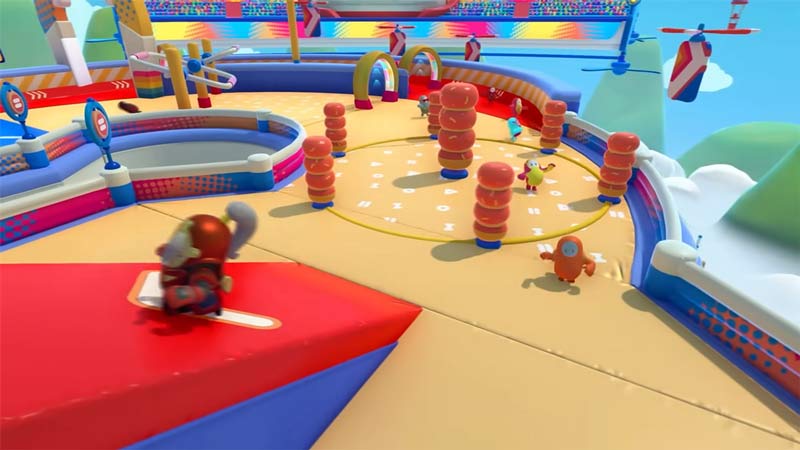
Depending on the platform you might need to try several things like restarting the game, reinstalling the game, and more. Here is how you can fix it on both systems.
Fix for Switch
To fix this problem on your Nintendo Switch you can do these things:
- Restart the game: This fix is easy to do as you might already have the game installed. Close the game and start it again. Once it starts, try inviting your friends to see if you still face issues.
- Restart your Switch: A simple system restart helps fix many such issues. Thus restart your Switch and try playing the game again.
- Reinstall the game: If the above fixes don’t work then you should try uninstalling the game. Removing the game and then reinstalling can help you solve this problem.
- Update the game: Since many players are facing this problem the developers should eventually release an update with a fix. So be sure to update your game if a new version is available.
So far these are the only things you can try to fix this problem on Switch. If the above fixes don’t work then you should wait for the developers to fix this problem.
Fix for PS5
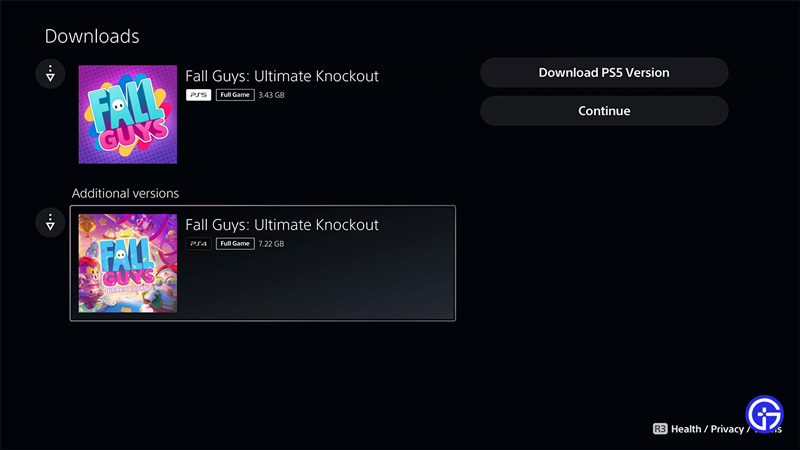
PS5 has one fix that can solve the problem completely. Download the PS4 version of the game.
- Open the PlayStation Store on your PS5.
- Next, search for Fall Guys.
- Click on Download.
- Now the store will give you two options.
- Here, download the PS4 version of the game.
The PS4 version of the game should give you no issues when inviting your friends.
That covers everything you should do to fix the invite not working problem in Fall Guys: Ultimate Knockout for Switch & PS5. Be sure to check our Fall Guys guides to get help with other things on this game.











