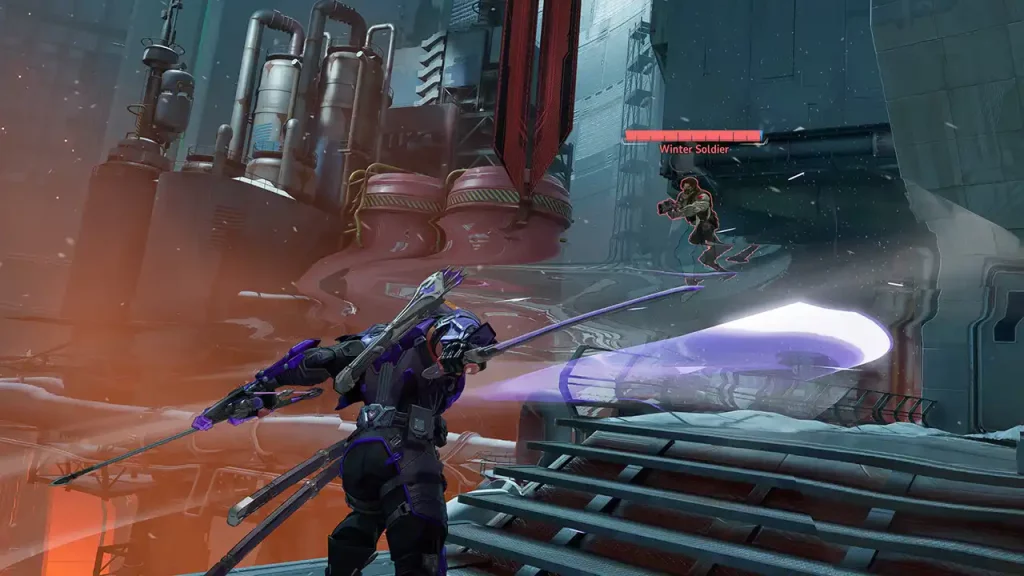
Marvel Rivals offers a thrilling 6v6 experience to fans of the hero shooter genre through its team-based combat, interesting hero roster, and much more. Speaking of the hero roster, there are quite a few Marvel Rivals that can help you tweak or completely change the look of the character you’re playing as. For example, there’s one that changes Iron Man to Vegeta, and there’s another that transforms Jeff into Pochita from Chainsaw Man. You can also have GTA San Andreas’ CJ as the Winter Soldier. So, here’s what to do to download and install mods for Marvel Rivals on PC.
Important note: Since Marvel Rivals is an online game, and skins are a huge part of its success, mods are against the NetEase TOS and you run the risk of being banned. Here’s what you need to know about client-side mods as well. So, proceed at your own risk.
How to Install Marvel Rivals Mods on PC
Finding the Mod
Nexus Mods is the most popular platform to get Marvel Rivals mods. You’ll find a wide variety, from simple cosmetic changes to gameplay tweaks like disabling outlines, skipping login movies etc. When you choose your preferred mod, make sure to read through the page for any info specific to the mod.
Installing the Mod
- Open your Steam library, right-click on Marvel Rivals, and select “Properties.” Go to “Local Files” and click “Browse Local Files.”
- Within the game files, navigate to the following path: MarvelGame/Marvel/Content/Paks
- Inside the “Paks” folder, create a new folder named “~mods” (including the tilde).
- Download your chosen mod from Nexus Mods and extract the downloaded files (usually in .pak format) into the newly created “~mods” folder.
Once you’ve installed the mod, simply launch Marvel Rivals. The game should automatically detect and load the mod.
Keep in mind that some mods may conflict with each other. If you encounter issues, try disabling or uninstalling other mods.
Game updates can also break existing mods and flag your account. If your mods stop working after an update, you may need to find updated versions, reinstall or remove them. Lastly, avoid using mods that grant unfair advantages or exploit game mechanics.
Reminders:
- NetEase Games has discouraged modifying game files because of the potential for “unexpected issues” and the possibility of bans.
- Modifying game files can trigger anti-cheat systems, potentially leading to account restrictions.
- Mods that provide unfair advantages or alter core gameplay mechanics are more likely to result in bans.
- Game Updates: Game updates can break existing mods and potentially flag your game as modified.
That’s all about mods, but if you’d like to explore more about the game, here are our Marvel Rivals guides on Gamer Tweak.