
Home > Gaming Guides > Game Initialization Error (#7) in Disney Dreamlight Valley

Disney Dreamlight Valley: Game Initialization Error (#7) Fix

Updated Date :

Embark on a journey with your favorite Disney and Pixar characters. It is a story-driven game guided by your favorite heroes and villains of childhood. While you are bored of completing tasks and story quests, you can also take a break to focus on building your town. This is an insanely detailed game attracting millions of players within a short span of its release. The more existing players are there in the game, the more the chances of them discovering a bug or glitch. Recently, a few players reported a bug in which the game got stuck on the initial loading screen. The issue displays as Game Initialization Error (#7) while loading Disney Dreamlight Valley. Here’s everything you should know about this error in the game.

Game Initialization Error (#7) Fix in Disney Dreamlight Valley
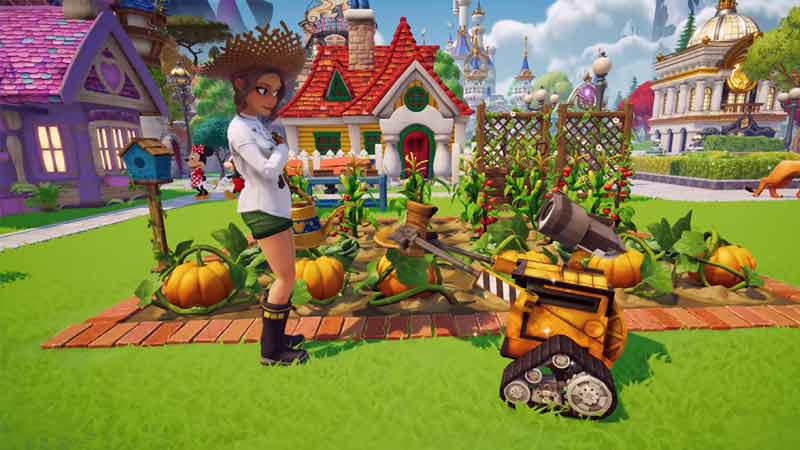
Game Initialization Error (#7) Fix in Disney Dreamlight Valley

This issue was mostly encountered with players living in New Zealand and some states of Australia. They instantly reported this error and the developers came up with a quick response. Developers of replied that this error while initiating the game was encountered because the players might have quit the game with the “Well Fed” buff active. The developers also made a statement clarifying that this game initialization error in Disney Dreamlight Valley will be fixed in the upcoming update patch.

What is a Well Fed Buff?

On multiple occasions, your in-game character will run out of energy from doing multiple chores. It is important to feed the character to restore its energy. When a cooked meal is consumed by the character, the blue energy bar turns into glittery gold. This is when the “Well Fed” buff is active. In addition, this buff increases the movement speed of the in-game character by 15%. This makes it very useful as there is no sprint option for the player which makes walking the default moving option.

That’s everything you should know about the Game Initialization Error (#7) in Disney Dreamlight Valley. If you liked this article, then make sure to check out our other Disney Dreamlight Valley guides.


  • Steal an Egg Codes (September 2026)

    Steal an Egg Codes (September 2026)

    Published Date :

    Steal An Egg is a Roblox game where you steal eggs from creatures, hatch them, and build a collection of pets. As you progress, you can also improve your base and race through different areas as you work toward rarer pets. Speaking of progression, many players are looking for Steal An Egg codes that can… Read More

  • Silk Road Trading Simulator Codes (September 2026)

    Silk Road Trading Simulator Codes (September 2026)

    Published Date :

    Silk Road Trading Simulator is a Roblox game where you take on the role of a merchant and travel between historic locations while trading goods. You can build your wealth, expand your trading operation, and customize your character along the way. Codes can give you free items, including cosmetics for your merchant. Here’s the complete… Read More

  • How to Play NoPixel V

    How to Play NoPixel V

    Published Date :

    NoPixel V is the newest version of the famous GTA 5 roleplay experience, and this time Rockstar Games is officially supporting the project. It comes with a complete rebuild of the server, new locations, updated visuals, and more tools for creating roleplay stories. However, the September launch is not an open release. Here’s what you… Read More

  • GTA 6 Sprint Control Change: Rockstar Ditches Button Mashing?

    GTA 6 Sprint Control Change: Rockstar Ditches Button Mashing?

    Published Date :

    Rockstar is making a small but important change to how players sprint in GTA 6. The new instalment appears to be moving away from the button-mashing controls used in earlier GTA titles and switching sprinting to the left stick. This means running around Vice City should require fewer repeated button presses when playing as Jason… Read More







