Home > Gaming Guides > How To Use Amiibo In Super Mario 3D World + Bowser's Fury

How To Use Amiibo In Super Mario 3D World + Bowser’s Fury

Published Date :

Have you seen those tiny Nintendo figurines on someone’s shelf? They are immaculately designed and look like your favorite characters have broken out of the screen. Although they are nice collectible items they serve an even wider purpose. Connecting with the NFC tag on your Switch devices, allows you to access special characters in the game. These characters also come with their own special characteristics that help them in the game.

All this has been done to boost gameplay and with the number of Switch devices sold it is also an interesting personalization option. This guide will tell you how to Use Amiibo for Super Mario 3D World for your Switch.

How To Use Amiibo In Super Mario?
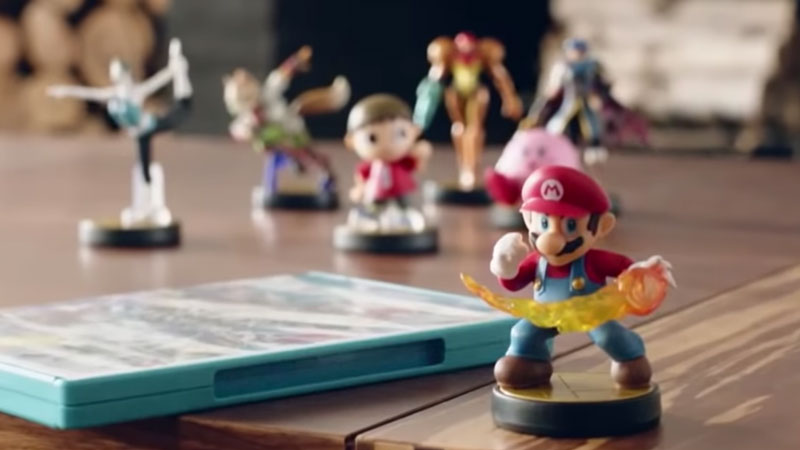
Learn to use Amiibo in Super Mario 3D World
Learn how to Use Amiibo with Switch.

Super Mario 3D World is finally available on Switch in its new format. Bowser’s Fury is an addition to the classic game and is exclusive to Switch for now. With the game, Nintendo is also bringing its Amiibo compatibility to Switch Devices.

To use your Amiibo hold down ‘left’ on the D-Pad controller. Now place your Amiibo over your Switch’s NFC reader. You will hear a tone and your Amiibo will be ready to go.

Which Amiibo Are Compatible With Super Mario 3D World

  • Bowser (Wedding Outfit) (Super Mario Odyssey series)
  • Cat Mario
  • Cat Peach
  • Bowser (Super Smash Bros. series)
  • Bowser Jr.
  • Hammer Slam Bowser
  • Dark Hammer Slam Bowser
  • Two Skylander-Amiibo hybrid figures
  • Three regular Bowser Amiibo.

What Does Amiibo Do?

Choosing a specific Amiibo will allow you to play with that specific character. Some of these characters provide powerups whereas the others provide a 1 UP Mushroom. To coincide with the launch of this game, Nintendo has launched 2 special Amiibos, the Cat Mario Amiibo and the Cat Peach Amiibo.

This is all you need to know about How to Use Amiibo in Super Mario 3D World. You can even have a look at some of the other Super Mario games we have covered.

  • SubCargo Codes (August 2026)

    SubCargo Codes (August 2026)

    Published Date :

    Taking a cargo submarine into the deep ocean sounds straightforward until you’re dealing with dangerous waters, and creatures lurking in the darkness. In SubCargo, you and your crew have to manage the submarine, search underwater locations and make it safely back to the docks to trade your haul and refuel. If you’re wondering where to… Read More

  • Escape Huss Valley Codes (August 2026)

    Escape Huss Valley Codes (August 2026)

    Published Date :

    Surviving Huss Valley is easier said than done. The mysterious valley is filled with dangerous threats that can appear while you’re exploring, forcing you to make quick decisions if you want to stay alive. You’ll need to navigate the environment, overcome obstacles, and uncover what the valley is hiding while trying not to become another… Read More

  • Gohan Codes (August 2026)

    Gohan Codes (August 2026)

    Published Date :

    Gohan 悟飯 is a Dragon Ball-inspired Roblox RPG where your character starts out weak and gradually becomes stronger through training, combat, and progression. You can roll for different Races and Traits to shape your build, then improve your character as you unlock more options and abilities. Since getting the right rolls can make a big… Read More

  • Grow a Chicken Fighter Codes (August 2026)

    Grow a Chicken Fighter Codes (August 2026)

    Updated Date :

    In Grow a Chicken Fighter, you must help your chicken get stronger, train it, improve its abilities, and even fuse to help it take on tougher opponents. Building a powerful fighter takes plenty of time, so you might not want to miss out on the latest freebies. Redeem all of these Grow a Chicken Fighter… Read More