With every new MFS update, players get some awesome new additions. If you want to explore everything that’s been added, you need to know how to update Microsoft Flight Simulator 2020. Look no further, because that’s exactly what we will explain in this guide.
How to Update Microsoft Flight Simulator 2020?

To easily get patches and world update for Microsoft Flight Simulator 2020, you need to download the Xbox app on your PC and force update the game. This will fix any MFS update not working or problems related to downloads being stuck.
Here’s how to download the latest MSFS 2020 update 1.19.8.0:
- Go to Microsoft Store.
- Type “Xbox” in the search bar.
- Download the official Xbox App.
- Install and open the app.
- You will find Microsoft Flight Simulator in the “My Collection” tab on the left-hand side.
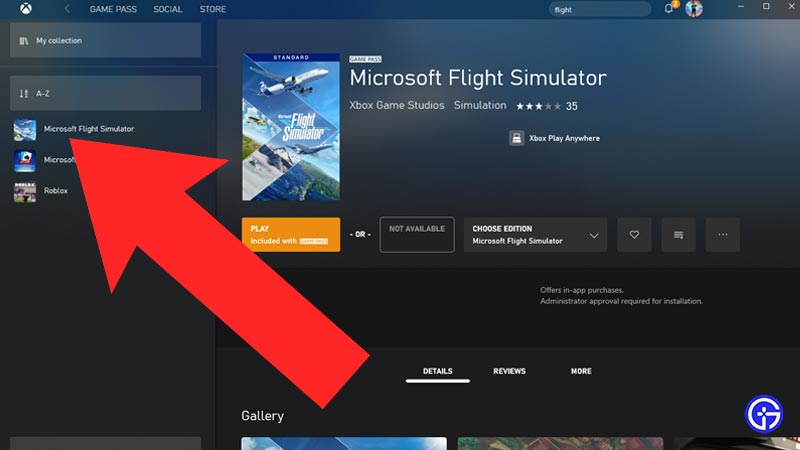
- Once you made sure the game is showing up, go back to Microsoft Store.
- Make sure to open the Microsoft Store Client instead of the webpage.
- If you somehow removed or don’t have the client, you can get it from here.
- Now open the MS Store client, and click on the three dots on the right-hand side.
- From the drop-down menu, click on “Downloads and updates”.
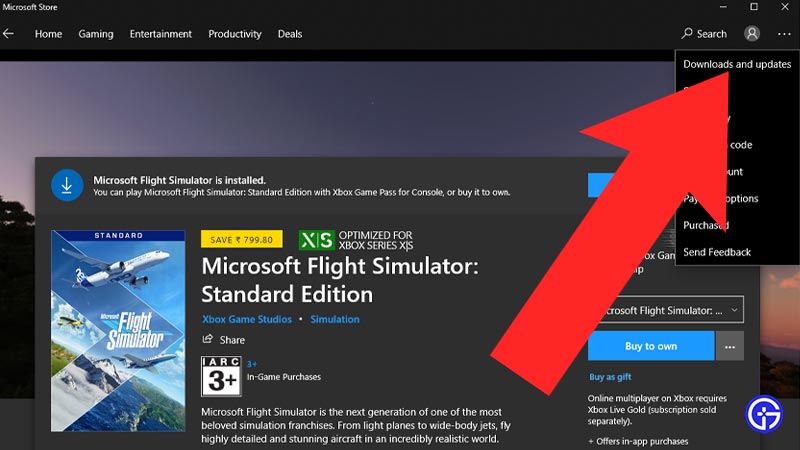
- Now click on the blue “Get updates” button.
- This will force search for the new updates and patches for MS Flight Simulator.
- You can now get your update from here.
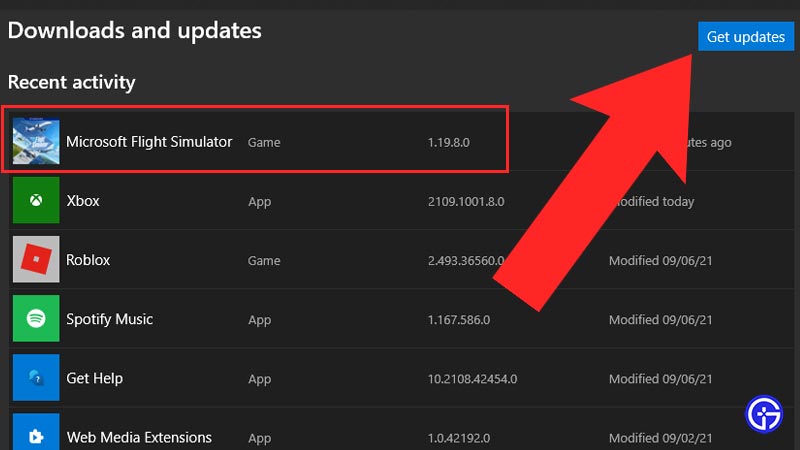
- Once the update is complete. Start the game.
- Voila! You have successfully got the World Update for Microsoft Flight Simulator 2020.
How to Fix MSFS 2020 Update Not Working and Download Stuck issues?
Whenever there’s a new patch available, there will be stability improvements, crash fixes as well as changes related to navigation, planes, peripherals, world, VR, and more content. Follow these above steps to update Microsoft Flight Simulator 2020 easily and get the latest patch installed to play without issues.
Sign in to your Microsoft Store app as well as Microsoft Flight Simulator with the same account that you used to purchase MFS. In case the accounts differ, you will face issues and lose access to the additional content. And with the Xbox app and MS Store having the same account which owns the game, you will always get the updates and patches without any issue.