New updates in games often break mods due to compatibility issues. If you’d like to play Fallout London, then yes, you will have to downgrade the game to the older version, which came before the next-gen update. While there is the Fallout London downgrader available on Nexusmods, players are facing multiple issues with it. To solve this problem, here’s how you can downgrade Fallout 4 from 1.10.984.0 to 1.10.163.0 (Steam) manually.
How to Manually Downgrade Fallout 4 to Play Fallout London
First and foremost, you can purchase the Fallout 4: Game of the Year Edition DRM-free on GOG. With this, you can skip updates you don’t like by either disabling the auto-update option for the game or by using the Rollback feature and choosing the game version you wish to have. If you’re using Offline Installers, game updates are done manually and always up to you.
But if you don’t want to buy the game again and wish to continue with your Steam version, here’s how you can get started with the downgrading process. Thanks to Pickysaurus on Nexusmods for sharing the exact steps. Do note that this can be a complicated and technical method, so go ahead only if you’re sure of it.
- Disable Steam Cloud Sync for Fallout 4 to prevent it from overwriting changes made by the downgrader.
- Type steam://open/console into your browser. This will prompt Steam to open the console.
- From here, download every part of the previous GOTY game version by typing these commands into the console.
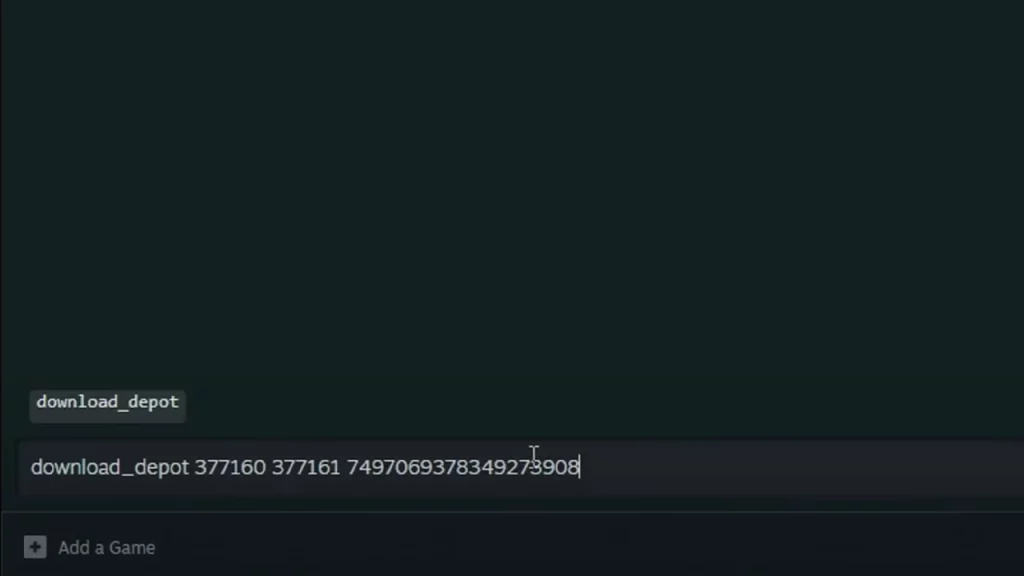
- For Part A use:
- download_depot 377160 377161 7497069378349273908
- For Part B use:
- download_depot 377160 377163 5819088023757897745
- For the executable file use:
- download_depot 377160 377162 5847529232406005096
- For the English version use:
- download_depot 377160 377164 2178106366609958945
To download the content for each of the DLCs that you have, type these commands:
- For HD Texture Pack use:
- download_depot 377160 540810 1558929737289295473
- For Automatron use:
- download_depot 377160 435870 1691678129192680960
- For Automatron English language pack use:
- download_depot 377160 435871 5106118861901111234
- For Wasteland Workshop use:
- download_depot 377160 435880 1255562923187931216
- For Far Harbor use:
- download_depot 377160 435881 1207717296920736193
- Far Harbor English language pack use:
- download_depot 377160 435882 8482181819175811242
- For Contraptions Workshop use:
- download_depot 377160 480630 5527412439359349504
- For Vault-Tec Workshop use:
- download_depot 377160 480631 6588493486198824788
- For Vault-Tec Workshop English language pack use:
- download_depot 377160 393885 5000262035721758737
- For Nuka World use:
- download_depot 377160 490650 4873048792354485093
- For Nuka World English language pack use:
- download_depot 377160 393895 7677765994120765493
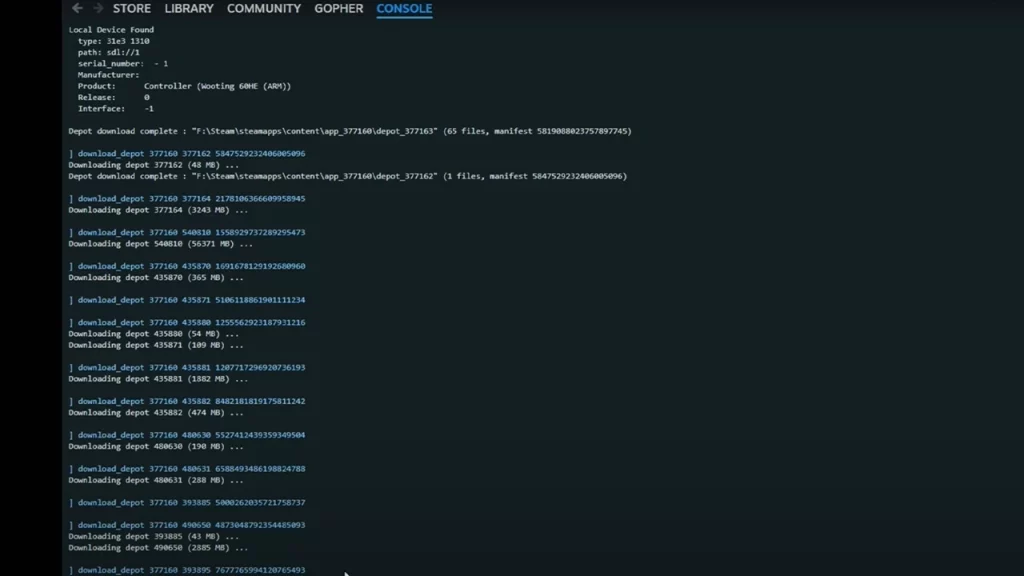
The downloaded game files will be located within your Steam library folder, typically found at C:\Program Files (x86)\Steam\steamapps\content\app_377160.
These files are organized into separate folders labeled depot_xxxxxxx. The Fallout 4 executable will be in a folder named depot_377162.
To manually downgrade Fallout 4: Game of the Year Edition, create a new folder on your desktop. Copy the contents of each “depot” folder into this new folder, overwriting any existing files. Once complete, this new folder will contain all files from the previous Fallout 4 GOTY Edition.
Finally, replace the entire contents of your current Fallout 4: GOTY Edition installation folder with the contents of the newly created folder.
As a reminder, please do these steps only if you’re sure about what you’re doing and know what to do if something goes wrong. The best thing to do would be to rename the original folder so that you still have files to go back to if things go haywire.
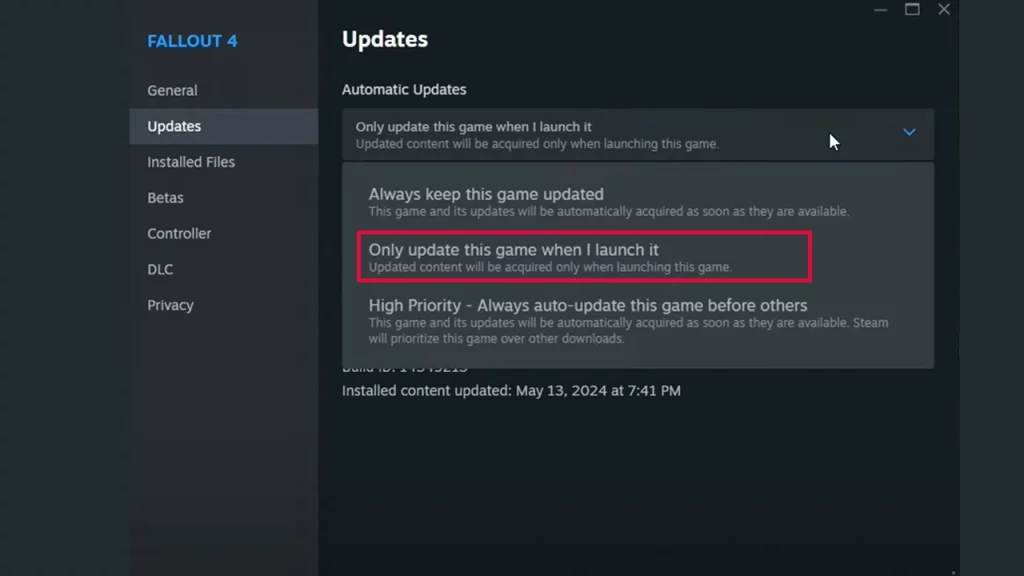
If you use Fallout 4 mods often and would like to stop the game from automatically updating on Steam, right-click on the game in the Steam Libary. Then, go to Properties and hit Updates. Under Automatic Updates, select Only update this game when I launch it.
For mod users who prefer a visual guide, here’s a helpful video by Gopher.