Valorant is one of the best free-to-play shooter games currently available. In its 1.02 update, the game’s developers brought in one of the most requested features, the ability to forfeit. Like the name suggests, this feature lets you forfeit in-game whenever you want. In this article, we will show you how to forfeit in Valorant.
How to Forfeit in Valorant?
Follow the steps below to forfeit a game in Valorant:
- To forfeit a match in Valorant, you need to press the Enter key.
Pressing the Enter key will open the chat box. - Now, type “/ff” in the chat box. Remember to not add the quotation marks in the chat box.
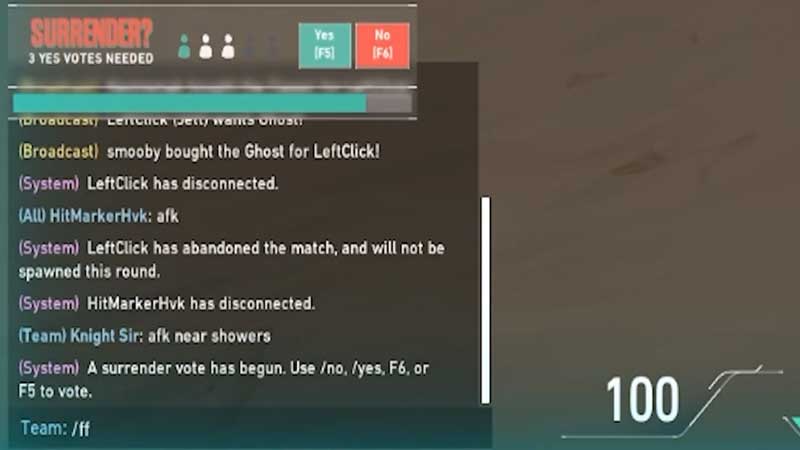
- In addition to the code mentioned above, you can also type “/forfeit”, without the quotation marks. You can even type “/forfeit”.
- Typing either of these codes activates the ability to forfeit in Valorant.
- However, for the forfeit to be successful, you will need your team-mates to agree with your desire to forfeit the match.
- Team-mates can vote either for or against the decision to forfeit by typing “/yes” or “/no” respectively. If the decision to forfeit has been called by one of your team-mates, you too can vote the same way.
- You can also vote by pressing the F5 and F6 keys on your keyboard.
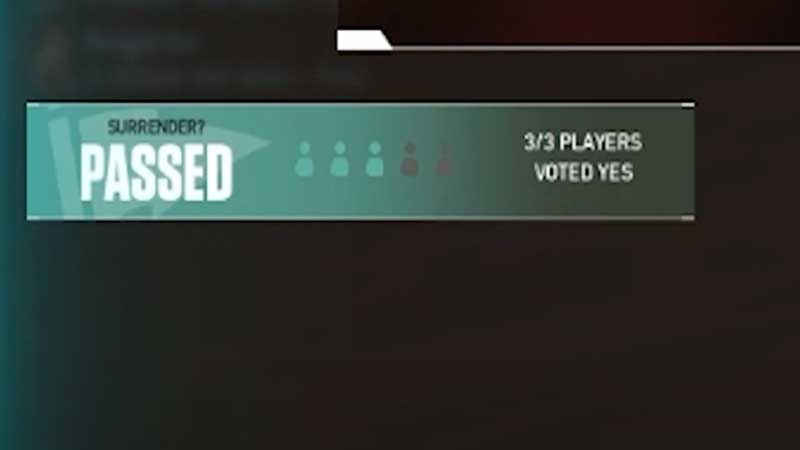
- Once all the players in your team vote “Yes”, the match will be forfeited. Voting “No” will have the opposite effect.
Things to Remember
- You need to remember that the forfeit feature does not work in the Spike Rush mode in Valorant.
- Also, you cannot use the forfeit feature before the 8th round of the game.
- You can use this feature only once per half.
- You need to forfeit a match wisely only in situations that may warrant the use of such a feature in Valorant. For example, situations where you may have only 4 players in a 5v5 or if the opponent team outskills you.
This brings us to the end of our guide on how to forfeit a match in Valorant. Remember to wisely use this feature to make the best of it.
If you liked this guide, check out this article on all the weapons and new tweaks in Episode 3 Agent Changes of Valorant.