Satisfactory is officially out of the early access phase and with new changes, there are some bugs like frequent crashes, problems setting up the dedicated server, etc. For some players the crash occurs at launch, while for some, the game crashes during normal gameplay – even resetting their in-game settings! In this guide, we will discuss everything that you can do to resolve the issue before attempting a re-install.
How to Fix Satisfactory 1.0 Crashing
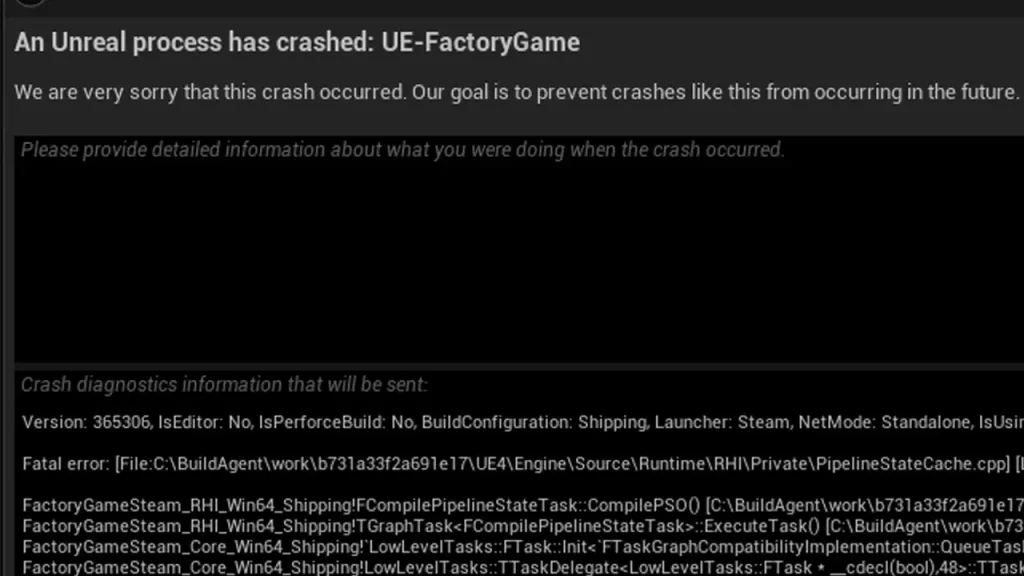
The first workaround below may work for the general crashing issues or the more specific error of ‘An Unreal process has crashed’.
Run the game on DirectX 11
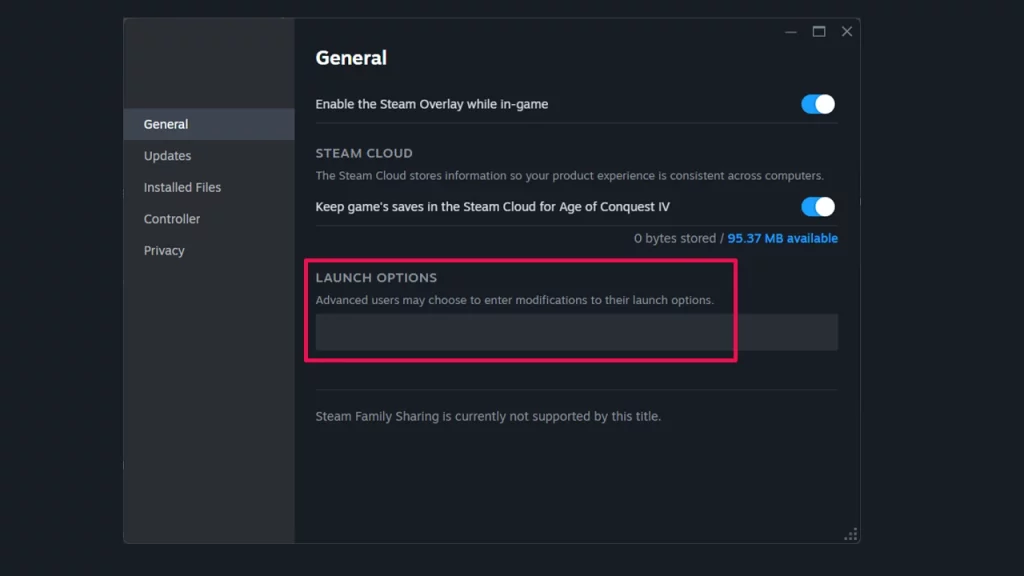
Some players have reported that using DirectX 11 instead of DirectX 12 can help prevent crashes. You can do this by adding -dx11 to your launch options on Steam.
- Open your Steam Library
- Right-click Satisfactory and select Properties.
- On the General tab you’ll find Launch Options section.
- Enter the launch option command.
- Close the window and launch the game.
Using the Epic Games launcher? Here’s how to switch to DirectX 11.
- Open the Epic Games Launcher.
- In the top-right corner, click on your profile.
- Select Settings.
- Scroll down and expand Satisfactory.
- Check the box for Additional Command Line Arguments.
- Type: -DX11.
- Relaunch the game.
Verify Game Files
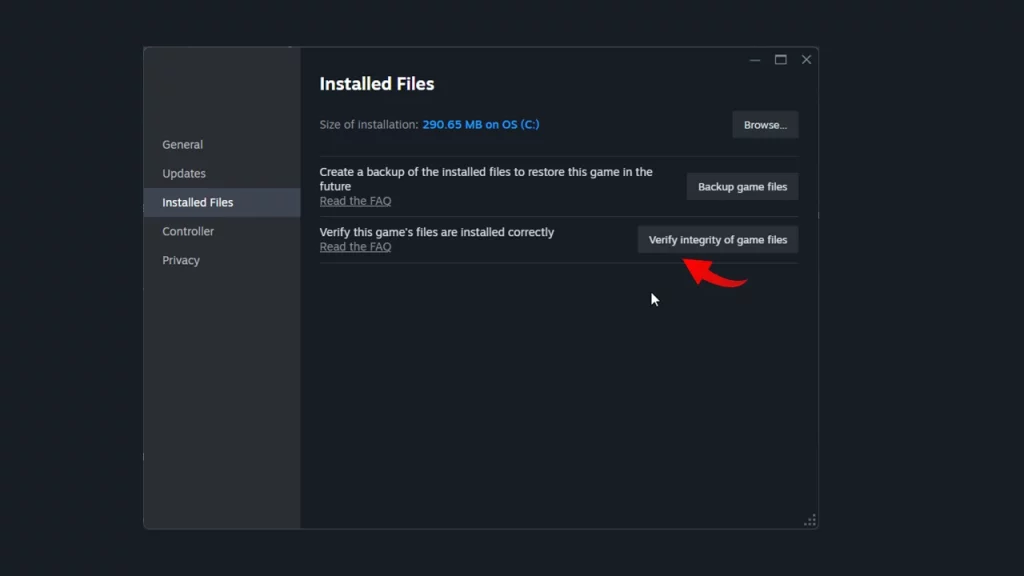
- Restart your computer and launch Steam.
- Right-click the game in your Library.
- From the drop down menu, select Properties.
- Select the Installed Files tab and click the Verify integrity of game files button.
- Let Steam complete the process of verifying the files.
- Then, launch the game again and see if it works.
Disable mods
At the time of writing, mods are not compatible with the 1.0 update of the game and if you’re using one or more, it’s best to temporarily remove them. While the mod creators work on updating them, you will have to play Satisfactory vanilla.
Update Graphics Drivers
Outdated graphics drivers can lead to compatibility issues and crashes. Ensure you have the latest drivers installed for your graphics card by heading to the official manufacturer’s website.
Some more things to consider are running Satisfactory in administrator mode, checking your system for overheating, and temporarily disable overclocking if you have it enabled. If none of these steps work, head to the Satisfactory game discord and ask fellow players there.