Home > Roblox Guides > How to Favorite Items in Grow a Garden Roblox

How to Favorite Items in Grow a Garden Roblox

Published Date :

Over time, you will end up collecting a lot of useful fruits and seeds in this game, and since the gameplay loop involves consistently selling fruits for more income, knowing how to favorite items in Grow a Garden is important. This is because you don’t want to accidentally sell a certain fruit that you want to save for the future.

Many players use the “Sell my inventory” feature to save time and earn money instantly, however, there’s a high chance that you could unknowingly sell something you don’t want to sell just yet. Here’s how you can prevent that from happening.

How to Favorite Items in Grow a Garden
favorite items grow a garden

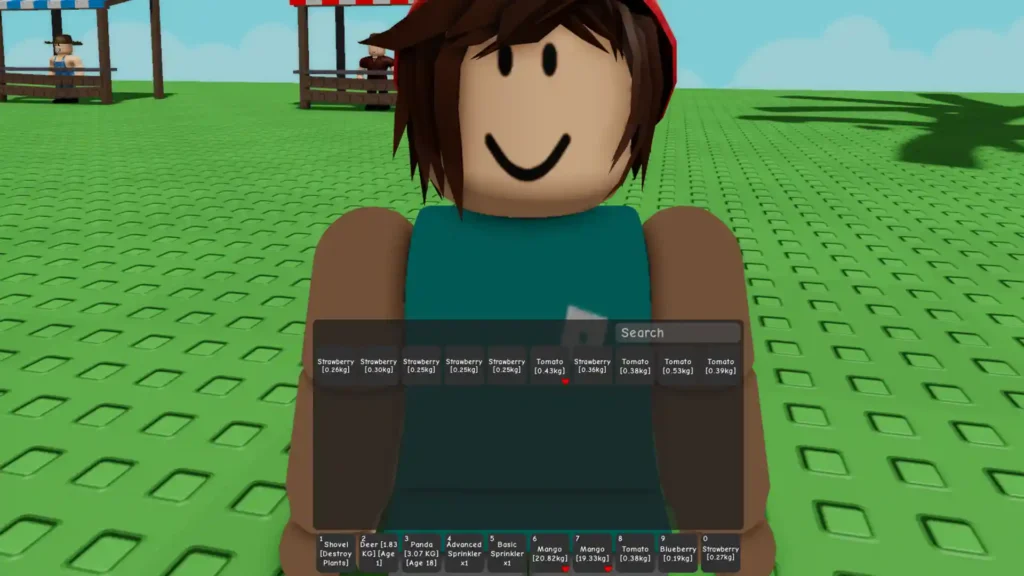
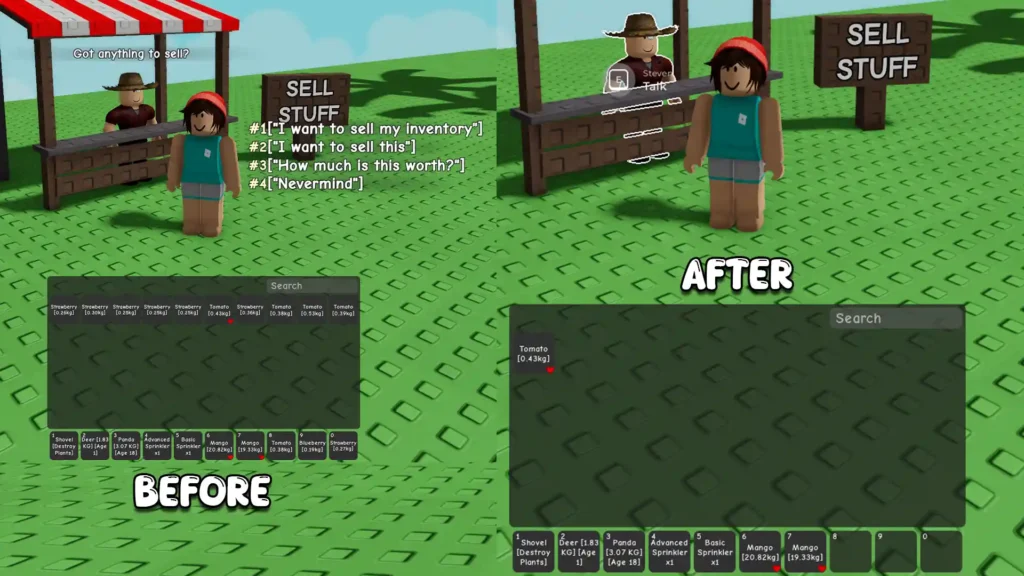
To favorite an item in your inventory on PC, right-click on it, and once the red heart icon shows up, you can rest assured that the item is favorited. If you’re playing on mobile, all you need to do is double-tap on the item in your inventory. By doing this, you can use the ‘Sell my inventory’ option without worrying about losing that specific item. Right-click or double-tap again to unfavorite it whenever you wish.

This is especially crucial if you don’t want to sell event-only crops, or those that are seasonal, have high-value mutations, or unique-looking big fruits. You can also favorite pets as of now, however, they cannot be sold via the “Sell” button like you do for fruits—you need to visit the Pet NPC and interact with him to sell an animal.
before after selling inventory with favorite in grow a garden

Note that the ‘favorite’ feature is best used on fruits of plants, and not on Pet eggs, seeds, items that you purchase from the gear shop, and seed packs, because they aren’t included in the “Sell my Inventory” command by default. So, in case your inventory is fully packed and you need to clear it, the option to ‘favorite’ fruits comes in handy because you can immediately remove everything you don’t want, without impacting the items you want to keep.

For more Grow a Garden guides on Pets and Eggs, such as getting the highly sought-after Praying Mantis, Dragonfly, and the overall Pets Tier list, head over to our articles.

  • Color Escape Codes (August 2026)

    Color Escape Codes (August 2026)

    Published Date :

    Color Escape is a fast-paced movement-based game where you need to react quickly and pay attention to the colors around you. You need to dodge the red tiles, collect the blue tiles and try to survive till the end of rounds. Things can get tricky sometimes, so having a Revive ready can save you from… Read More

  • Roblox Stock Exchange 2 Codes (August 2026)

    Roblox Stock Exchange 2 Codes (August 2026)

    Published Date :

    Starting with a small balance and trying to build a huge portfolio is the main challenge in Roblox Stock Exchange 2. You can buy and sell stocks, use different trading strategies, and keep an eye on the market as you work toward becoming one of the richest players. Having some extra Cash at the beginning… Read More

  • New GTA 6 Leaks Reveal Gameplay, Map and Makes Demands to Rockstar

    New GTA 6 Leaks Reveal Gameplay, Map and Makes Demands to Rockstar

    Updated Date :

    GTA 6 has suffered another major leak, with an anonymous entity known as Cyberleek releasing alleged gameplay footage and images claiming to show the game’s full map. The leaks surfaced on August 18, just nine days before Rockstar’s planned Netflix reveal. Rockstar has not officially confirmed the material. However, the company has reportedly issued DMCA… Read More

  • Pop for Free Codes (August 2026)

    Pop for Free Codes (August 2026)

    Published Date :

    Pop for Free puts a simple twist on the obby formula. You complete obstacle courses based on their difficulty, earn Pops for finishing them, and then use those Pops to spin different colored wheels. Eventually you can claim free Robux so you have a good reason to keep pushing through more challenging courses. If you… Read More