
Home > Gaming Guides > Change Hairstyle and Hair Color in Ninjala

How To Change Hairstyle In Ninjala: Customization Options

Published Date :

One of the best things about Ninjala is the sheer amount of customization options it offers. When you decide to customize each and every aspect of your character, time will fly and you will thoroughly enjoy the process. The developers have done a great job to keep things interesting in the area of character customization in Ninjala. The hairstyle, in particular, is one of the most striking features of your character. Want to know how to change hairstyle in Ninjala? Then read this guide till the end.

Change Character Hairstyle and Hair Color in Ninjala

At the time of writing, there are 12 hairstyles that you can choose from. Plus, you have 16 hair color options too. Follow these steps to change hairstyle in Ninjala.
ninjala-avatar-customization

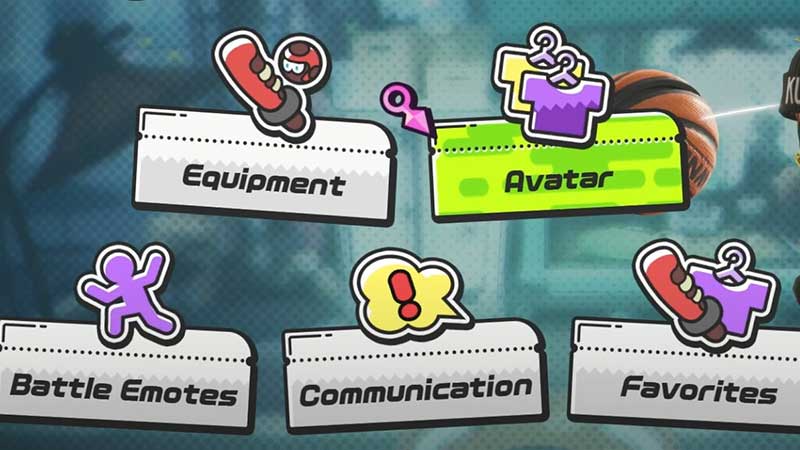
  • Go to the Closet
  • Select Avatar
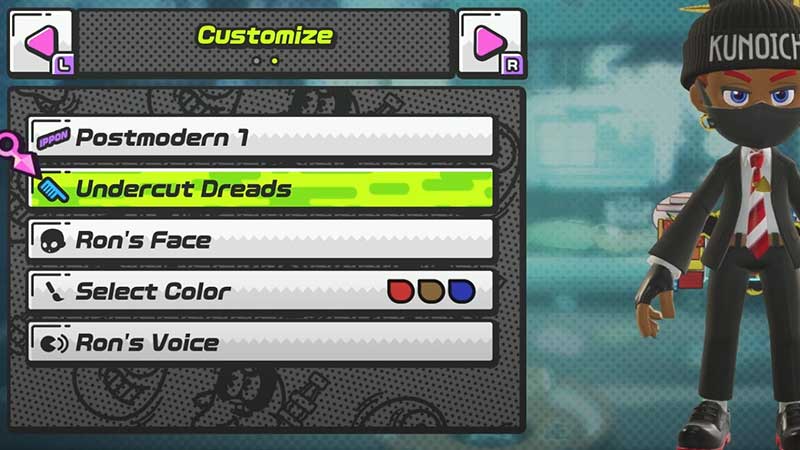
  • Press R to go to “Customize”
  • This is where you will see the Hairstyle (comb icon) and Hair color options. The name of the current hairstyle will be shown and the colors you have selected will be displayed under it. For the hair color, see “Select Color”.
how-to-customize-character-in-ninjala

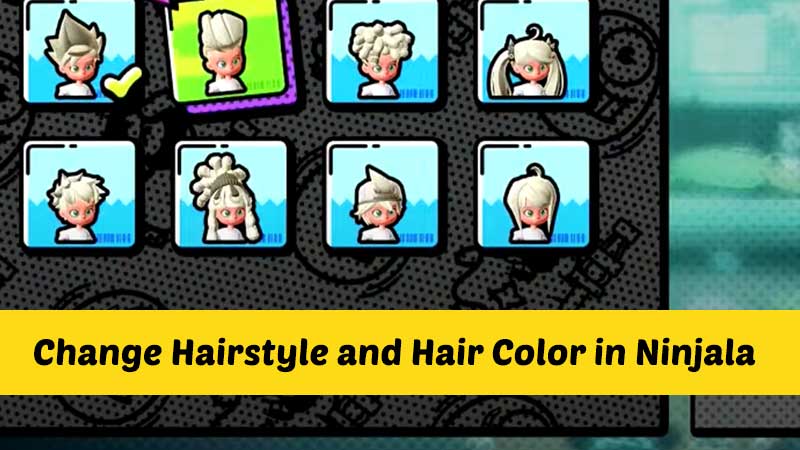
There’s a lot you can change in the hairstyle and hair color sections. You can even give hairstyles of other characters in the game which is pretty cool. Simply choose whichever hairstyle and hair color you like. Some offer gradient colors, some have solid colors and some have subtle color changes. Whichever hairstyle or hair color you pick will affect the overall look of your character.

The hairstyles in Ninjala include some awesome ones like the afro, dreads, undercut, twin ponytails, spiky, bun and more.
change-hairstyle-ninjala

Apart from these, you can also change the character’s voice, face, outfits, avatar items and more. This is truly a dream for those who love to create character variations.

So this is everything about how to change hairstyle in Ninjala. For more tips and tricks, check out our Ninjala guides.


  • +1 Speed Evolve Codes (July 2026)

    +1 Speed Evolve Codes (July 2026)

    Published Date :

    Speed-based games on Roblox will always stay popular, and this particular experience is quite addictive! Here, you play as an animal and your goal is to evolve into stronger animals, unlock new worlds, and be the fastest player on the server! +1 Speed Evolve codes offer free Speed and Win Boosts that can make your… Read More

  • Yeet a Brainrot Codes (July 2026)

    Yeet a Brainrot Codes (July 2026)

    Published Date :

    If you’re annoyed at the Brainrot trend, this is your opportunity to “yeet” them into the distance! To launch Brainrots farther, you need better pets, potions, and more rewards, and thankfully, these Yeet a Brainrot codes will come to the rescue. You can easily unlock various Divine Relic Chests, Primeval Relic Chests, Coin/Luck/Power potions, exclusive… Read More

  • Build A Soccer Squad Codes (July 2026)

    Build A Soccer Squad Codes (July 2026)

    Published Date :

    To build your dream team, you’ll need plenty of rerolls and shop refreshes, which is how you can get better cards and complete your collection. Build A Soccer Squad codes can help with exactly that, giving you various freebies so you get more chances to improve your lineup without waiting. Here’s the complete list of… Read More

  • Aura Monster Simulator Codes (July 2026)

    Aura Monster Simulator Codes (July 2026)

    Published Date :

    Climbing an endless staircase might sound simple at first, but the higher you go, the more Aura you’ll need to keep progressing and unlock stronger upgrades. Thankfully, Aura Monster Simulator codes provide free Gems and Aura Boosts, helping you strengthen your character and reach new heights. More specifically, you can use these Gems to unlock… Read More








