Dinkum is a life-sim farming game that allows the players to perform every activity that is done on a farm. Farming, Poultry Farming, Hunting, and Mining are some of the activities that can be done on the island. Various tools are available for purchase in the game that further contribute to the game. Metal Detector is one of those tools that helps the character to find rare resources buried under the ground. Here’s our guide on how to get and use a Metal Detector in Dinkum.
How to Get and Use a Metal Detector in Dinkum
Dinkum is a game where our character resides on an island. There are certain NPCs in the game that are related to a specific activity in the game. John is one of those NPCs in the game. He sells tools and equipment in exchange for some Dinks. John should be a permanent resident on your island so that you can buy tools from him. Purchase a Metal Detector from John by following these points:
- Certain activities in this game require licenses. To purchase a Metal Detector, a Metal Detector License is required.
- Go to Fletch’s tent and purchase a Metal Detecting License for 500 PP.
- Also, purchase an Excavation License for 500 PP. This license is needed to purchase a Shovel.
- Enter John’s Goods and purchase a Metal Detector for 6,600 Dinks.
- Purchase a Shovel for 900 Dinks from John.
- Now you can equip a Metal Detector and a Shovel from the Inventory.
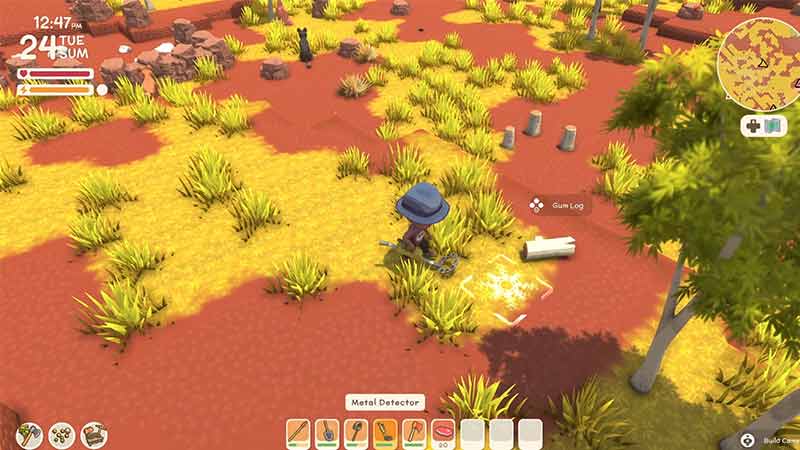
- Equip the Metal Detector and wander around the Map in search of the items that are under the ground.
- When you are one square away from a buried object, the metal detector makes a sound.
- It makes a comparatively louder sound and displays a mark when you are exactly above the treasure.
- Equip the shovel from the inventory to dig the ground and collect the buried item.
- Upgrade the Metal Detector License for 2000 PP to improve the Metal Detector sight to find buried items.
This was our guide to getting and using a Metal Detector in Dinkum. If this guide was helpful, then you might like our other guide that covers the solution for finding a Tin Sheet in Dinkum.