Want to know how to get Custom Themes on Nintendo Switch? Then you’re at the right place. If you own a Switch, you most probably will be bored with all the default themes. But what if we tell you that you can get customized themes of games on your Switch? If you want to know how to install custom themes, then check out our guide below.
How to Get Custom Themes on Nintendo Switch
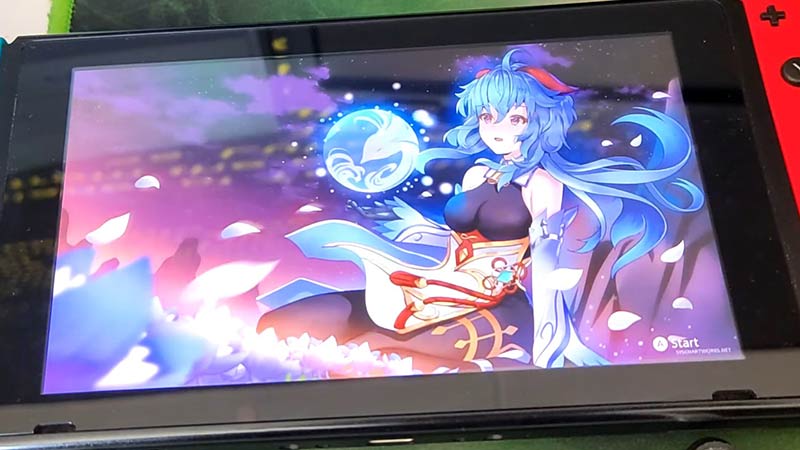
To get custom themes on Nintendo Switch, you will need to install a few mods. Don’t worry, Nintendo does not consider custom themes illegal. So, you won’t get banned. However, installing them is not that easy. Check out how it’s done below :
- First, go to GitHub and then proceed to the NXThemes download page.
- Click on NXThemesInstaller.nro to start the download.
- Next, remove the SD card from your Nintendo Switch and put it on your PC.
- Now, copy the NXThemes installation file to your Nintendo Switch folder on PC.
- Head to Themezer, choose the themes you want, and hit “Download”.
- Once that is done, you will need to copy the custom themes and paste them into your “Themes” folder on Nintendo Switch.
- Now, remove the SD card from your PC and put it back into your Switch.
Once all the above steps are done, you just need to apply the custom themes to your device. Here is how to do it.
How to Install Custom Themes to Switch
- First, open any game by pressing the “A” button and then holding the “R” button.
- The Homebrew menu will now open up.
- Find the NXThemes app and open it.
- Now, you will see a list of custom themes that you had downloaded.
- Simply, click the “A” button to install a particular custom theme on Switch.
Now, reboot your Nintendo Switch to see the newly installed themes! If you need a video reference to understand this better, then refer to the one from NickNintendo:
https://www.youtube.com/watch?v=RmNvAWXlFss
That’s all you need to know about how to get custom themes on Nintendo Switch. For similar guides, check out how to fix eShop not working, Sports Online not working, and more on Gamer Tweak.