As soon as COD Warzone 2 Season 2 was released many players started to run into a crashing & freezing issue that they are unable to fix. This error tends to appear shortly after the cinematic startup and also while players are trying to join a queue. It even comes up with a message saying that “The Application has unexpectedly stopped working”. If you are also facing this issue and wondering how you can bypass it then we are here to help.
How Can I Fix Season 2 Crashing & Freezing in Warzone 2 Issue? Xbox, PC, PS
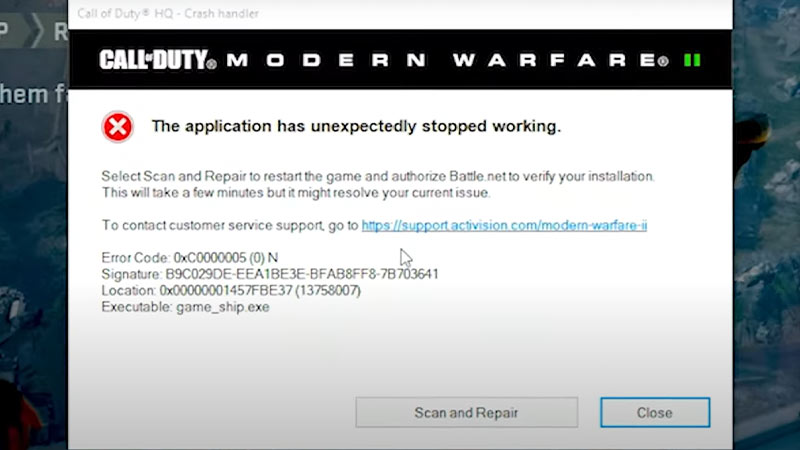
Here are all the possible solutions that can fix the Season 2 crashing issue in Warzone 2. Before we begin, make sure your system fulfills the requirements to run the game. If it does, then without any further ado let’s get started.
Possible Fix for PC
- The very first fix we recommend you perform is a simple Restart. Sometimes a fresh start to the system can surely resolve the issues.
- Another fix is to install the game’s latest update. To do so head to Steam or Battle.net and check if there are any new updates available. The developers might release a new patch to fix the Season 2 errors.
- Players should install the latest & compatible graphic card driver to avoid such problems. That’s because an outdated one tends to cause such types of errors.
- You can even try disabling the Anti Virus or any other apps running in the background and that’ll do the trick. There are times when such applications don’t allow the game to run.
- Also don’t forget to try Verifying the game files’ integrity. Doing so will help you fix the corrupted files that have been causing the Season 2 crashing issue in Warzone 2.
Possible Fix for Xbox One & Series X/S, PS4 & PS5
- If you are a console user then the first fix we recommend you do is check if you have enough storage. As the Warzone 2 files are quite big, there’s a possibility that the Season 2 update has been missing some files due to a lack of storage. If that’s the case, then go ahead and free some space up.
- Another thing you can try is to check if your connection is stable. A faulty connection can crash the game abruptly.
- You can even try restating your console and that can get you going.
- Players should also make sure that they are running on the latest version of the Software update to avoid such problems.
- Signing in and out from your account generally fixes such crashing issues.
If your issue is still not fixed then we advise you to wait until the developers release a new update patch to resolve the problems. But you can always reach out to their Support Team for further assistance. That sums up all about how you can fix the Season 2 crashing & freezing issue in COD Warzone 2. If the error has been fixed for you, then take a look at the Path of the Ronin Challenges list to earn the rewards. Also, check out how to get Damascus Camo in the game.