Home > Fallout 76 > Friends List Not Working Fix In Fallout 76

Friends List Not Working In Fallout 76 [Fix]

Published Date :

Fallout 76 is more fun when played with friends in a squad. Surviving the odds while having chit-chats with companions is not a bad option at all. However, a glitch has caused the Friends List/Social Menu of Fallout 76 to get all bugged and stop working eventually. It gets annoying, right? Don’t worry, we got you covered on this. Read till the end to know all the possible solutions for it.

Fallout 76 Social Menu Not Working – Fix
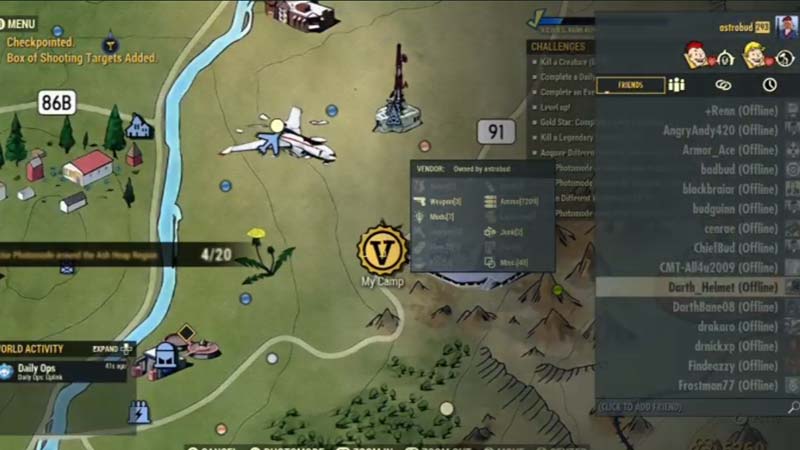
Friends List Not Working In Fallout 76
Image Source – bud guinn (YouTube)

Here are a few things for you to try if your Friends List is not working:

Check Server Status

A server issue may have caused the Social/Friends Menu to not function properly. Use this link to visit the Bethesda website that will let you know if the Servers are working properly or not. You can also check the developer’s Twitter Support page for cross-checking and more information on this error.

Invite from Main Menu
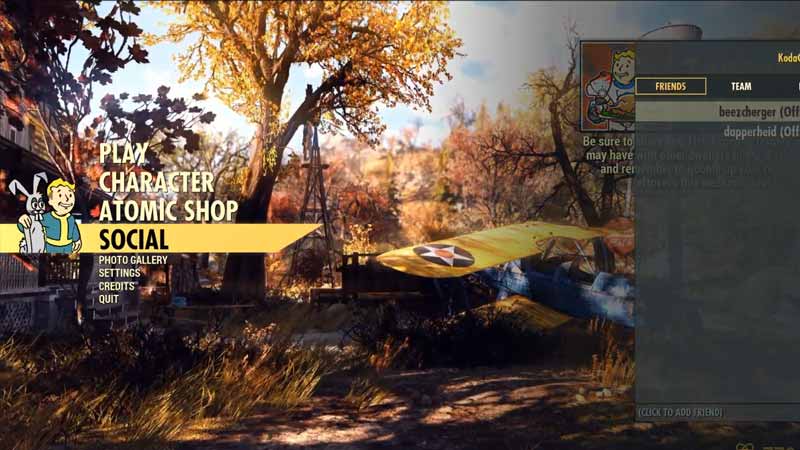
Friends List Not Working In Fallout 76

An alternate way to add friends in Fallout 76 is from the Social Menu tab in the Main Menu. You can try this method until this Friends List issue is fixed by the devs.

Syncing Error

For those who are playing it on Xbox, know that the Friends List of your Xbox Live and Fallout 76 takes a while to sync. Moreover, players who have logged into Fallout 76 will show up in the Friends List. Also, Xbox One players should follow each other in order to appear on the Friends List.

Change Settings 

There is a chance that your Friends List in Fallout 76 is not working due to altered settings. Ensure that the following settings opt:

  • See You’re Online – Friends
  • See Your Game & App History – Adult Default

Restart your Device

Last but not the least, try restarting your PC or Console. This will give your system a much-needed reboot. After that, try launching Fallout 76 again and check if your Friends List is working or not.

That is pretty much all you can do when your Friends List is not working in Fallout 76. While you are here, make sure to check out our other Fallout 76 Guides on Gamer Tweak.

  • Anime Duelists Codes (July 2026)

    Anime Duelists Codes (July 2026)

    Published Date :

    Anime Duelists follows the tried and tested formula of spinning stars to unlock fighters, sending them into battle and collecting rewards. If you want to get unique fighters, abilities, and progress through various realms, you need these code rewards! You can get anything from free Gems, Trait Rerolls, Stats Reroll, Super Luck, Star Speed potion,… Read More

  • Mini Cup Codes (July 2026)

    Mini Cup Codes (July 2026)

    Published Date :

    In Mini Cup, you open up packs to unlock footballers, build houses, and win matches against rival teams. This makes it a perfect mix of some of the most popular gameplay loops for soccer fans on Roblox. To grow your club, you’ll need cash, as well as special packs, which is where Mini Cup codes… Read More

  • Be The Final Boss Codes (July 2026)

    Be The Final Boss Codes (July 2026)

    Published Date :

    Now you can be the final boss! In this experience, you summon minions to fight for you and take down waves of heroes. To level up, you’ll need plenty of coins and various resources, which is where Be The Final Boss codes come in handy. If you wish to boost your character and stay one… Read More

  • Clean the Squishies Codes (July 2026)

    Clean the Squishies Codes (July 2026)

    Published Date :

    There’s something surprisingly satisfying about picking up the cute Squishies and putting them back on their designated shelves. If you’re interested in getting some unique rewards including free Squishies, this guide is for you. Here’s the complete list of all the working rewards. Last checked for new codes on July 13, 2026 All Clean the… Read More