
Is your Epic Games Launcher crashing or getting stuck on the game’s loading screen? You are not the only one, since this platform has a plethora of games such errors are given. If you regularly use it, you might have also faced the issue of the game not downloading or launching. So, if your Epic Games are not working there is no need to worry, as here we have given solutions that should work for you.
It would be best to follow the fixes in the sequence we have added. We have given the simple and shorter ones first and then the lengthy ones. With that said, let us get to the fixes.
How to Fix Epic Games Not Working Error
Before trying the below fixes make sure you have a stable internet connection. Oftentimes internet speed is the primary culprit for such issues. You can see your internet speed by searching speed test on Google. And then using the Run Speed Test button.
Once you have made sure that the internet is not the issue, proceed to these solutions and fix Epic Games not working error:
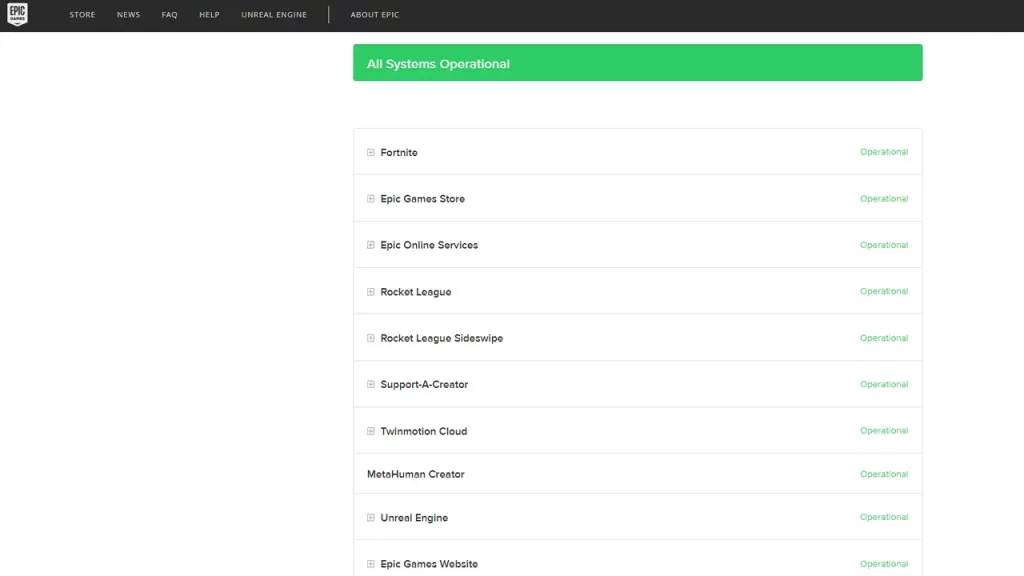
Check Server Status
Check both the Server Status of the Epic Games and the game you want to play. Epic Games server can be checked from its Server Status page. As for the game, you can refer to server status sites like Downdetector.
Verify the System Requirement of the Game
You can find the system requirements of any game by scrolling to the bottom of its page. Open your System page from the Control Panel and check if it meets the game requirements. All games have different requirements. Having a system that is compatible with the Epic Games Launcher isn’t enough, it must also meet game requirements.
Troubleshoot Epic Games Launcher
- Close the Epic Games Launcher.
- After a few seconds right-click on the Epic Games Launcher shortcut.
- Select Run as Administrator.
- Now click on the profile icon from the top right.
- Go to Settings.
- Scroll to select Troubleshoot.
- Press Troubleshoot Again.
Clear Cache in Epic Games PC
- Press the Windows and R key. This will take you to the run window.
- Next, type %localappdata% and enter.
- Open EpicGamesLauncher.
- Go to the Saved folder.
- Now look for these three files and remove them:
- webcache
- webcache_4147
- webcache_4430
Clear Cache in Mac
- Use Finder to access Go and get to Go to Folder.
- Find the Library and look for Caches.
- Next, scroll and find “com.epicgames.EpicGamesLauncher“
- Put the webcache folder into the Trash.
- Clean the Trash and start the app after a few minutes.
That’s all for the fixes to resolve Epic Games not working error. If this guide was useful to you, do check our other tech guides. We have covered topics for many video games right here on the Gamer Tweak.











