Roblox is right up there when we talk about the best gaming platforms. Even though it does not house any AAA games, it still brings something for any type of player in the gaming community. Additionally, Roblox also makes its presence felt among the mobile gaming community with its expansion into Android and iOS. While it has a wide fan base, such outreach cannot come without a few hurdles along the way. One such hurdle is the different errors that the Roblox team faces and solves to provide seamless fun gameplay. Mobile gamers have recently faced a new error. Error Code 286 Your Device Does Not Have Enough Memory To Run This Experience in Roblox and are looking for a fix. If you are here for the same, this guide has you covered.
How to Fix Your Device Does Not Have Enough Memory to Run This Experience in Roblox
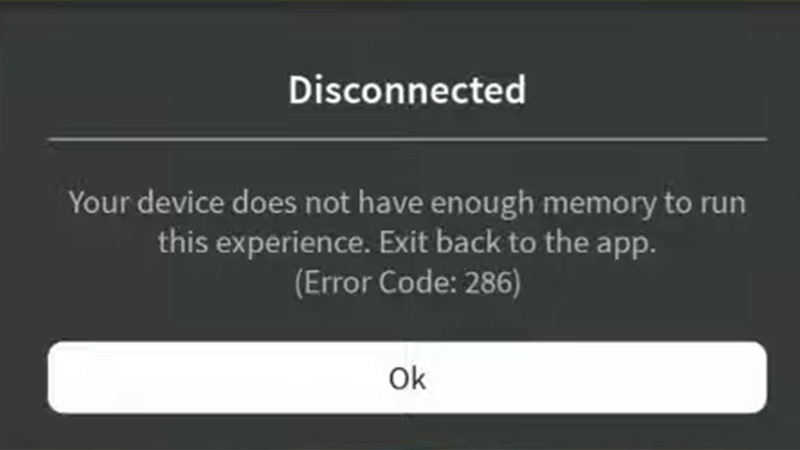
While the fix to Roblox Error Code 286 is not really technical, it is still frustrating to see an error while playing. But before we start, make sure that there is no pending Roblox Update by heading to the Play Store. To Fix Your Device Does Not Have Enough Memory to Run This Experience, here’s what you need to do.
The following steps involve changing the technical aspects of your device. Go for these steps if and only if you know how to revert back to previous settings.
Clear Cache Files in Roblox
Here’s what you need to do while clearing the Roblox cache files from your device:
- Go to your Settings and open Apps.
- From the list of your apps in Manage Apps, search for Roblox.
- Tap on Roblox and in the new window tap on Storage.
- In the Storage window, you will get the option to clear cache.
- Tap on it and try starting the game to see if the problem is fixed.
Change DNS Settings
Here’s what you need to do while changing the DNS settings on your device:
- Go to your Settings and open your Wi-Fi connection setting.
- Tap on the Wi-Fi connection you are currently using and scroll down to IP Settings.
- Change the IP Settings from DHCP to Static and scroll down.
- Mention the following DNS settings in DNS 1 and DNS 2.
- DNS 1 – 8.8.8.8
- DNS 2 – 8.8.4.4
- Once done, tap the tick mark and reconnect to Wi-Fi.
Head over to Roblox and see if this can fix the Your Device Does Not Have Enough Memory To Run This Experience error for you.
Log Out & Log In
While this is not a permanent fix, if the error is a temporary problem, this will help solve it. All you have to do is log out of your account and log back in. Additionally, after you log out, restarting your device might turn out to be an added benefit.
If none of these work, you will have to connect to Roblox with a VPN or proxy. Additionally, reinstalling the application may fix the error for you. Feel free to connect with Roblox Support to get a better understanding of the error to fix it.
That’s all you need to Fix Error Code 286 Your Device Does Not Have Enough Memory to Run This Experience in Roblox. If you liked this guide, we have more Roblox guides, tips, and tricks that you might be interested in at Gamer Tweak.