
With our workaround solutions, you can get rid of the audio issues in Honkai: Star Rail. Recently, multiple players addressed their disappointment on Reddit as their games had missing background music. This sound bug really makes it an annoying gameplay experience. Good music is one of the most important elements of an RPG. Without it, multiple spots in the game will make no sense at all. So, here are some solutions to fix the background music issue in Honkai Star Rail.
How to Fix the Background Music Issue in Honkai Star Rail
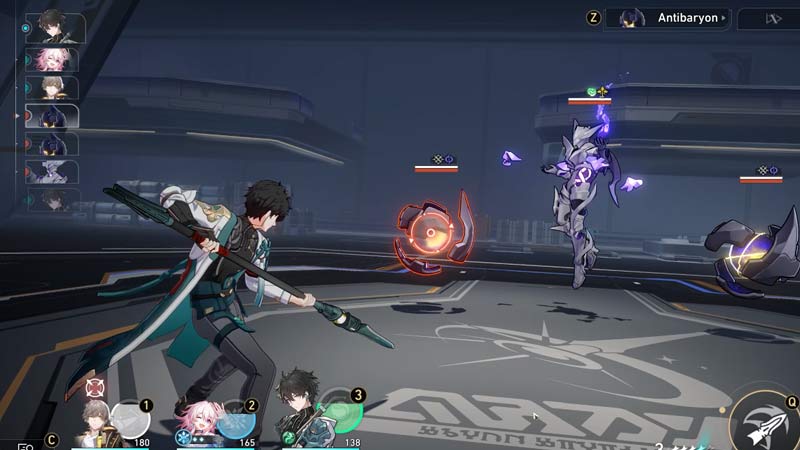
Here are some solutions to fix the ‘no music’ bug in Honkai Star Rail.
Verify the Integrity of the Resources
While installing the game, there are chances that some necessary files remain missing. To download those necessary files, you can check and download the updates. To do so, follow the steps below:
- Launch Honkai Star Rail and enter the screen as shown in the image below.
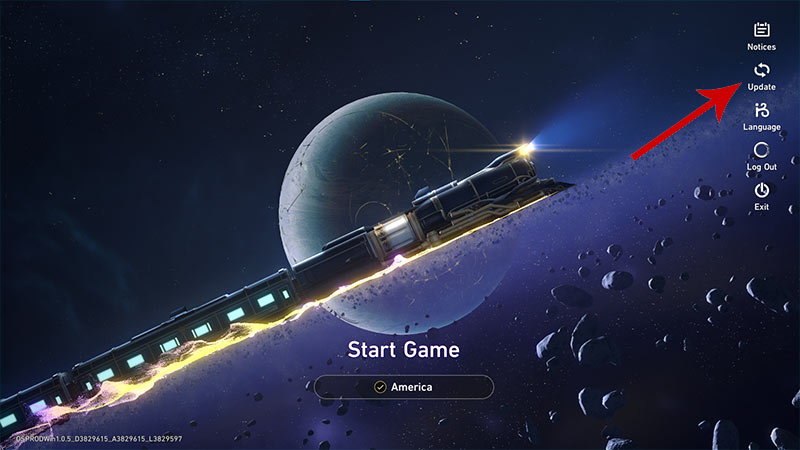
- From there, click on the Update button on the right side of the screen.
- Now, tick the box that says ‘Force update all downloaded files.’
- Further, click on the Confirm button to download updates.
Once done, relaunch Honkai Star Rail to check if the background music issue is resolved.
Prioritize Volume for HSR
To prioritize the volume of Honkai Star Rail, right-click on the sound icon on your taskbar. After that, click on ‘Open Volume Mixer’ and increase sound for Honkai Star Rail to possibly fix the no sound bug.
Update your Audio Drivers
You can also try and update your Audio Drivers if nothing resolves this issue. Follow these steps to update your Audio Drivers on Windows:
- Right-click on the Start button and select Device Manager.
- Now, double-click on Audio inputs and outputs to break down the menu.
- Right-click on your driver and update it to possibly fix the no music bug in Honkai Star Rail.
That is pretty much everything you can do to fix the Background Music issue in Honkai Star Rail. For all the inconveniences you have incurred, compensate them by getting some free rewards. Check out our HSR Codes article to redeem some freebies in the game.











