
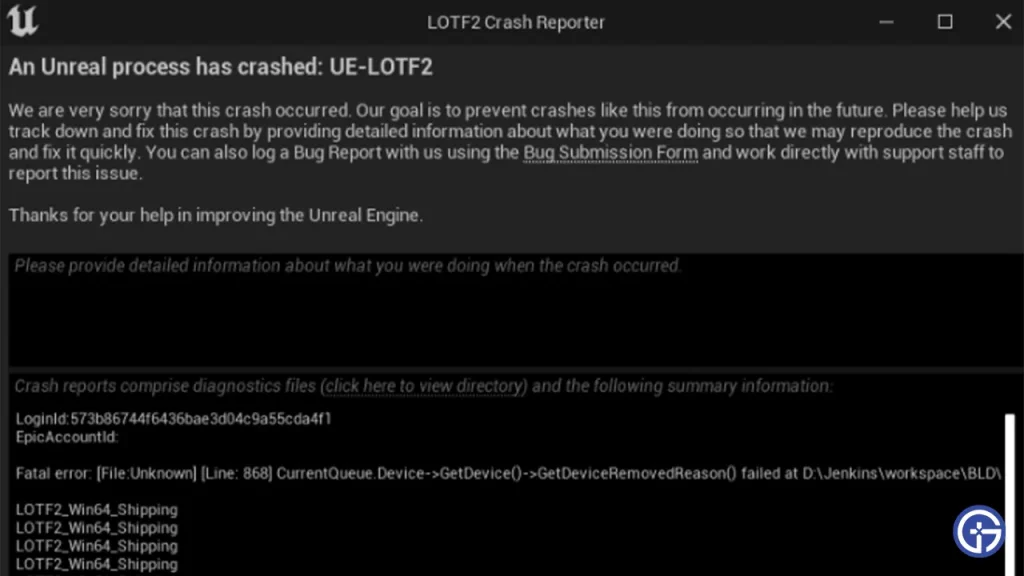
One of the most common problems with Unreal Engine, An Unreal Process Has Crashed UE-LOTF2 is being displayed for many Lords of the Fallen 2 players. So if you are wondering how to fix this, you should know that there is no permanent fix. Although we have found that restarting the game to be most effective, there are other troubleshooting tips that you might need. Since the error can show up due to multiple reasons, you will have backup options to try to solve the issue.
An Unreal Process Has Crashed UE-LOTF2 Troubleshooting Tips
Before you have to go through this extensive list of potential fixes for the error, make sure you check if the LOTF Servers are up and running properly. If there is a maintenance going on, chances are you will have to wait till it’s over.
Restart Lords of the Fallen 2
While it sounds extremely simple, rebooting is one of the easiest ways to get rid of this error. As you can guess, the only way for it to be fixed is through a permanent patch. However, once you restart LotF, you can avoid the ‘An Unreal Process Has Crashed UE-LOTF2’ error and start playing the game again.
Verify Integrity of Game Files
Verify the Integrity of the Game Files to make sure that none of the game files are missing or corrupted. This will help you get rid of any faulty file and avoid the ‘An Unreal Process Has Crashed UE-LOTF2’. You can do this from your Steam by following these steps –
- Open Steam and Go to Steam Library.
- Navigate to Lords of the Fallen and right-click.
- Click on Properties from the drop-down menu.
- Locate Local Files and Click on Verify Integrity of Game Files.
Update GPU Drivers
GPU Drivers are one of the main components of PC gaming and must be kept updated constantly. If your GPU drivers aren’t updated, you will likely face the ‘An Unreal Process Has Crashed UE-LOTF2’. To fix it, simply head to the website of your GPU driver to check and download updates. Nvidia users can click here, and AMD users can follow this link.
Update Microsoft Windows
Make sure that your Windows is updated and that you have not missed any new updates. Since it can lead to the UE-LOTF2 error in Lords of the Fallen, you will have to follow the steps below:
- Click on your Start Menu and then click on Settings.
- In the new window, you need to look for Update and Security.
- Now to update windows, click on the button that says Check For Updates.
- If there are updates pending, the display screen will show you the option to Update Windows.
Allow Lords of the Fallen on Windows Defender Firewall
Your Windows Defender Firewall settings might be blocking the game and this might cause ‘An Unreal Process Has Crashed UE-LOTF2’ error in Lords of the Fallen. Here’s how you can add it to the Exception list:
- Open the Firewall & Network Protection from your Windows Security.
- Locate and click Allow an app through Firewall.
- Look for the Lords of the Fallen files in the list.
- If you can’t find it, follow these steps –
- Click on Change Settings.
- Click on Add Another App.
- Browse for your Lords of the Fallen Files and then Add the game to the Exception list.
- Once you add the game to the Exception list, it should not have any problem with Windows Defender.
Turn Off VPN
Any VPN or proxies will cause problems while playing Lords of the Fallen. Make sure you disable them and then try to enter the game again.
Hopefully these troubleshooting tips will help you fix the issue. However, if they don’t work for some reason, it’s best you contact LOTF Support for some professional help. If you found this guide useful, do check out our other Lords of the Fallen guides right here at Gamer Tweak.











