
Minecraft is a Sandbox Survival game by Mojang that grants the players freedom to do whatever they please under certain World Rules. Many players have made many amazing and beautiful things like SMPs, Gigantic Builds, RPG Realms, Redstone Machines, etc. After making such magnificent builds, you choose to show them to everyone but you don’t invite anybody to your Server. As such, you can give your Server Seed. In this guide, I will show you how to find the World Seed of a Server in Minecraft.
How to Find the World Seed of a Server in Minecraft
A Seed in Minecraft is the unique ID of a Server. No two Servers can have the same Seed while being different from each other. This opens up the possibility of sharing Worlds. There are ways of getting the Seed of a Minecraft Server online or through third-party Apps. But it is way easier by just checking the Server Settings in-game. Here are the steps to get it on Java Edition & Bedrock Edition.
Finding the Server Seed in Minecraft Java Edition
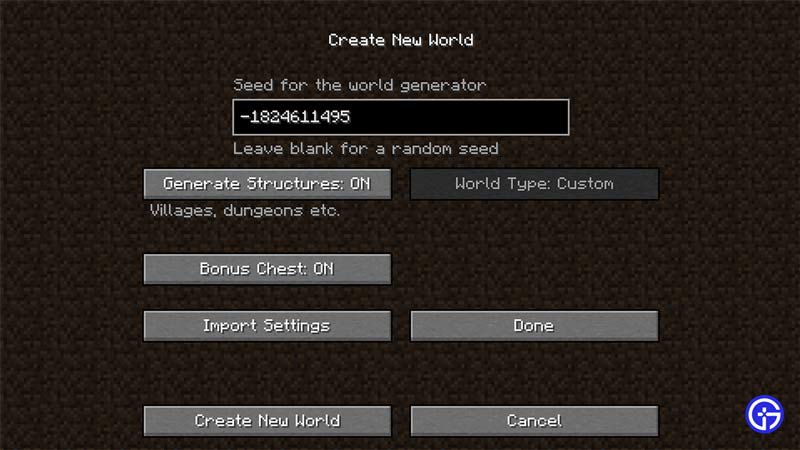
- Open up the game and select your Singleplayer Server.
- Now, click on Re-Create at the Bottom of the Screen.
- This will open up the Create New World page.
- Now, click on More World Options.
- This will open up another page but this one will have your Minecraft Server Seed.
Finding the Server Seed in Bedrock Edition
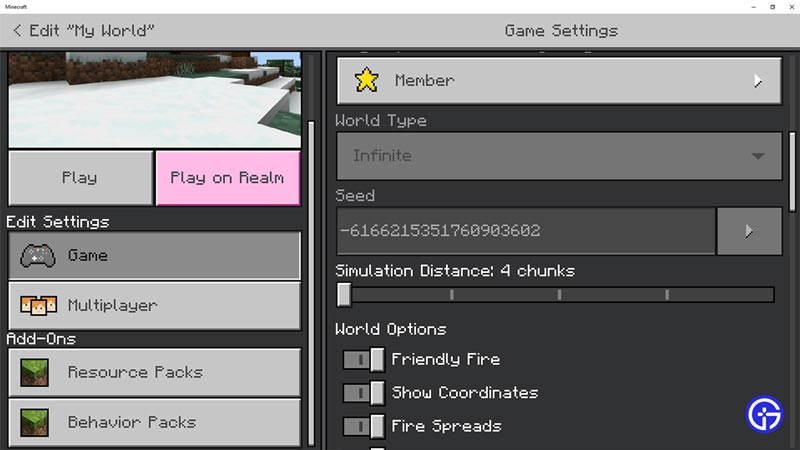
- Open up the game and select your Singleplayer Server.
- Now, click on Game Settings.
- This will open up the Settings Menu and Scroll Down.
- You will find the World Seed of the Minecraft Server there.
Other Methods of Finding the World Seed in Minecraft
- If Commands are enabled, then type /seed and the Seed will be displayed.
- The above steps work only if you are the Server owner, the command will work regardless.
- For Multiplayer Servers, excluding the big ones, you will be able to get the Seed by creating a New Single Player World by copying & pasting the game Files.
- Go to /Documents/MC servers/(the Server name) and copy the World folder.
- Now search for %appdata% in the Run Window. Press Windows Key + R to open up the Run Window.
- From there, go to AppData/Roaming/.minecraft/saves & paste the World folder there.
- You will be able to access the World folder once you start up Minecraft again.
This was all about finding the Seed of a Minecraft World Server. Hopefully, this guide has helped you. You can also check out our guides like Best Texture Packs For Minecraft 1.19.











