While it has been an amazing start for the fans of the franchise, some unlucky players have met the bitter end of the Modern Warfare 2 stick. Plagued with a few errors, players have to look for the fix to quite a few of these errors as Infinity Ward cannot wipe them off in a flash. Recently, players were looking for a fix to Exe/Bad_Challenge Error in MW2. While console players are the ones who have been affected majorly, there is no guarantee that it will stay till that. So in this guide, we will show you how to fix and get past this bug and get back to some game time.
How to Fix Exe/Bad_Challenge Error in MW2
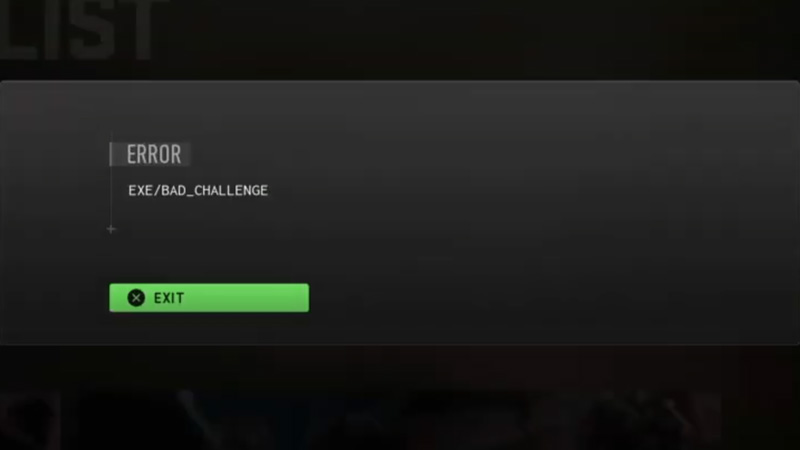
Upon encountering this bug, the user will be sent back to the main screen from their Multiplayer game. It effectively does not allow you to play the Multiplayer mode of Modern Warfare 2. Since Multiplayer is one of the most exciting modes of COD, players will naturally be annoyed with this error. Nevertheless, the important thing is to get past this error and solve it.
While there is no set fix for it, there is a workaround you can use to solve the error. To solve Exe/Bad_Challenge error in MW2, once you start quickplay immediately head to your weapons loadout by hitting R1 on your PlayStation controller. Now you have to simply wait here as the game starts and then you can play the round. Rinse and repeat should work for this error as long as Infinity Ward does not come up with a solution.
Modern Warfare 2 Troubleshooting Tips
Below are a few troubleshooting tips that should also come in handy while you fix Exe/Bad_Challenge Error in MW2:
- Restart your console and then try again.
- Look for any updates in the game. Since Infinity Ward constantly provides small updates, missing one might cause this error.
- Reinstall the game. We recommend you keep this as a last resort and before you do that, contact Activision Support.
That’s all there is on how to fix Exe/Bad_Challenge Error in MW2. While you are here, do not miss out on our MW2 Wiki for more guides at Gamer Tweak.