
Honkai Star Rail is the trending game right now. However, many errors have begun surfacing with tens of millions of players jumping into the game. One of them is the login error 1001_2. This bug keeps players stuck at the login screen, preventing them from accessing the game. Moreover, this error is affecting only players on mobile devices. It is becoming frustrating as players have tried restarting the game hoping for a solution. If you are facing this issue as well, then check out how to fix Honkai Star Rail’s Login Error 1001_2.
How to Fix Honkai Star Rail Login Error 1001_2
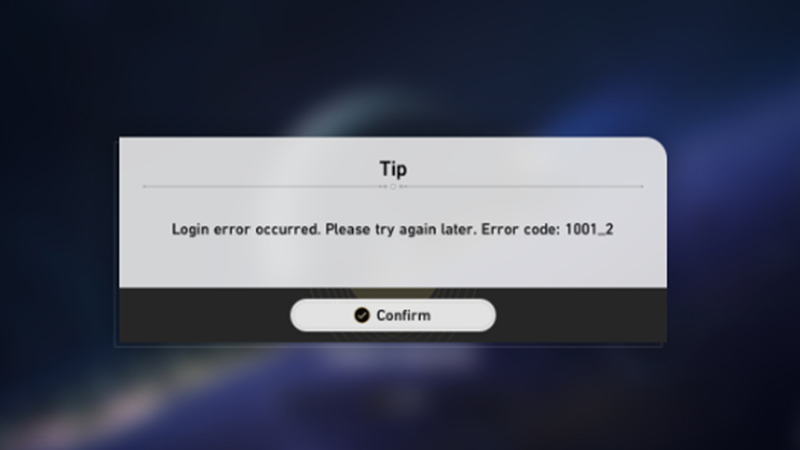
The Login Error code 1001_2 may not always be caused when the servers are down. The problems can arise due to certain settings on your mobile that restrict the game from working properly. Without further ado, let’s take a look at how to fix Login Error 1001_2 in Honkai Star Rail.
Turn Off AdGuard DNS
A hack that many Reddit users found helpful was to turn off the AdGuard DNS on their Android or iOS devices. Since HoYoverse has banned the use of plug-ins and third-party tools, it’s likely that the game wrongly recognizes AdGuard as a plug-in. The service is meant to block ads and trackers. Hence, disabling it while playing the game wouldn’t be so problematic after all. Once AdGuard DNS is turned off, you should be able to fix Error 1001_2 in Honkai Star Rail.
Disable VPN
Disable any VPN that you are currently using as it can interfere with Honkai Star Rail’s connectivity and login process. Turn the VPN off to resolve the Login Error code 1001_2 and get back to playing again.
Switch Between Mobile Data & WiFi Connection
Some users on Reddit suggested switching between one’s WiFi and Mobile Internet connection to solve the 1001_2 Error in Honkai. All you need to do is turn off the WiFi and switch on your Mobile Data. Once you get through the login screen without any errors, you can switch back to your WiFi connection.
That’s everything you need to know about how to fix the 1001_2 Error in Honkai Star Rail. We hope that you found a solution from our troubleshooting guide for this Login error code. While you’re here and facing other errors, learn how to fix the Global Distribution Error on our Honkai Star Rail section.











