Elite Dangerous is a massively multiplayer game based in Space. It is the longest-running Space Simulation game. Space itself is amazing and then you add the social aspect of the game and you are going to have a good time. But sometimes that good time comes to an end. Why do you ask? Well, that’s because the Server is down. There are times when the game stops working and you cant in Elite Dangerous. In such cases, their Servers are down for some reason. A few reasons could be Server Errors or maybe your Client issues. In today’s guide, I will show you how to check the Server Status in Elite Dangerous.
Elite Dangerous Servers Down? How to Check Server Status
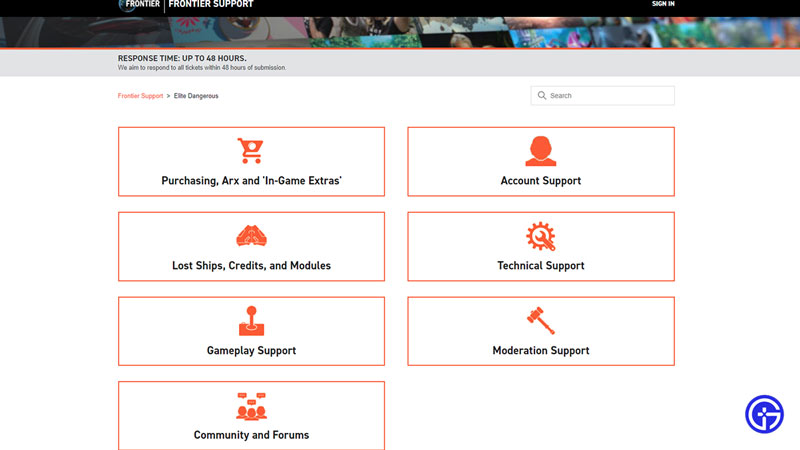
Servers of Online games go down from time to time and Elite Dangerous is no exception. Usually, Servers go down due to some error that has occurred or for Maintenance Breaks, They occur on a regular periodic basis. To check the Server Status of Elite Dangerous servers, you can visit their Official Website for help. If the game servers are working then you can either check if Xbox servers or Playstation servers are functioning. Usually, it will be one or the other. Elite Dangerous doesn’t have a dedicated Server Status website. If you are on the PC version, the Game Launcher will indicate whether Elite Dangerous is working or not.
For Console players, There is no direct way of knowing if the Servers are down or not. You will have to wait or search it up. If the Servers are working then the problem is at your Client system end. If that’s the case then follow these simple tricks to fix it:
- Restart Elite Dangerous.
- Clear Cache Files from your Gaming System.
- Update Elite Dangerous if there are any available.
- Restart your system.
- Check your Internet Connection
- Disable VPNs & Antiviruses.
If none of the above tricks worked then I would suggest you go to their Forums and request a Ticket. They will get in touch and will fix the problem. This was all about the Server Status in Elite Dangerous. Hopefully, this guide has helped. You can also check our guides on our website, Gamer Tweak.