
The wait is finally over as players can download a free trial of Call of Duty Black Ops: Cold War’s Zombies on PlayStation, Xbox and PC. Before we explain how to do so, let me tell that you this free trial of the game can only be downloaded until January 21, 2021.
Once you have downloaded the free trial of CoD Black Ops: Cold War’s Zombies on your device, you will be able to team up with your friends who already have the game downloaded on his or her device and have a lot of fun together.
There are players who actually don’t know how to download the CoD Black Ops: Cold War Zombies on PS4, PC and Xbox One/Series and if that’s you then look no further as we have got you covered.
How To Download Cold War Zombies Trial on Xbox and PlayStation
Downloading the free version of Cold War Zombies on both Xbox and PS is straightforward and quite similar. If you don’t know how to do download it then here are a few simple steps that you will need to follow.
- Look for Xbox Storefront or PlayStation Store.
- Navigate the search option and type ‘Cold War Zombies’.
- A new window will appear on your screen showing ‘Call of Duty: Black Ops Cold War – Zombies Free Access.’
- When you click on it, you will be shown an option to download CoD Black Ops Cold War Zombies on both PS and Xbox consoles.
- Make sure you have enough empty space on your console because the downloaded file will weigh around 20 GB.
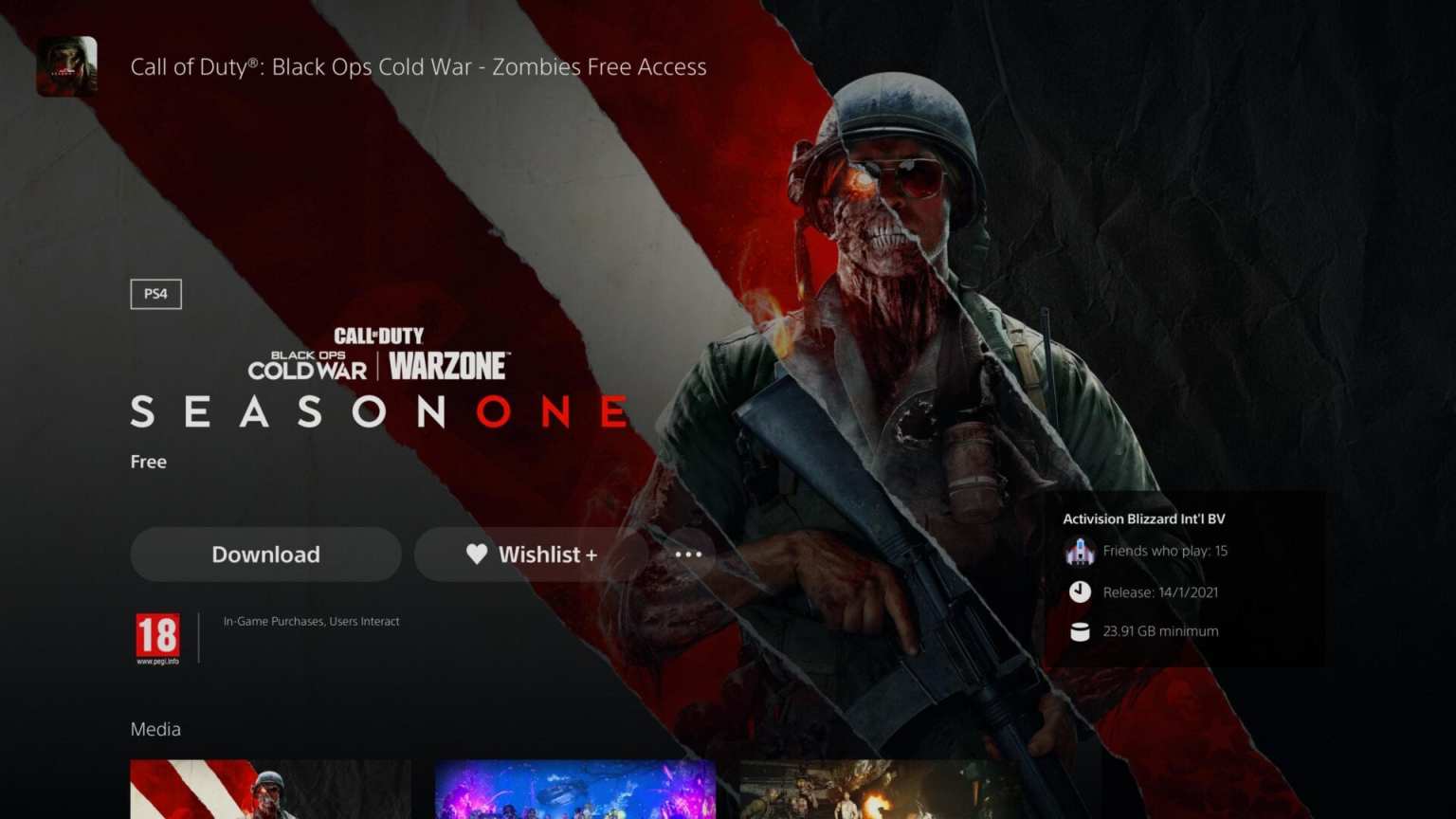
- Once you have successfully downloaded the game, you will be able to play it and access the full Zombies mode from Black Ops Cold War for free until January 21, 2021.
How to Download the Cold War Zombies Free Trial on PC
Those who want to access the full Zombies mode from Black Ops Cold War for free on PC will need to download the Battle.Net client. Once downloaded, sign in to their account and search for the Black Ops: Cold War option located on the left side of the screen. There, you will see an option called ‘Tre for Free’. As soon as you click on that option, the download process will begin.
That’s everything you need to know about how to download CoD: Black Ops Cold War Zombies free version on PS, Xbox and PC.











