
In Division 2 you can use the Recalibration Station to transfer weapon and gear talents to one specific weapon of your choice. Recalibration Station is situated next to the crafting table. It is an awesome spot to get the best for your weapons and gears instead of relying on some weapons for specific talent. The Recalibration Station specifically allows you to move the talent of one weapon to another similar weapon reducing your burden of carrying different types of weapons or switching in between the game. So let’s begin the guide on how to use Recalibration Station to recalibrate weapons and gears in Division 2.
How To Use Recalibration Station
Visit the Recalibration station located next to the crafting table at the stronghold. It will open two options, first for Weapons and second for gears. Using the system you can pick the talent you like and transfer it to a different weapon. There are certain rules, not everything is transferrable. For example talents of assault rifle will only be transferred to another similar weapon, not to SMG or side arm. You can view the talent in your inventory, just select a weapon and look on the right end side, there is a talent section.
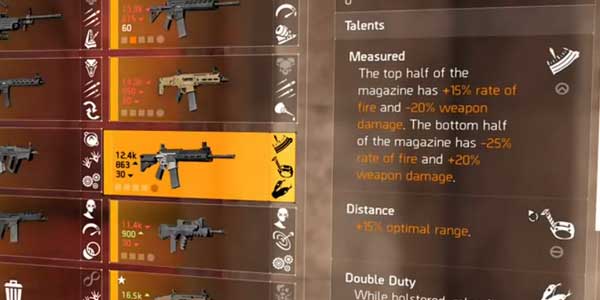
Armors also carry different talents, if you had got enough you can move the best one into one armor and carry it with the perk. Compare to weapons, Armor allows you to transfer attributes, for example, some armors additional headshot damage or critical hit chance you can move to another armor. You can pull out good perks from another weapon like good ammo capacity, range, accuracy, etc.
The best part of recalibration to add higher damage causing perks to your primary weapon. This makes your weapon highly valuable in the battle. So check the calibration center once and instead of carrying too many things you can upgrade your weapons and armors to get the best out of it.












