
Home > My Hero Ultra Rumble > My Hero Ultra Rumble Discord: How To Join Official Server

My Hero Ultra Rumble Discord: How To Join Official Server

Published Date :

If you are looking to get the latest updates and info from the devs themselves then don’t worry we have got you covered with the official My Hero Ultra Rumble Discord Server. The server is managed by the dedicated team and is updated with the latest news and information. Along with all the MHUR updates, players can also talk strategies, make new friends, etc on the official server. Furthermore, you can also indulge in feedback and report bugs from the game in the different channels. So if you are wondering how to join the official discord channel for MHUR, then here is a guide you should check out further.

My Hero Ultra Rumble Discord Link
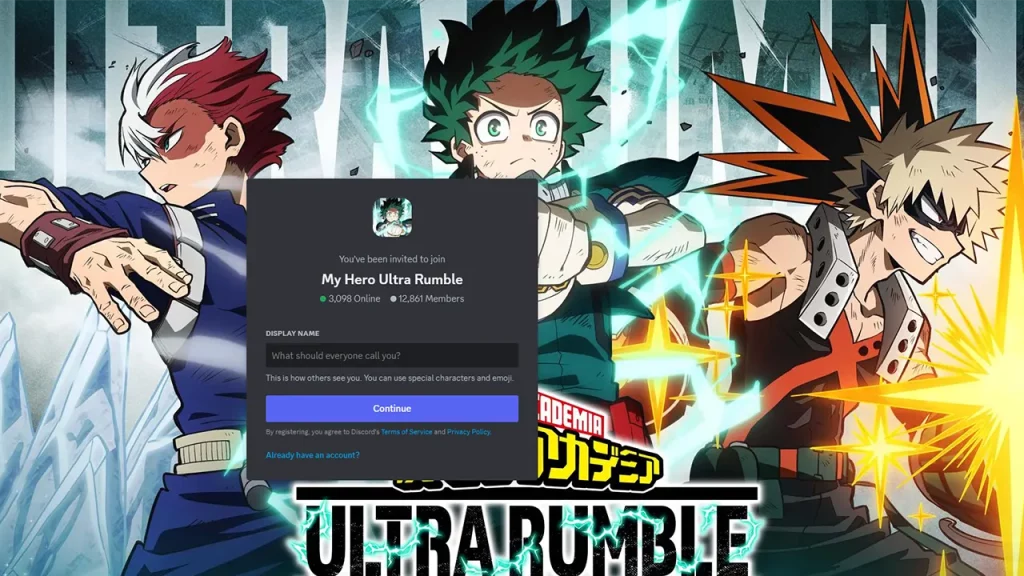
How To Join My Hero Ultra Rumble Discord Server
Screenshot: GamerTweak

Here is the official My Hero Ultra Rumble Discord Link:

To join the official My Hero Ultra Rumble Discord, players will have to first make an account. Here are the steps you can follow to join the official server:

  • Head over to the official Discord site and download the client.
  • Once done, install it on your device.
  • After which you will have to sign in or create a new account on Discord.
  • Once done, click on the above invite link to join the MHUR Discord server.
  • Here, you will be redirected to the Discord App.
  • Click on Join and you will be able to join the official server.

The My Hero Ultra Rumble Official Discord server already has over 12000 members. The server is been actively updated with all the latest news and information on the game by a dedicated team. There are different channels for discussion, bug reports, and feedback on the server. If you are having some problems joining the server, it will be mostly because of server issues. We would recommend you try and join the official Discord server again by clicking on the link.

That’s everything covered on My Hero Ultra Rumble Discord. For more interesting guides do check out our dedicated MHUR section. We would recommend you to go through guides like Complete Roster, and how to check server status in My Hero Ultra Rumble, right here on Gamer Tweak.


  • GTA 6 Leaker Appears to Have More Game Access Than Expected

    GTA 6 Leaker Appears to Have More Game Access Than Expected

    Published Date :

    A new GTA 6 gameplay leak has raised concerns about how much access the leaker may have to Rockstar’s upcoming game. The latest footage from Cyberleek shows Jason exploring Vice City and appears to suggest that the source may have access to a playable build of GTA 6. Here’s what we know about the latest… Read More

  • Slime Card Collection Codes (August 2026)

    Slime Card Collection Codes (August 2026)

    Published Date :

    Slime Card Collection is all about buying card packs, revealing Slime Cards, and generating money from them. As you get more and more expensive packs, you can flex your binder faster if you redeem some rewards. Codes can drop Potions as well as InstaHatch Tokens let you speed up your collecting process and so, here… Read More

  • My Grass Farm Codes (August 2026)

    My Grass Farm Codes (August 2026)

    Published Date :

    Growing grass might sound boring but My Grass Farm keeps things quite interesting! You can hire workers, grow different types of grass, and expand your farm as you earn more resources. Some upgrades can take a while to unlock, so getting a special worker or grass type from a code can give you a nice… Read More

  • Protect the Border Codes (August 2026)

    Protect the Border Codes (August 2026)

    Published Date :

    Protect the Border puts you in charge of a busy checkpoint where every vehicle needs to be inspected carefully. You can check IDs, search trunks, deal with suspicious travelers, violent bandits and decide what to do when someone tries to cross with something they shouldn’t have. As the shifts get tougher, having some extra Gold… Read More







