Not only is it one of the most famous sandbox genre games, but Minecraft is also known for the diversity it offers within. The game has a multitude of items and resources that you will craft, collect or farm. Not only that, many of these items are key elements while crafting another. This guide will show you how to create a bamboo farm in Minecraft. Additionally, creating your own farm can be quite useful to look for other items while you can get this from the farm. So without further ado, check out this guide and create the bamboo farm.
How to Create a Bamboo Farm in Minecraft Java Edition
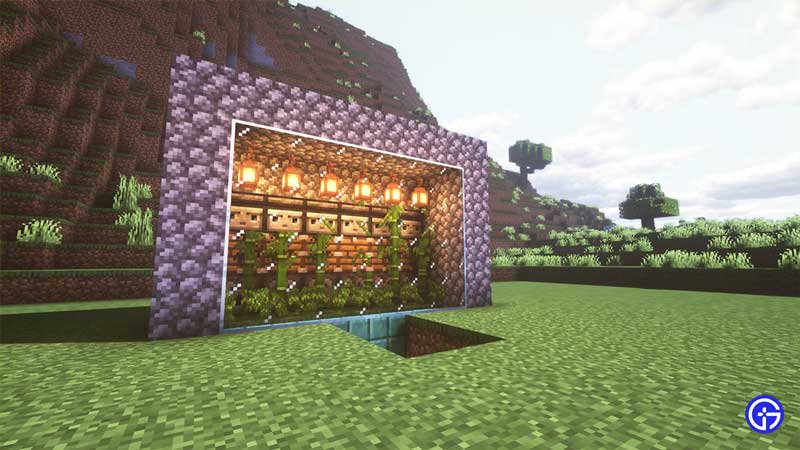
Here’s all that you need to do to create a Bamboo Farm in Java edition:
- Start by digging your blocks to create the region of the farm.
- Next, place the double chests in the middle, essentially creating a Large Chest.
- Along with this dig the area near the chests to place the Hoppers. Additionally, make sure the hoppers are going straight to the chest.
- The Powered Rails need to be placed on the corners and connected with Normal Rails and then place your Hopper Minecart.
- Fill the remaining area with Smooth Stone and along with it, replace the dirt area with the stones too.
- Next cover the rails with dirt and place the Oxidized Cut Copper Stairs on the blocks above the inner set of chests.
- Along with this, add a water source on the Stairs.
- After this, you need to place your Dispenser facing away from the farm and fill them with Bonemeal. Leave one block after the stairs for the bamboo to grow and then place the Dispenser.
- Next, use any kind of block and decorate the farm area and place the Piston on the Dispenser.
- After placing the Piston, place the Observer facing towards the farm and connect it to Redstone Dust with blocks placed on the Piston.
- Add a light source inside your farm before you cover it up with Glass blocks.
- Finally, wait a few mins before you go in to collect your Bamboo.
You can check the video below to get a better understanding to create the bamboo farm in Minecraft.
How to Make a Bamboo Farm in Minecraft Bedrock Edition
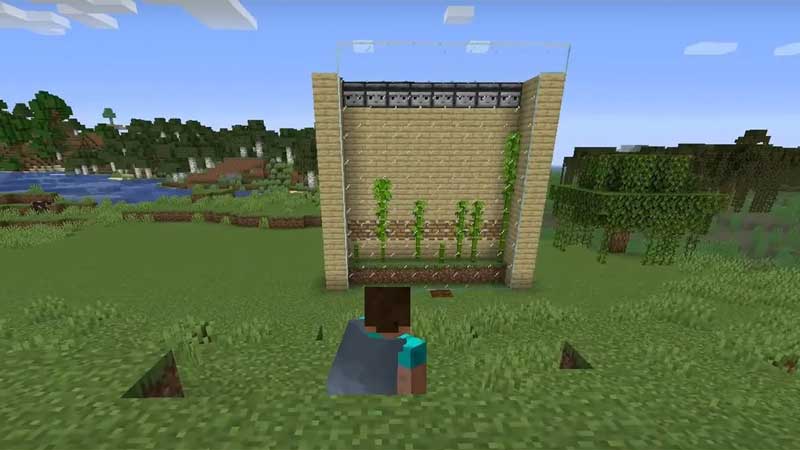
Here’s how to create a Bamboo Farm in the Bedrock Edition of Minecraft:
- Firstly, dig a hole that is 8 blocks wide, and then from the middle, dig one hole deep and two straight.
- Next, place your chest and then place the Hoppers connected to the chest. Fill the block on the side of the hopper with a Grass Block and also the one above the first hopper.
- Now on both corners of your farm, place a Redstone Block and place a Powered Rail on each. Along with that, connect both of them with Normal Rails.
- Once that is done, you can place a Hopper Minecart over the rail to collect all the bamboos and drop them to the chest.
- Cover the holes with Grass Blocks and then create walls around them using planks. Leave the side towards the chest open.
- After making the wall, place the eight Piston one block above the wall and then extend the wall above the Piston to at least five blocks.
- Next place the Observer facing the chest on the top and cover the back of the Observer and the Piston with the blocks.
- Now connect the blocks of the Piston to the Observer by making stairs. This will help you connect the Redstone Dust from the Piston to the Observer. Additionally, you will have to use the Redstone Repeater near the base of the stairs.
- After this, extend the remaining walls to the height of the Observer and complete the roofing using the Glass Blocks.
- Place bamboos on the Grass Block above the hopper and then complete the farm with Glass Block walls in front.
- Additionally, you need to place torches on the Glass Block to help the Bamboo grow at night.
- Finally, cover the Chest hole using a trapdoor and collect the bamboo from time to time.
Check out the video below to get a better understanding of the process.
That’s all on how to create a Bamboo Farm in Minecraft and Bedrock Edition. While you are here, make sure you check out our Minecraft guides, tips, and tricks with Gamer Tweak.