Noob Army Tycoon in Roblox will let players create and change their army and fight battles. The mechanics are pretty simple but the players might get confused as to how to replace the army in Noob Army Tycoon. So in this guide, we will teach you how to replace your troops in this Roblox game.
How To Change Your Army In Roblox Noob Army Tycoon?
From the start point of the game, on your immediate left will be a room with a number of green card-like options. These are basically new troop buttons. You only need one of these to unlock a new army. You are free to however buy all of them too. They are all different kinds of armies basically and you can choose any desired one. On the upper level of this building, you can also find super troops. These are basically advanced troops but cost more in-game money.
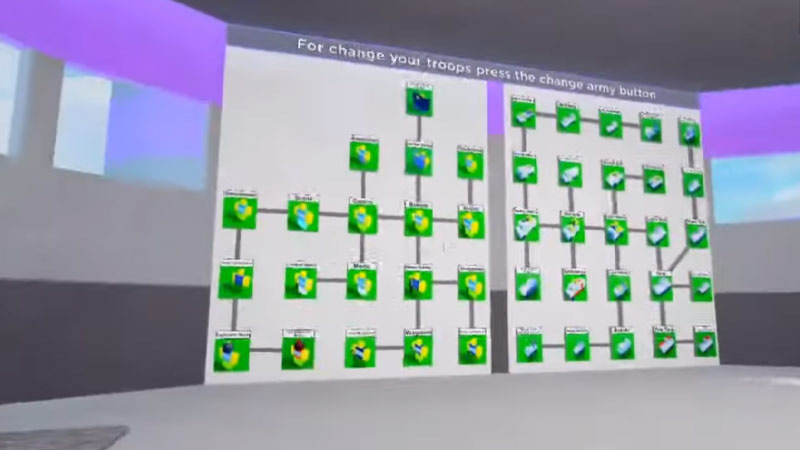
So once you get a new troop, on the left-hand side of your screen, you will see the ‘Change Army‘ option. Click that and a pop-up window will open. This window will have 2 sections, the upper section is the troops that you are already using. The below section is the troops that you brought and now own.
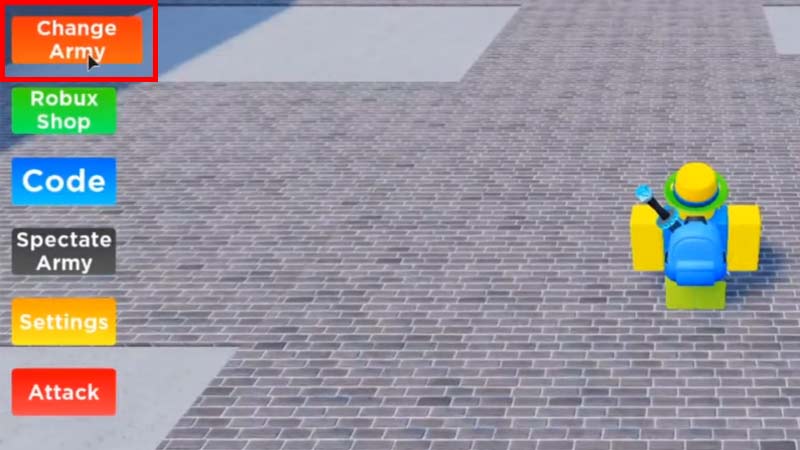
To change your army in Noob Army Tycoon, left-click the desired army card from the bottom section of the pop-up window. Then on the upper section, right-click on the army card that you want to replace the new one with. You can do this multiple times with multiple armies and change your troops. If you have a slot open, you can simply right-click there to equip that particular army.
If you see the other slots turning red when you equip one particular army, that will be because the army that you have chosen can only be equipped once. So simply change your desired army that you want to equip and you should see other slots open.
So that is all there is to it on how to change your army in Noob Army Tycoon. If you would like to get some codes for Noob Army Tycoon, we have an article on that too for you to check.