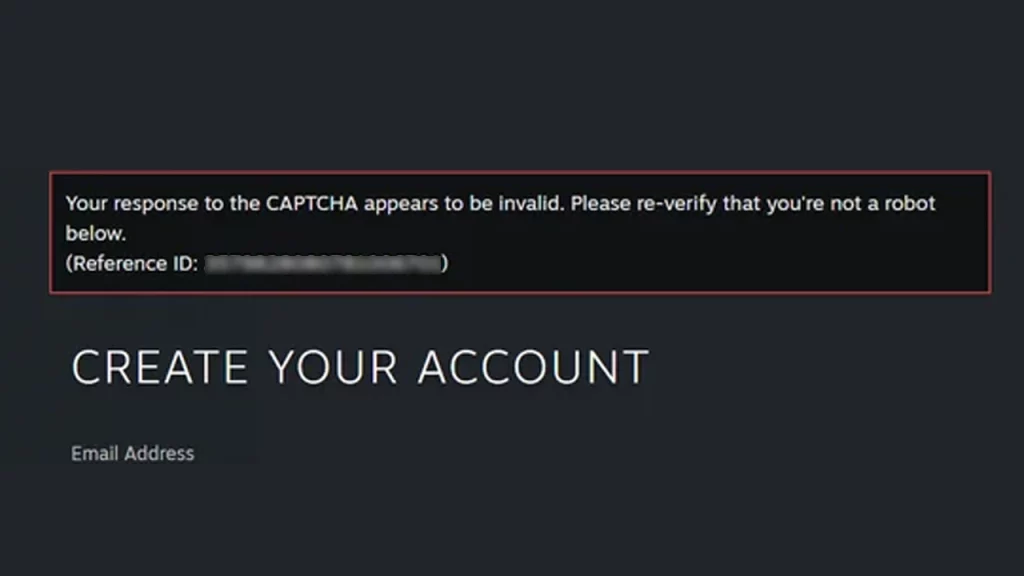
Steam’s captcha system is designed to prevent bots; however, it can malfunction, preventing even real players from logging in. If Steam’s captcha is not working and keeps saying ‘incorrect’ or ‘invalid’ even after multiple attempts, here are some troubleshooting tips to resolve the problem.
How to Fix Steam Captcha Not Working Error
Check for Browser Issues
- Clear Cache and Cookies: Sometimes, outdated browser data can interfere with captcha rendering. Clear your browser’s cache and cookies related to Steam, then try logging in again.
- Try a Different Browser: If clearing the cache doesn’t work, switch to a different browser and see if the captcha functions correctly.
- Browser Extensions: Some browser extensions can block or interfere with captcha scripts. Temporarily disable any ad-blockers, or network blockers to see if it resolves the issue.
Check for Network Problems:
- Unstable Internet Connection: A weak internet connection can prevent the captcha from loading properly. Try connecting to a more stable Wi-Fi network or using a wired connection for this purpose and restart your router if required.
- DNS Issues: Incorrect DNS settings can sometimes cause website loading problems, including captcha issues. For some players, flushing their DNS has worked and you can do it by opening the Run window > typing CMD > typing ipconfig /flushdns. After this, restart your browser and check if you’re able to login using the Steam Captcha now.
- Turn off VPNs: Sometimes, VPNs can interfere with logins, so turn it off if you have it running in the background and check again.
Check if Steam is Down
Sometimes it’s not you, it’s Steam. Head to the Steam server status page to know if the platform is undergoing scheduled maintenance or unexpected downtime. If that’s the case, wait until it’s fixed and try. In case it’s a temporary glitch, refresh the page and try again.
Check for Hardware Issues
Outdated or corrupted graphics card drivers can sometimes interfere with how your browser renders web pages, including captchas. Make sure that your graphics card drivers are updated to the latest version for the best experience.
Check for Account Restrictions
If your Steam account has been flagged for suspicious activity, you might encounter additional security measures, including more challenging captchas or temporary account restrictions. Review any recent account activity and ensure you haven’t violated any Steam terms of service.
If none of these steps worked, the best solution to fix Steam captcha issues is to contact Steam Support with the exact details of the problem you’re facing along with the error message.