
Mount & Blade II: Bannerlord is a strategy action role-playing game that modders have taken to a another level with some unique ideas. While there are some that tweak the balance of the game, others remove loading screens, improve character customization, change how weapons work and add more features. If you love to use such modifications but Bannerlord mods are not working, here are the reasons why and what can be done to fix it.
What to Do if Mount & Blade 2 Bannerlord Mods are Not Working?
The first reason why mods stop working in most games, including Mount & Blade II: Bannerlord, is that they become incompatible with the base game. The game gets updates which may add new content, fix bugs or may change the main code entirely too. The mod creator has to update their mod to work smoothly with all the changes the game has made, which may take time.
There’s even a chance that the modder won’t go ahead and update the mod. In such a scenario, there’s nothing else players can do other than remove the mod. Maintenance of mods is hard work and not all modders may have the time for the same. If you are using multiple mods, they might be incompatible with each other and this could break the game.
Players can contact the modder on their social media channel if a Bannerlord mod that you use is no longer working. In case the requirement to update the mod isn’t very time-consuming, then they might just do it. But if it makes the game unstable, then it’s best to stick to the original un-modded game.
What you can do to ensure that the game works well with your favorite mod is to wait until the mod developer informs users about the game update compatibility. If they post online that they will be updating the mod, you are good to update the game. But if they mention that they won’t be doing it, then stick to the version you have. Set the game updates to manual, so that Steam doesn’t update the game automatically. This is how you can continue playing without worrying about mod incompatibility.
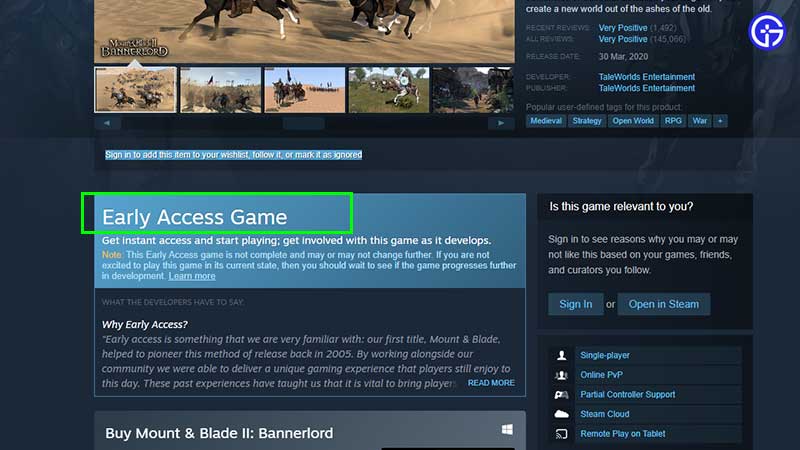
Note that Mount & Blade II: Bannerlord is still in Early Access at the time of publishing this article. Mod users can wait until the game launches worldwide officially and then install mods which may be more stable than the ones you are using in EA. Early access games do get consistent updates based on community feedback which is why updating mods that frequently can be a hassle.
Hopefully, this answers your question related to Bannerlord mods not working on PC. For more on Mount & Blade 2: Bannerlord, check out our related guides on Gamer Tweak.











