Home > Assassin's Creed Valhalla > How to Switch to Raven Mode

How To Use Raven’s Eye View In Assassin’s Creed Valhalla

Published Date :

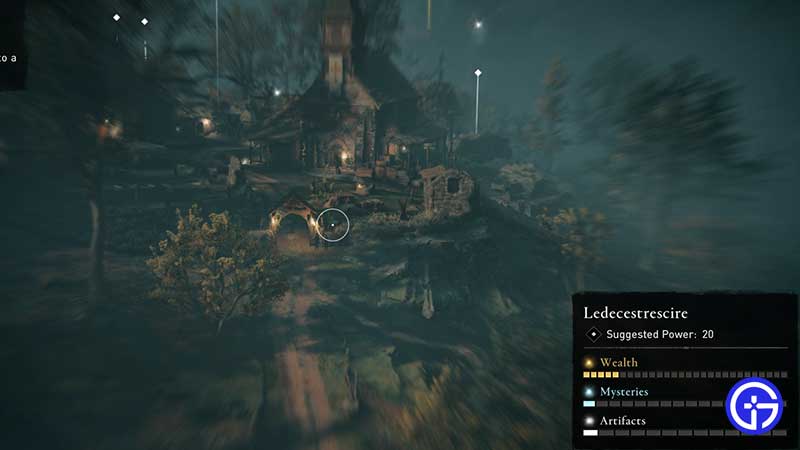
Ravens are very important in the world of Vikings and they play an important role in Assassin’s Creed Valhalla too. You can switch to Raven’s Eye View to get a different camera angle thereby giving you more information about the location you are in. Basically, you will get a much wider view of your environment which is not possible as Eivor. Find out how you can access this view through the Raven Mode.

How to Switch to Raven’s Eye View: AC Valhalla (Raven Mode)
how-to-use-ravens-eye-view-assassins-creed-valhalla

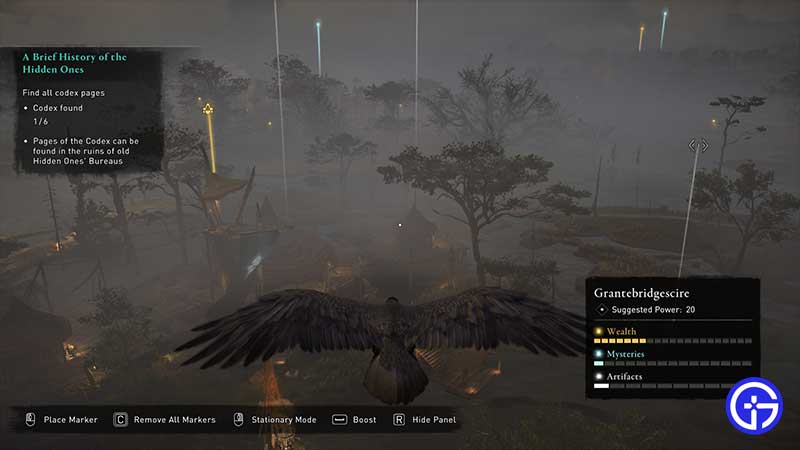
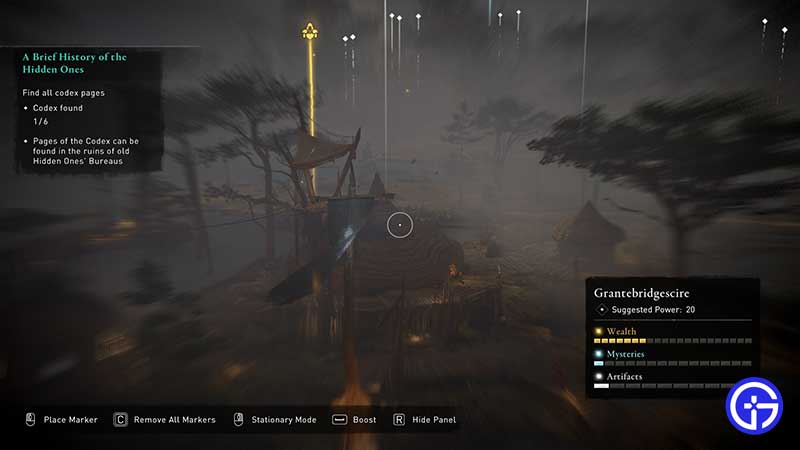
All you have to do to switch to Raven’s Eye View in AC Valhalla is press V on your keyboard (PC) or press up on the D-pad for Raven Mode on Consoles (PS4/Xbox One). With this, your camera will shift upwards and you will become a Raven flying over areas and settlements. You can even enter Stationary Mode by pressing and holding the right mouse button. It will give you a zoomed in & focused view of your surroundings. Once you leave the RMB, you will exit the Stationary Mode.
raven-mode-stationary-ac-valhalla

How do you Use Raven Mode?

ravens-eye-view-valhalla

The Raven Mode is perfect to scout locations and gather information about enemy positions or any other points of interest without alerting opponents. Control the Raven and observe any wealth, quests or even mysteries lurking around.

You can even mark the enemies by clicking the left mouse button. This will place a custom marker on them. Mark opponents in a particular order, switch back to Eivor then go ahead and kill them. Remove all Markers by pressing C. For consoles, you will see the relevant button on your screen when you are in this mode. Lastly, you can exit Raven Mode by pressing the Esc button on the keyboard.

The Raven Mode’s View adds more precision in your quests as a Viking and makes things a bit easier too. Use it strategically and continue your adventure.

While you are here, find out this trick to heal in AC Valhalla which will come in handy if you are overpowered by enemies.

  • ZZZ Version 3.0 Is the Biggest Patch Yet: Here’s What Changed and Why It Matters More Than You Think

    ZZZ Version 3.0 Is the Biggest Patch Yet: Here’s What Changed and Why It Matters More Than You Think

    Published Date :

    Zenless Zone Zero 3.0 patch is the biggest patch since the launch of this game. With the introduction of a new element, a rarity tier, a free anniversary character, and an explorable region, you will find this patch launch exciting. It is necessary to learn what you should prioritize from all of these because of… Read More

  • Anime Duelists Codes (July 2026)

    Anime Duelists Codes (July 2026)

    Published Date :

    Anime Duelists follows the tried and tested formula of spinning stars to unlock fighters, sending them into battle and collecting rewards. If you want to get unique fighters, abilities, and progress through various realms, you need these code rewards! You can get anything from free Gems, Trait Rerolls, Stats Reroll, Super Luck, Star Speed potion,… Read More

  • Mini Cup Codes (July 2026)

    Mini Cup Codes (July 2026)

    Published Date :

    In Mini Cup, you open up packs to unlock footballers, build houses, and win matches against rival teams. This makes it a perfect mix of some of the most popular gameplay loops for soccer fans on Roblox. To grow your club, you’ll need cash, as well as special packs, which is where Mini Cup codes… Read More

  • Be The Final Boss Codes (July 2026)

    Be The Final Boss Codes (July 2026)

    Published Date :

    Now you can be the final boss! In this experience, you summon minions to fight for you and take down waves of heroes. To level up, you’ll need plenty of coins and various resources, which is where Be The Final Boss codes come in handy. If you wish to boost your character and stay one… Read More